VIVOTEK - A Leading Provider of Multimedia Communication Solutions
User's Manual - 133
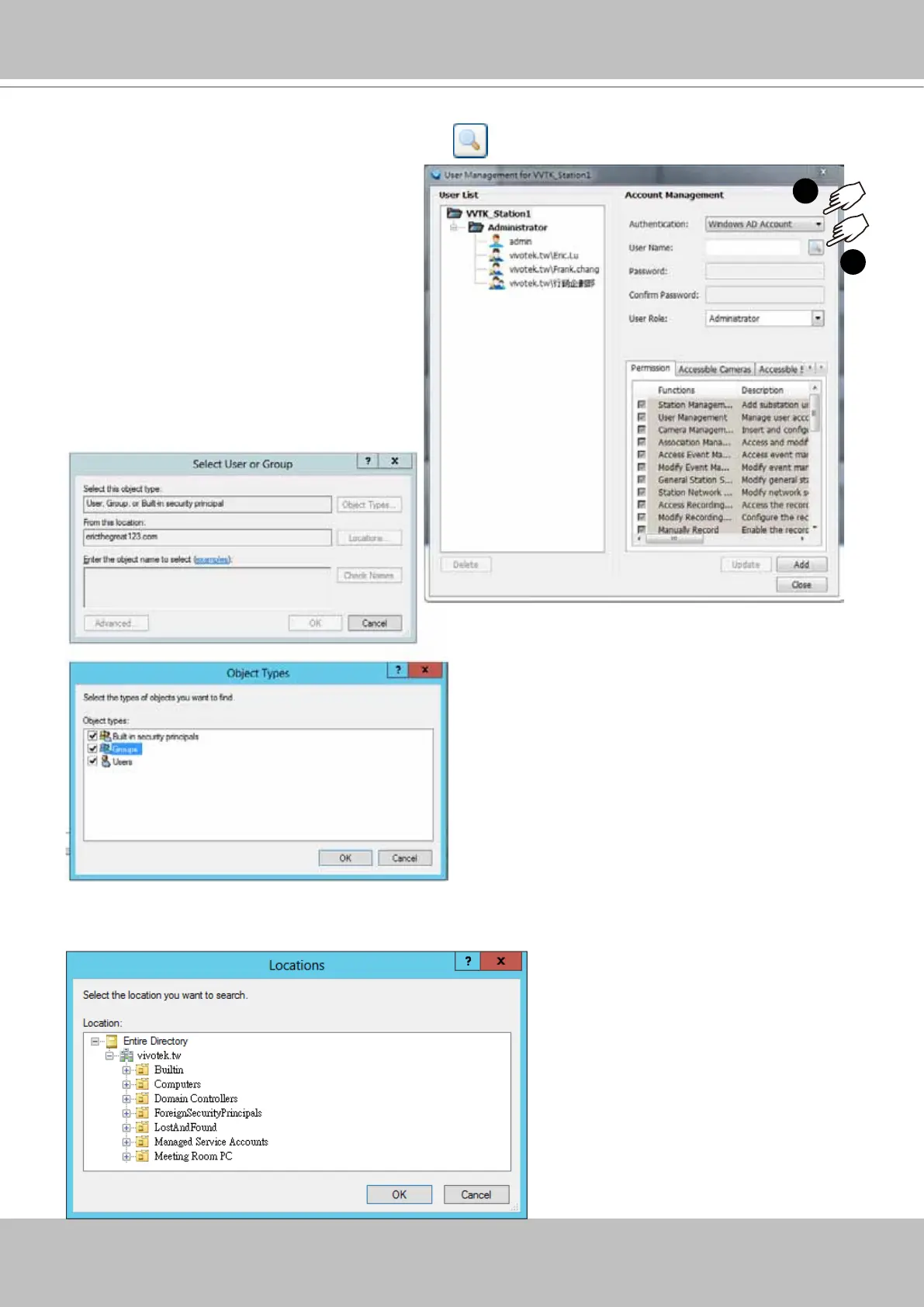
b. A Select User or Group window will prompt.
Click on the Object type button. Select
Group or User.
c. You can also click on the Location button to specify a search range on a location on the AD
hierarchical tree, e.g., a department in an organization.
a. To configure a Windows AD user as a VAST user, enter the User Management window. Select
Windows AD Account, and click on the Search
button.
1
2



 To Next Page