VIVOTEK - A Leading Provider of Multimedia Communication Solutions
134 - User's Manual
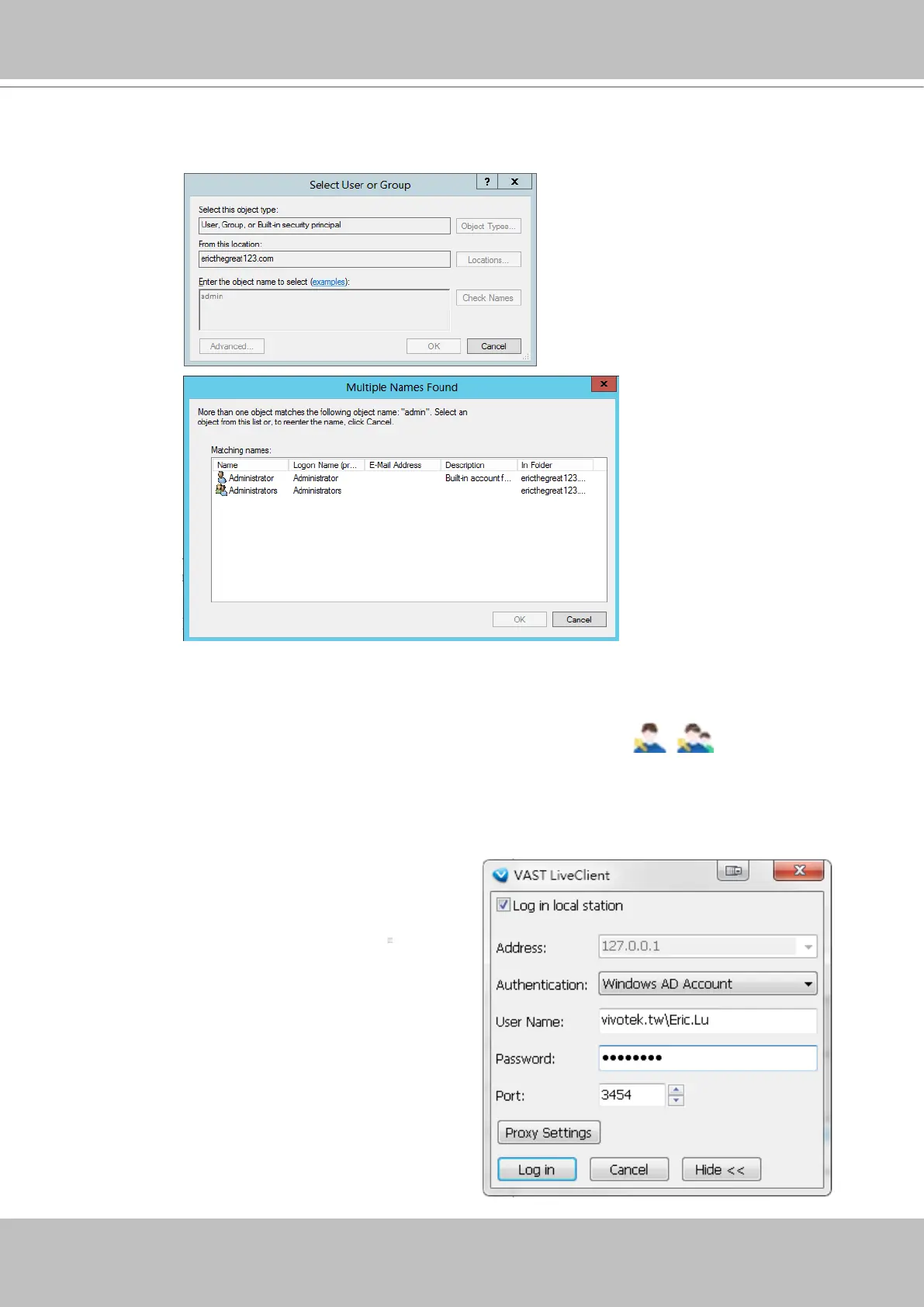
d. Enter a name for user or group that is known to the AD. Click on the Check Name button. The search
results will be listed.
e. Click to select a user, and then click OK to conrm your selection.
f. Users thus added will be listed on the left in the User List. These users or groups will be listed with
their domain name listed in front of them and indicated by different icons
.
g. Select a User Role for the AD user as Administrator, Power user, user, operator, or guest.
h. Select user's privileges in terms of the Permission, Accessible Cameras, and Accessible
Substations from the tabbed windows below.
i. Click the Add button to complete the process.
The next time you log in, you can select Windows
AD Account, enter User Name and Password to
access the VAST software.
Note that you should specify the domain name in
front of the user name; "domain name\user name."



 To Next Page