VIVOTEK - A Leading Provider of Multimedia Communication Solutions
User's Manual - 215
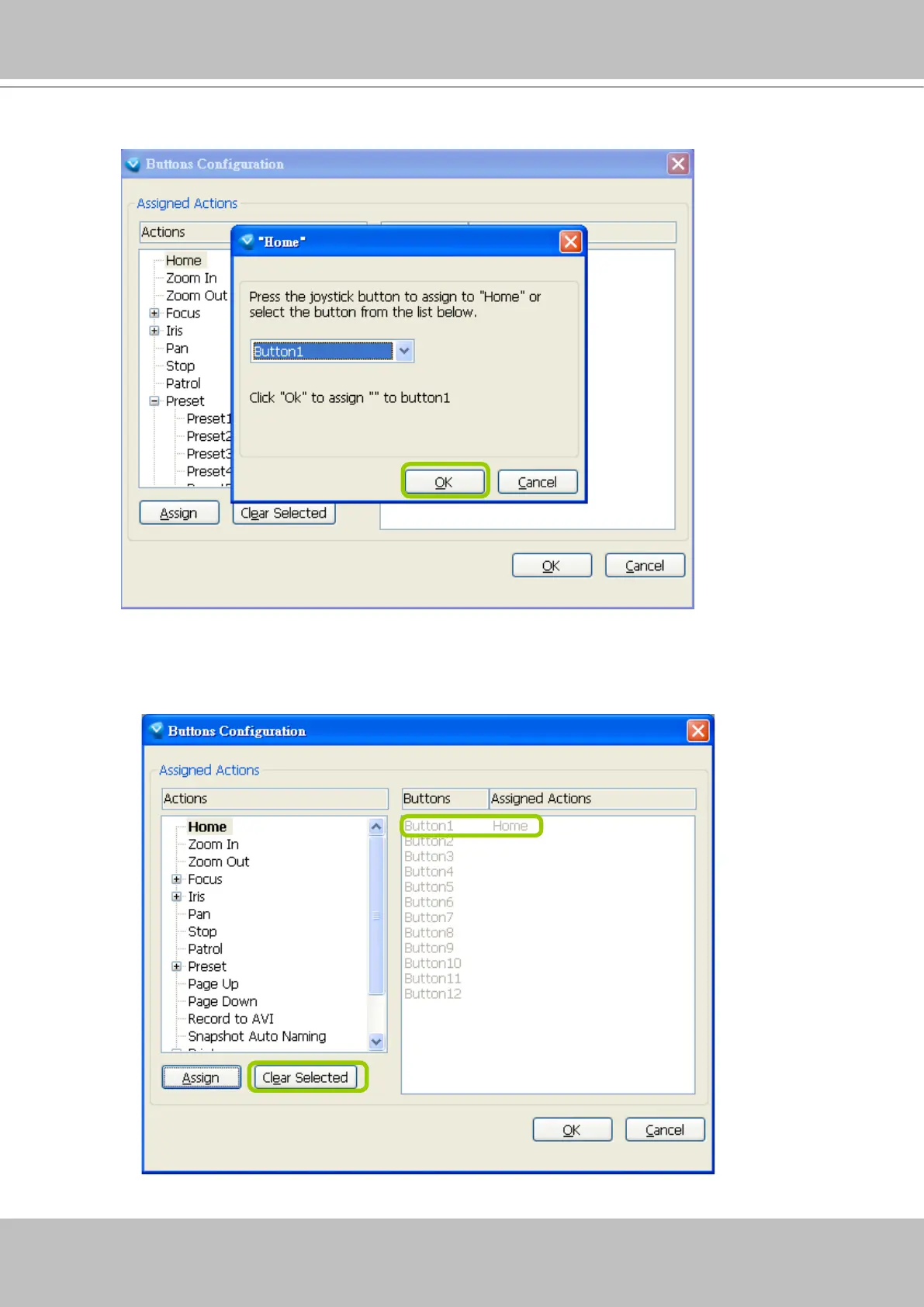
b. Click OK to conrm the conguration.
c.
The Assigned Action will appear beside Button 1 in the right column as shown in the following diagram.
Note that a button can only be assigned with an action. If you want to modify the settings, select the
action on the list and click Clear Selected.



 To Next Page