VIVOTEK - A Leading Provider of Multimedia Communication Solutions
234 - User's Manual
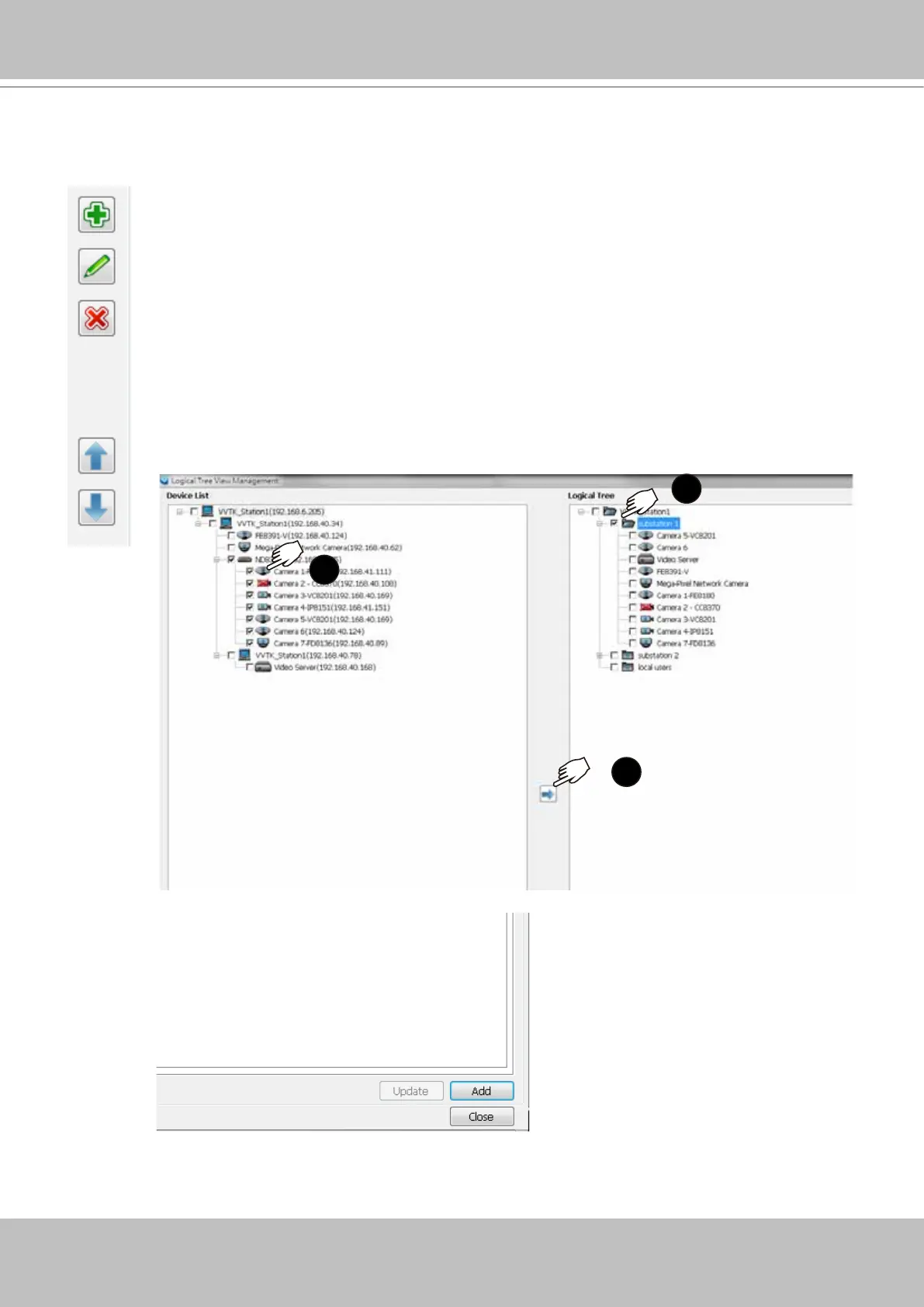
You may also left-click to select a sub-directory, and use the Add, Edit, and Delete buttons to
create, edit, or remove sub-directories. Use the arrow buttons to change the positions of sub-
directories or devices on the logical tree.
When done, click the OK button at the low right corner of the window. Conguratio
changes will be preserved.
1
3
You should then insert cameras to a preferred directory:
1. Open the device tree to select camera. Left-click to select the checkboxes in
front of cameras.
2. Select the checkbox of a preferred sub-directory. Make sure the checkbox is
selected and the directory is highlighted.
Use the Sort and Find functions on the Device List on the left panel if it is hard to locate a
device.
3. Click the Move button in the middle of the screen.
Cameras will be listed under the target sub-directories.



 To Next Page