VIVOTEK - A Leading Provider of Multimedia Communication Solutions
236 - User's Manual
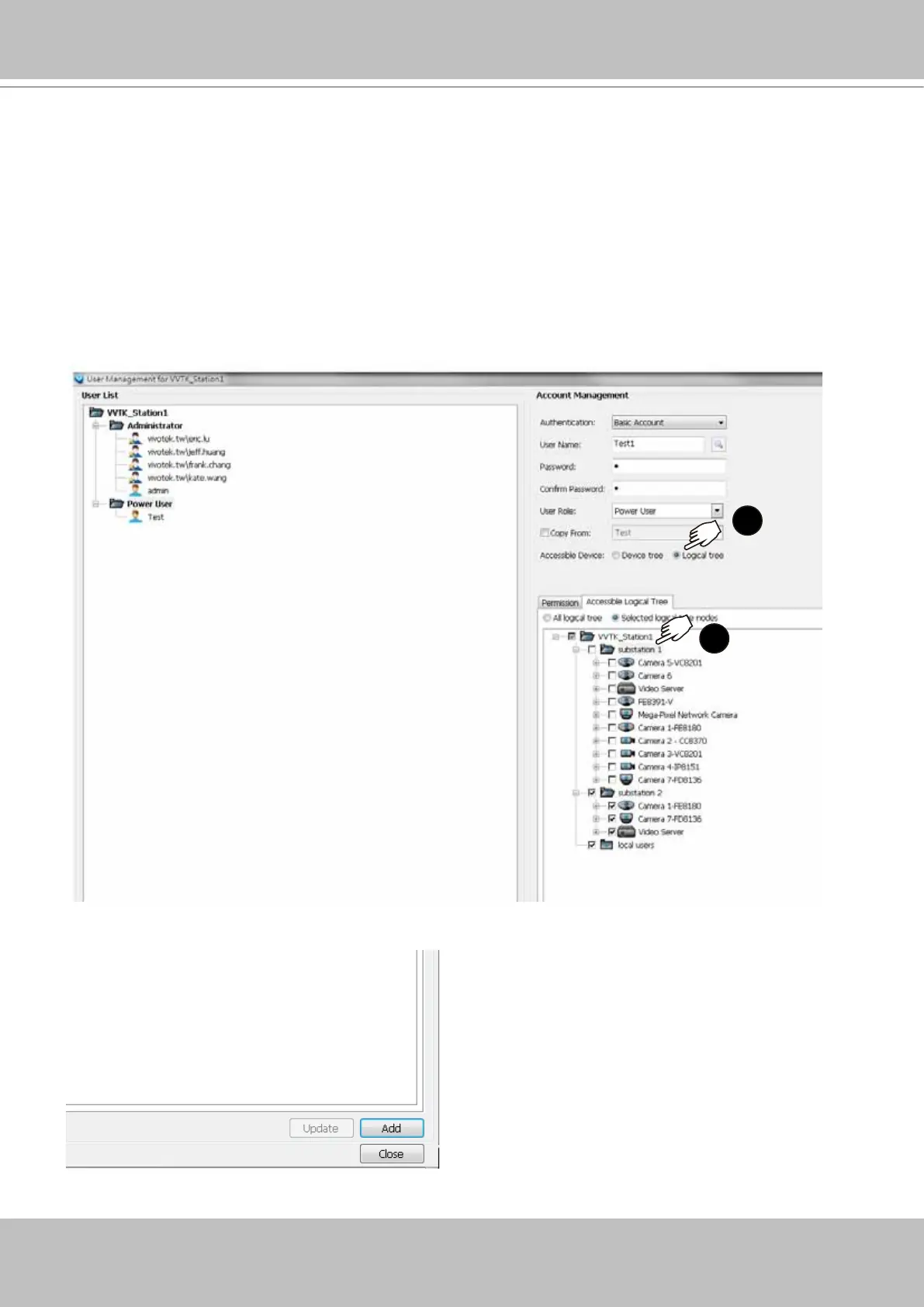
When done with the creation of logical folders, you can move to the User Management
window. You can then dene users' access rights using the logical folders you created. For
example, you may let a user access a specic logical folder while forbidding him from the
others.
1
2
1. When you assign Accessible Devices for a user, select the Logical tree button on the
lower right.
2. Select the "Selected logical tree nodes" button. You can then select or deselect logical
folders to conne the accessible devices for a user.
Note that an administrator has access to all devices, and hence the selection is not
available for an administrator.
3. Click the Add button on the lower right.



 To Next Page