VIVOTEK - A Leading Provider of Multimedia Communication Solutions
26 - User's Manual
RAID5/6/10
Drive Group
Virtual Drive
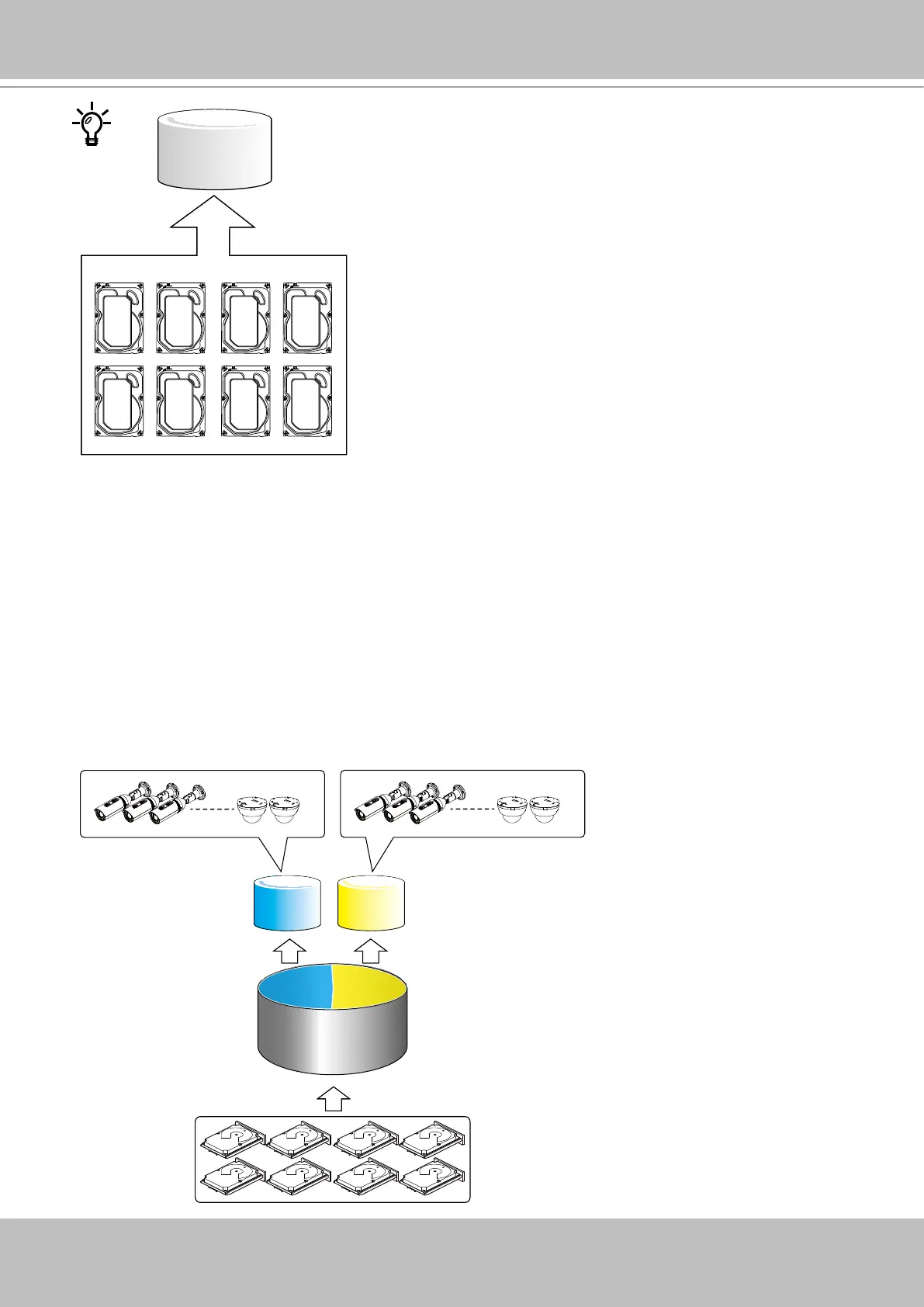
All hard drives will be combined into one or more drive groups, and the capacities of these
drive drive will be utilized to form one or more virtual drives. The video feeds from the network
cameras will be recorded to the virtual drive(s).
Recording will not take place unless you create a virtual drive rst. You can select RAID5,
RAID6, or RAID10 as the RAID level during the conguration process.
Virtual Drives
RAID5
Drive Group
32 CH Recording Group32 CH Recording Group
If you have the maximum of 64 channels, it is recommended you create a RAID5 drive group
consisting of 8 hard drives. You then create two Virtual Drives, with 32 cameras congured into
a Recording Group and a Virtual Drive assigned to each Recording Group. As shown below, try
divide the work load into two Virtual Drives when you have more than 32 channels.



 To Next Page