VIVOTEK - A Leading Provider of Multimedia Communication Solutions
User's Manual - 27
X2
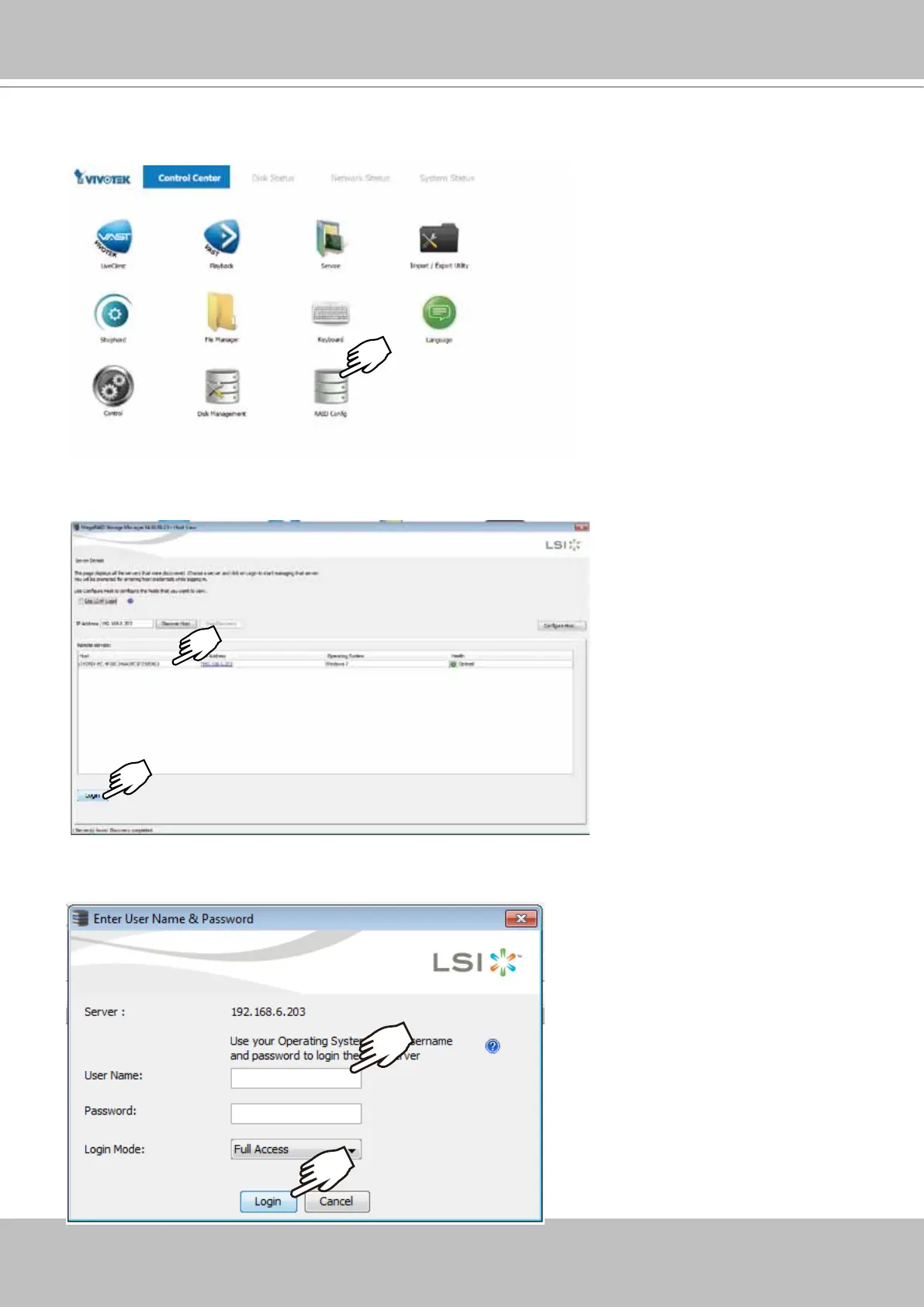
1. The system will boot up to the system main screen. Double-click on the RAID Cong shortcut
to start the MegaRAID storage conguration utility.
2. Select the default server, namely, the Windows 7 server running on this machine. Click Login
to begin your conguration.
3. Enter VIVOTEK as the User Name. By default, there is no preset password. Click Login to
proceed.
VIVOTEK



 To Next Page