VIVOTEK - A Leading Provider of Multimedia Communication Solutions
User's Manual - 297
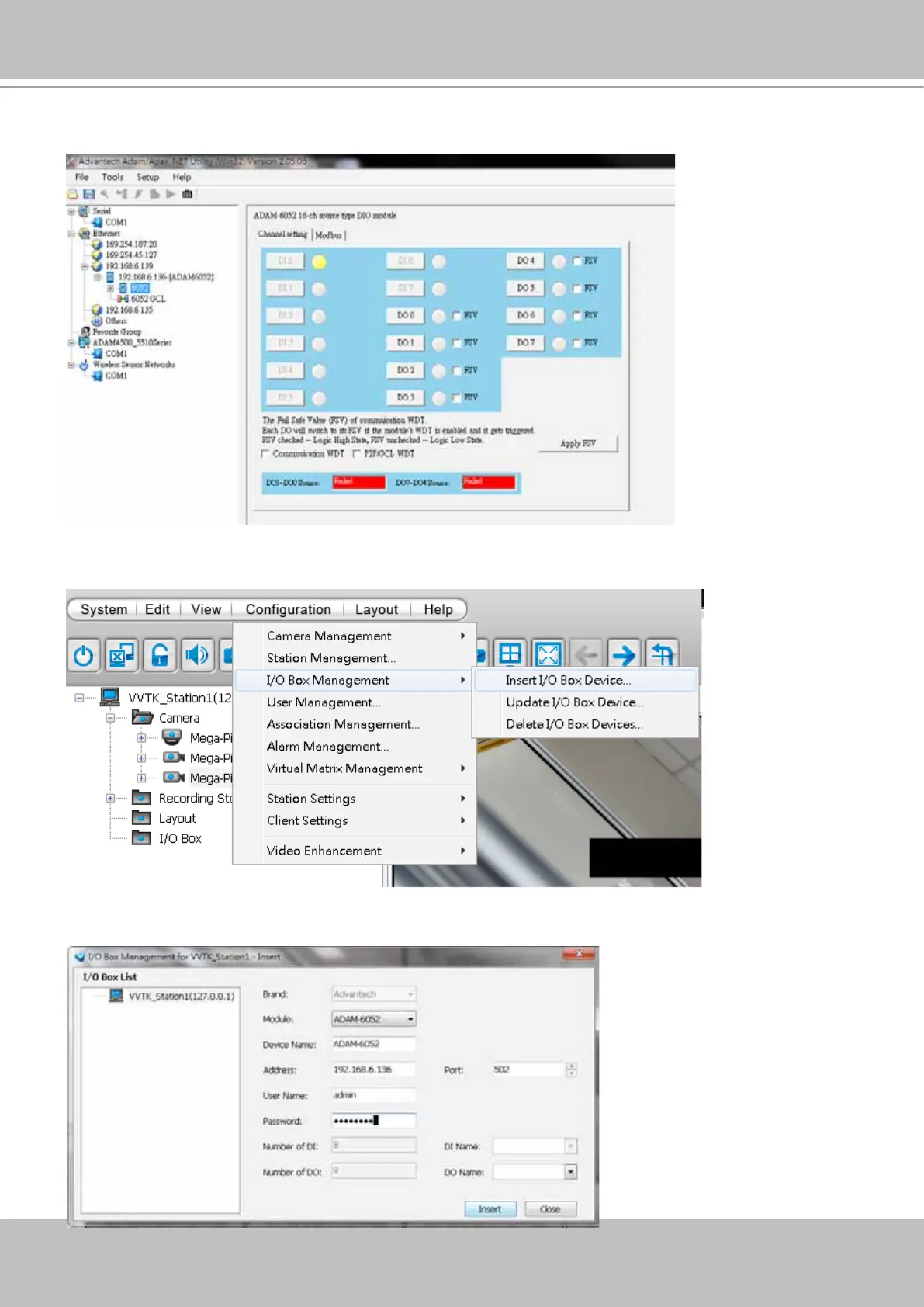
3. You may then test the DI/DO device connectivity using the software utility.
4. To congure the I/O modules in VAST, open the Conguration > I/O Box Management >
Insert I/O Box Device window.
5. Select the Module model name, enter IP address, User Name, Password, and then click the
Insert button.



 To Next Page