VIVOTEK - A Leading Provider of Multimedia Communication Solutions
User's Manual - 33
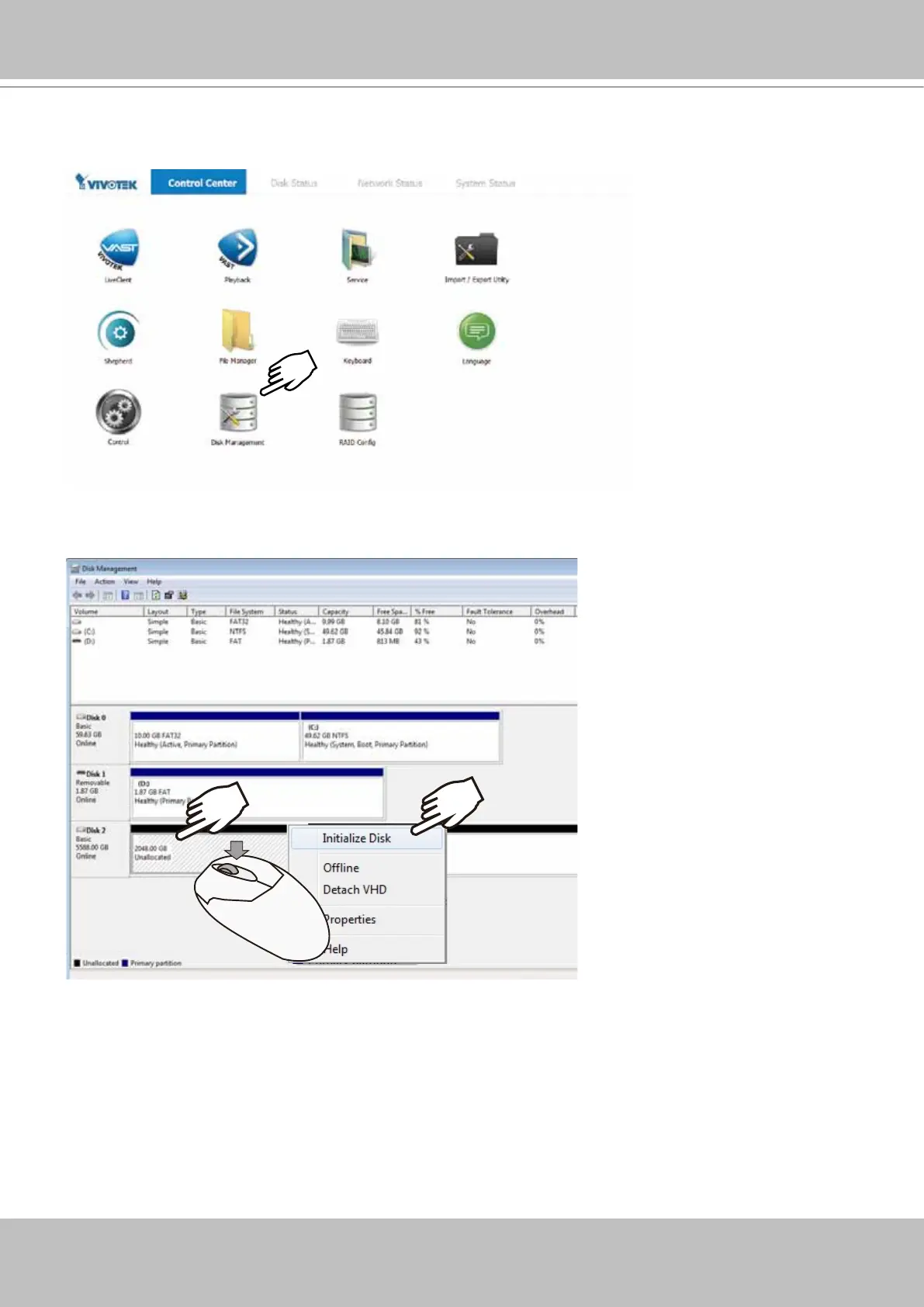
13. Double-click on the Disk Management shortcut on the desktop to open the utility.
X2
14. The virtual drive you created should appear as a new disk partition. You need to initialize
and format the partition before using the disk capacity. Left-click to select and then right-click
to display the command menu. Click Initialize Disk to proceed.



 To Next Page