VIVOTEK - A Leading Provider of Multimedia Communication Solutions
34 - User's Manual
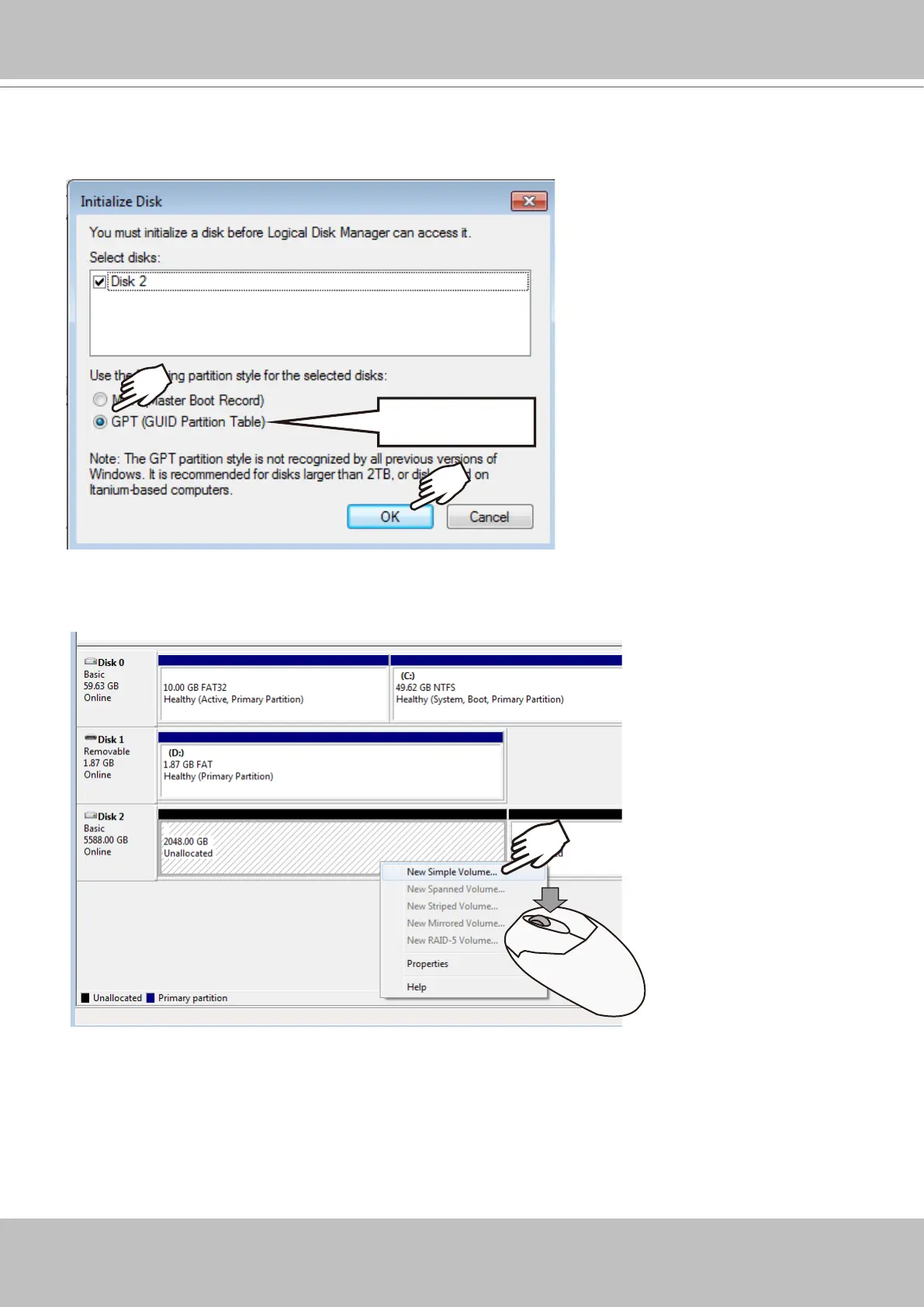
15. Select GPT (GUID Partition Table), and then click OK to proceed. This window may
automatically pop up when Disk Management is started.
GPT
16. Once initialized, you can create a new volume. Right-click to display the New Simple
Volume command. Click to proceed.



 To Next Page