VIVOTEK - A Leading Provider of Multimedia Communication Solutions
User's Manual - 39
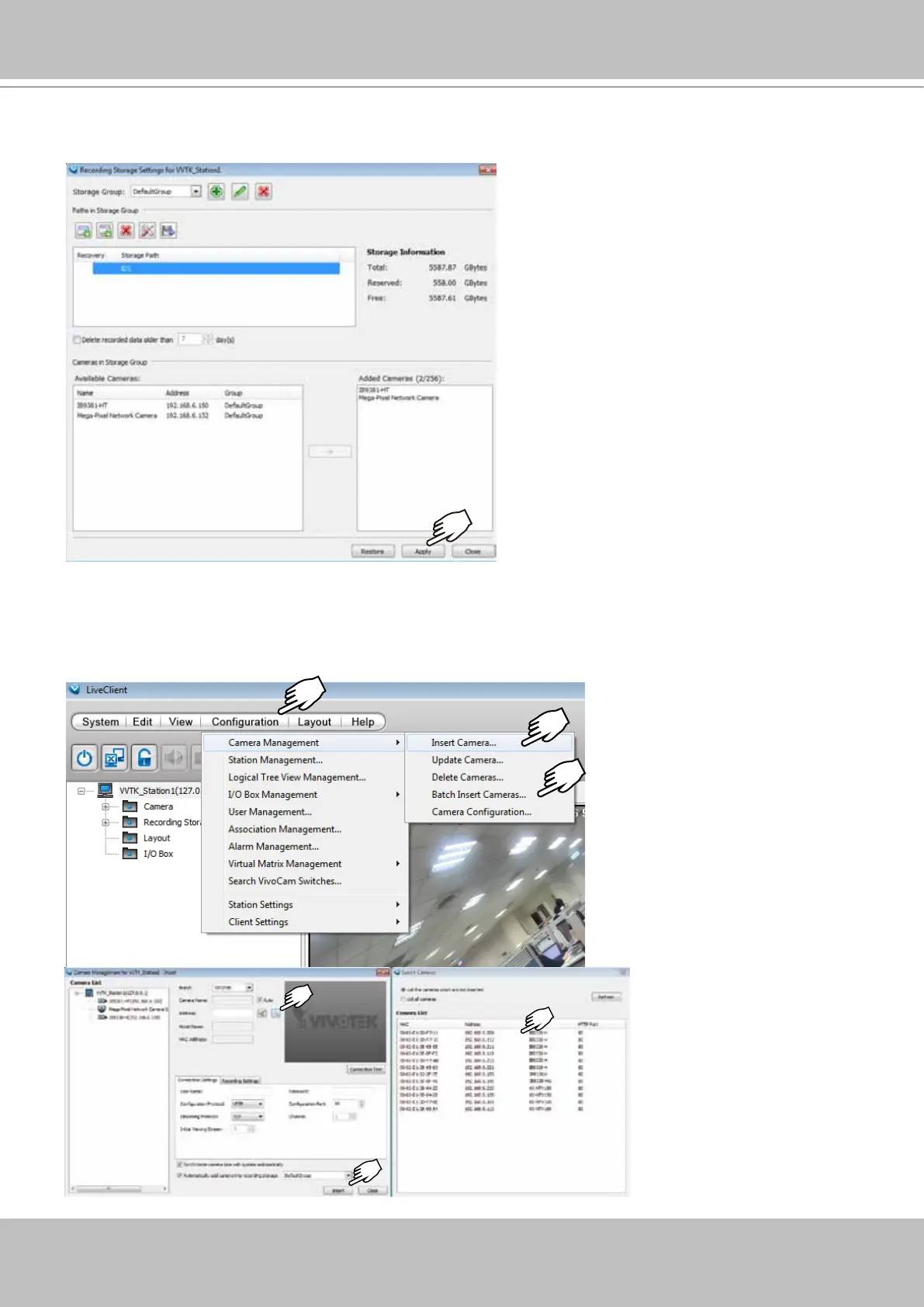
25. The selected Storage path will appear on the list along with its total, reserved, and Free
storage spaces information. Click Apply.
26. Open the Camera Management > Insert Camera or Batch Insert Cameras window.
Use the Search button to locate cameras in your local area network. Select and click Insert.
Select and insert all cameras of your choice in your deployment, and then close the Camera
Management window.



 To Next Page