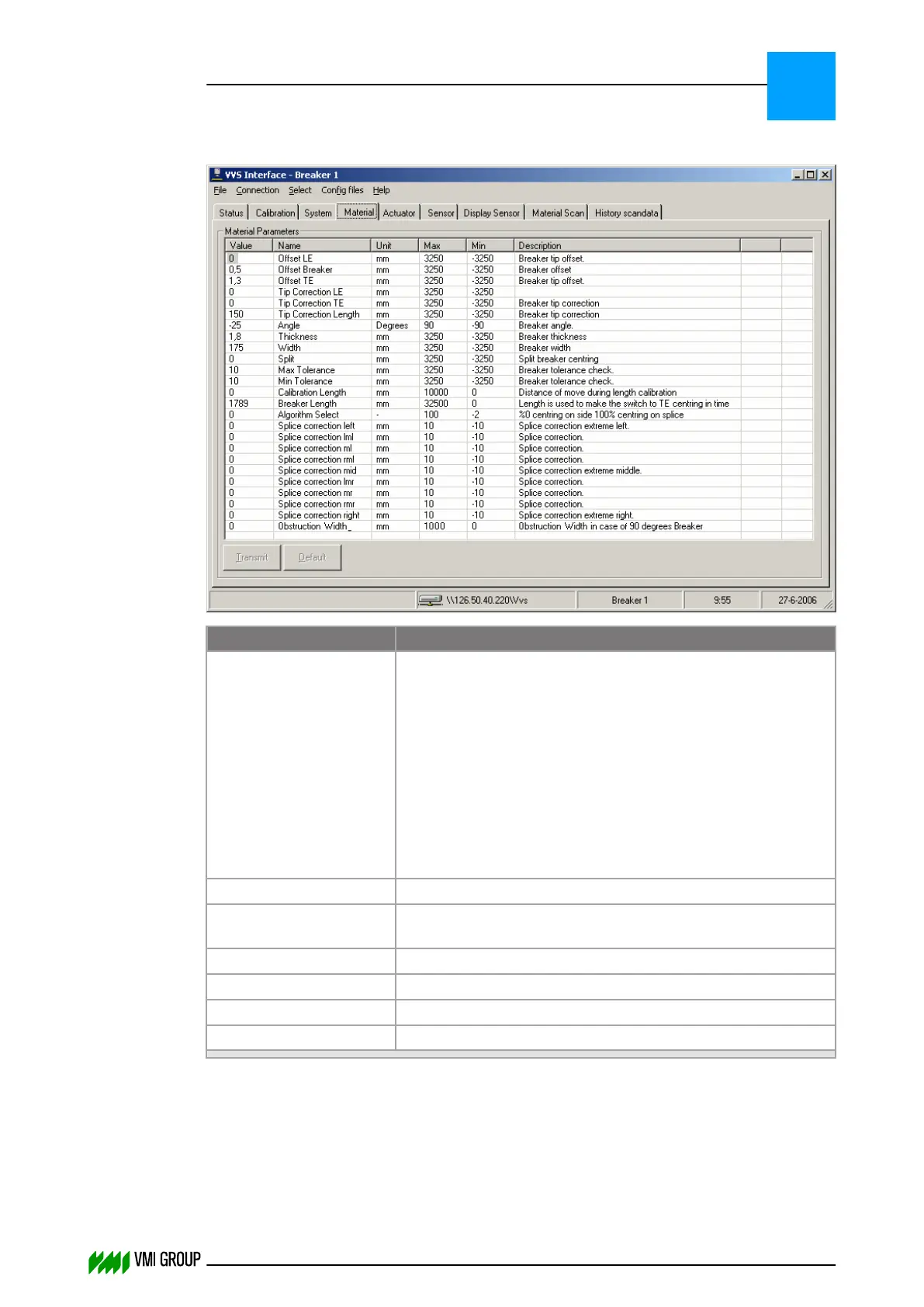
7.3.4.4 Material screen (for advanced users only)
Legend Description
Value The actual value of the parameter.
Click on the field to modify the value. On a touch-screen an
on‑screen numeric key panel appears.
The entered value is checked after pressing ENTER (or OK).
NOTICE
When the VVS is connected to a PLC, the PLC will
overwrite the Value fields whenever a material parameter
is changed via the HMI.
Name The name of the parameter.
Unit Specifies the unit in which Value, Max and Min are
expressed.
Max The maximum value of the parameter entered in Value.
Min The minimum value of the parameter entered in Value.
Description A short description of the parameter.
Transmit Click to transmit the parameters.
Refer to Parameter buffer on page 6
‑
4 for the description of the parameters.
To modify material parameters:
1. Click SELECT, in the VVSU menu bar.
2. Select the required material conveyor.
3. Select the MATERIAL tab.
VVSU OPERATION
Screen layout (generic)
7
THINKING FORWARD
VMI Vision System VVS (OL82) VVSX 13.0.12.0, VVSU 3.0.6 / 4 / 2016-07-11 / pd#175592
7-16



 To Next Page