8.3 CAN-bus problems
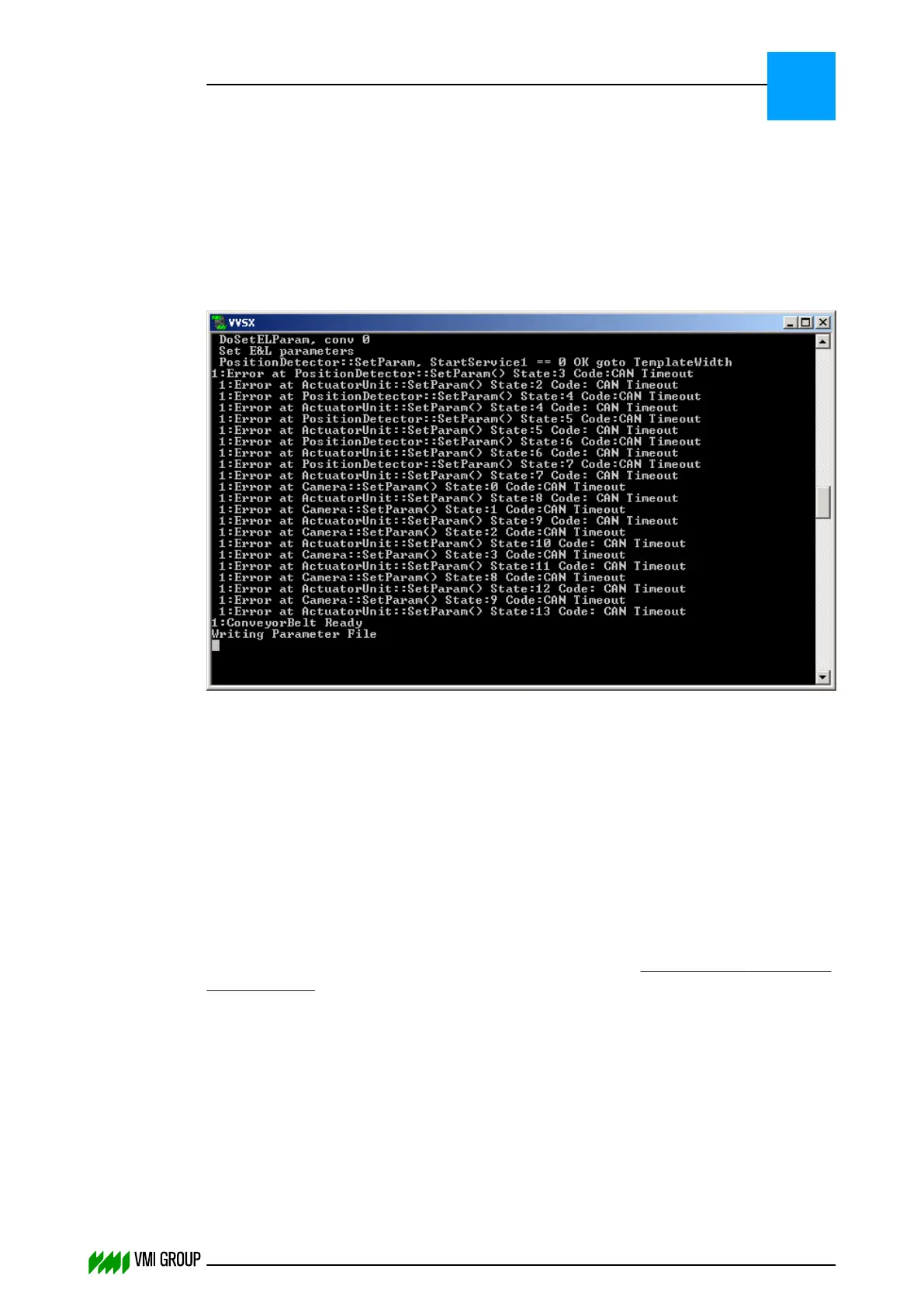
8.3.1 Too many CAN timeout messages shown in the VVSX window
Problem:
During normal VVS operation a lot of CAN Timeout messages are shown in the VVS
application:
Cause 1:
CAN timeout messages occur when the Canbus network is overloaded by too many CAN
messages.
This is especially the case when the TBM (breaker servicer) is equipped with a BK5120
encoder.
Description 1:
In case of a Canbus network overload and the BK5120 encoder present on the TBM
(Breaker servicer), the TX-overflow led should be active.
You can check the Canbus load by using for example the IXXAT USB-to-CAN dongle. This
dongle makes use of MiniMon (which can be downloaded from www.ixxat.com (see - http://
www.ixxat.com)). By using MiniMon the Canbus load can be easily monitored. VVS makes
use of a Canbus which has a bandwidth of 250 kBaud.
Solution 1:
In case of Canbus network overload due to the encoder (BK5120 module), the number of
messages send by the encoder module can be reduced by increasing the 'Encoder inhibit
time' in the VVSConfig.ini (Encoder inhibit time = VVSConfig value (HEX) × 0.1 ms).
Changes made in the VVSConfig.ini will take effect after restart of VVS.
TROUBLESHOOTING
CAN-bus problems
8
THINKING FORWARD
VMI Vision System VVS (OL82) VVSX 13.0.12.0, VVSU 3.0.6 / 4 / 2016-07-11 / pd#175592
8-14



 To Next Page