8.9.2 Upgrade the camera firmware
To upgrade the OL82 camera firmware:
1. Open the DO82 camera computer.
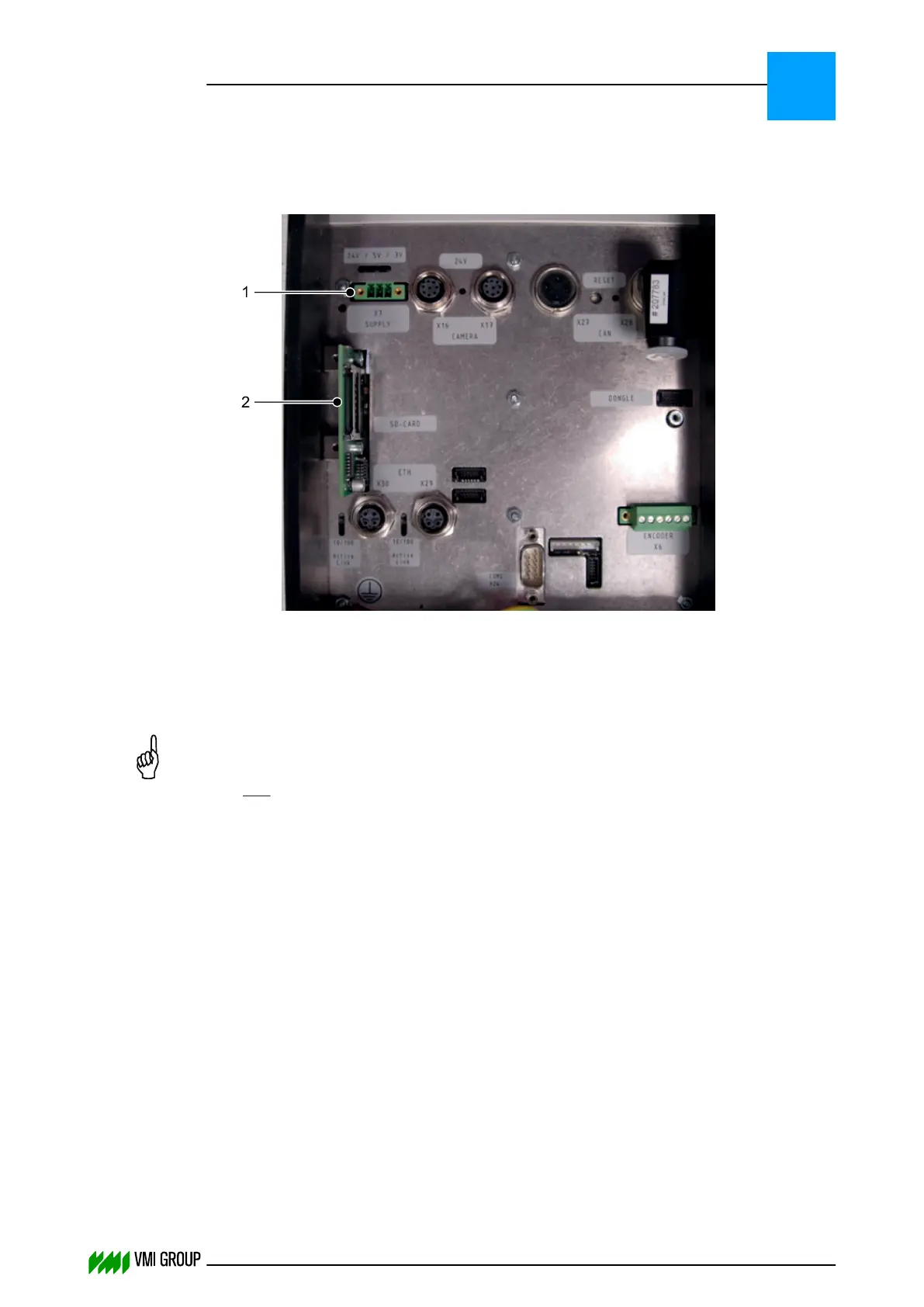
2. Disconnect the power supply [1] from the DO82 camera computer.
3. Remove the SD memory card from the slot [2].
4. On a laptop/PC copy the *.tgz file with the latest correct firmware to
the SD memory card.
NOTICE
Do not unpack the *.tgz file and make sure that the SD memory card contains
only one *.tgz file.
5. Place the SD memory card back in the slot [2].
TROUBLESHOOTING
Upgrade camera firmware
8
THINKING FORWARD
VMI Vision System VVS (OL82) VVSX 13.0.12.0, VVSU 3.0.6 / 4 / 2016-07-11 / pd#175592
8-34



 To Next Page