5.3 VVS Breaker
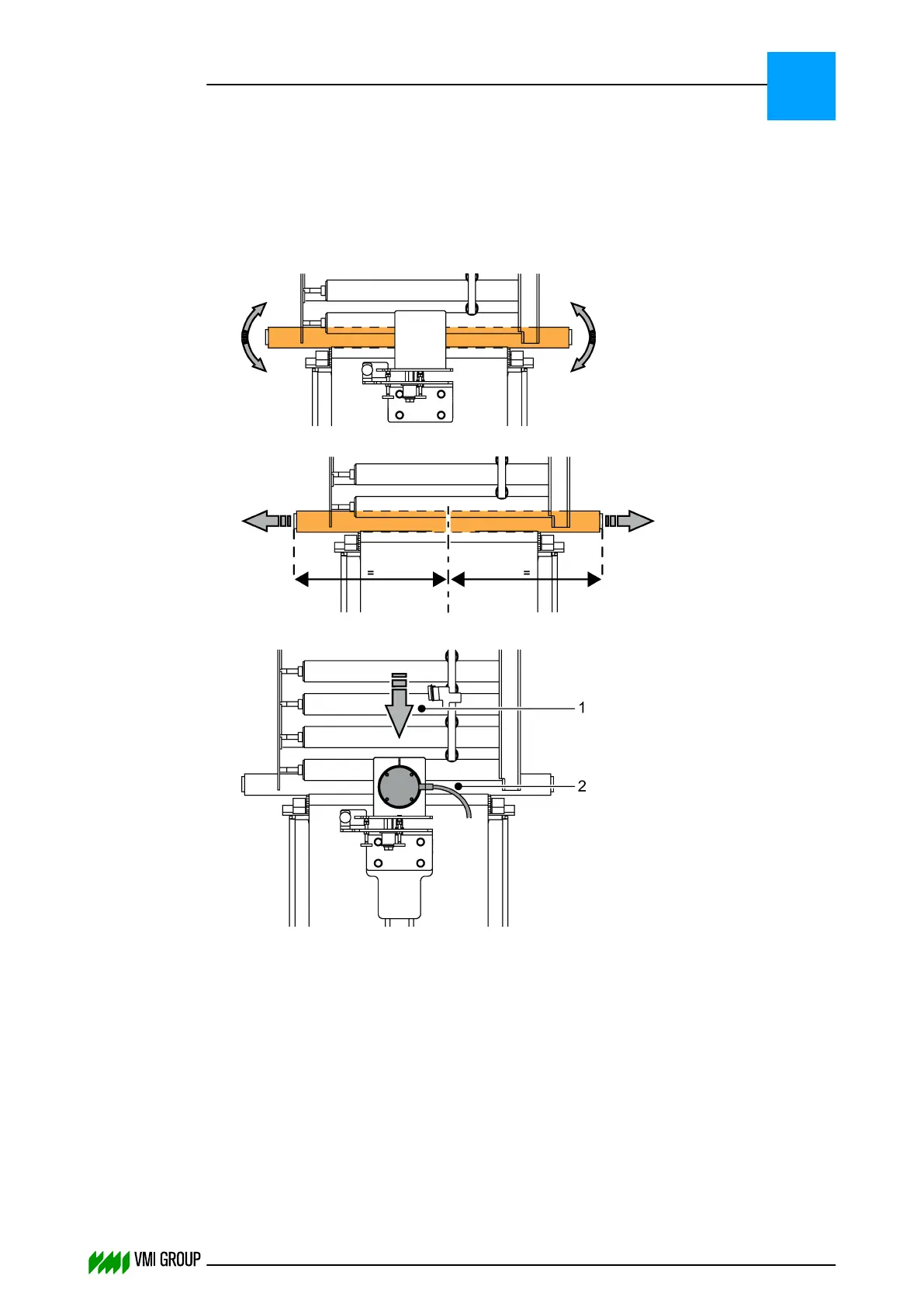
5.3.1 Align the camera and light source
1. Check if the light source is working and make sure it is clean!
2. Check if the light source is aligned.
Straight:
Centered:
3. Check the alignment of the camera.
Use the camera connector [2] as a reference relative to the material direction [1].
The camera connector must be on the left when you look in the direction of the
material.
ALIGNMENTS, ADJUSTMENTS AND CALIBRATIONS
VVS Breaker
5
THINKING FORWARD
VMI Vision System VVS (OL82) VVSX 13.0.12.0, VVSU 3.0.6 / 4 / 2016-07-11 / pd#175592
5-5



 To Next Page