3.2 Configuration
3.2.1 General
In the software configuration, addresses, device types, way of communication, etc. are
configured for each application.
3.2.2 Configure the Kepware OPC Server
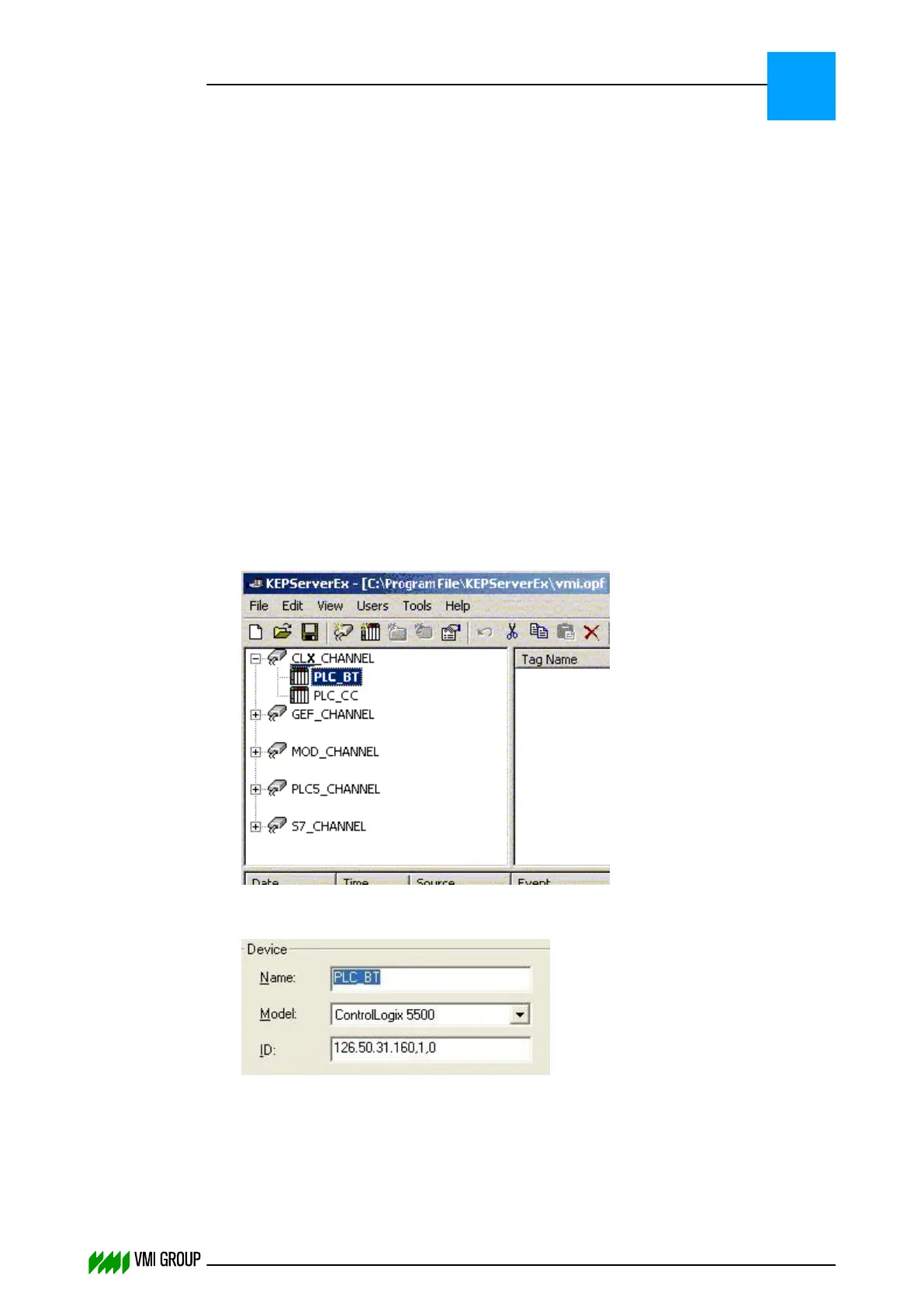
The configuration (type and address) of the OPC Server is stored in the VMI.OPF file.
Configure the PLC IP address in the OPC Server
1. Run KEPServerEx.
2. Go to FILE and select OPEN.
A dialog box opens.
3. In the dialog box select the configuration file (VMI.OPF).
If you do not have a valid VMI.OPF file available; go to the next page to configure this
file.
In general all settings are ready to use except for the IP address of the PLC that the
OPC server will communicate with.
4. Click OPEN.
5.
Right-click on the appropriate device (PLC_BT in this example).
6. Select the menu option PROPERTIES.
7.
Enter the required IP address in the ID field
(format: <IP address>,<rack>,<position>).
8. Click OK.
9. If there is more than one PLC with which the OPC Server has to communicate,
configure the IP address for other PLC (for example, PLC_CC).
10. Click SAVE to save the VMI.OPF file.
INSTALLATION AND CONFIGURATION
Configuration
3
THINKING FORWARD
VMI Vision System VVS (OL82) VVSX 13.0.12.0, VVSU 3.0.6 / 4 / 2016-07-11 / pd#175592
3-5



 To Next Page