8.2 Device detection at startup
8.2.1 Actuator version retrieval error
Problem:
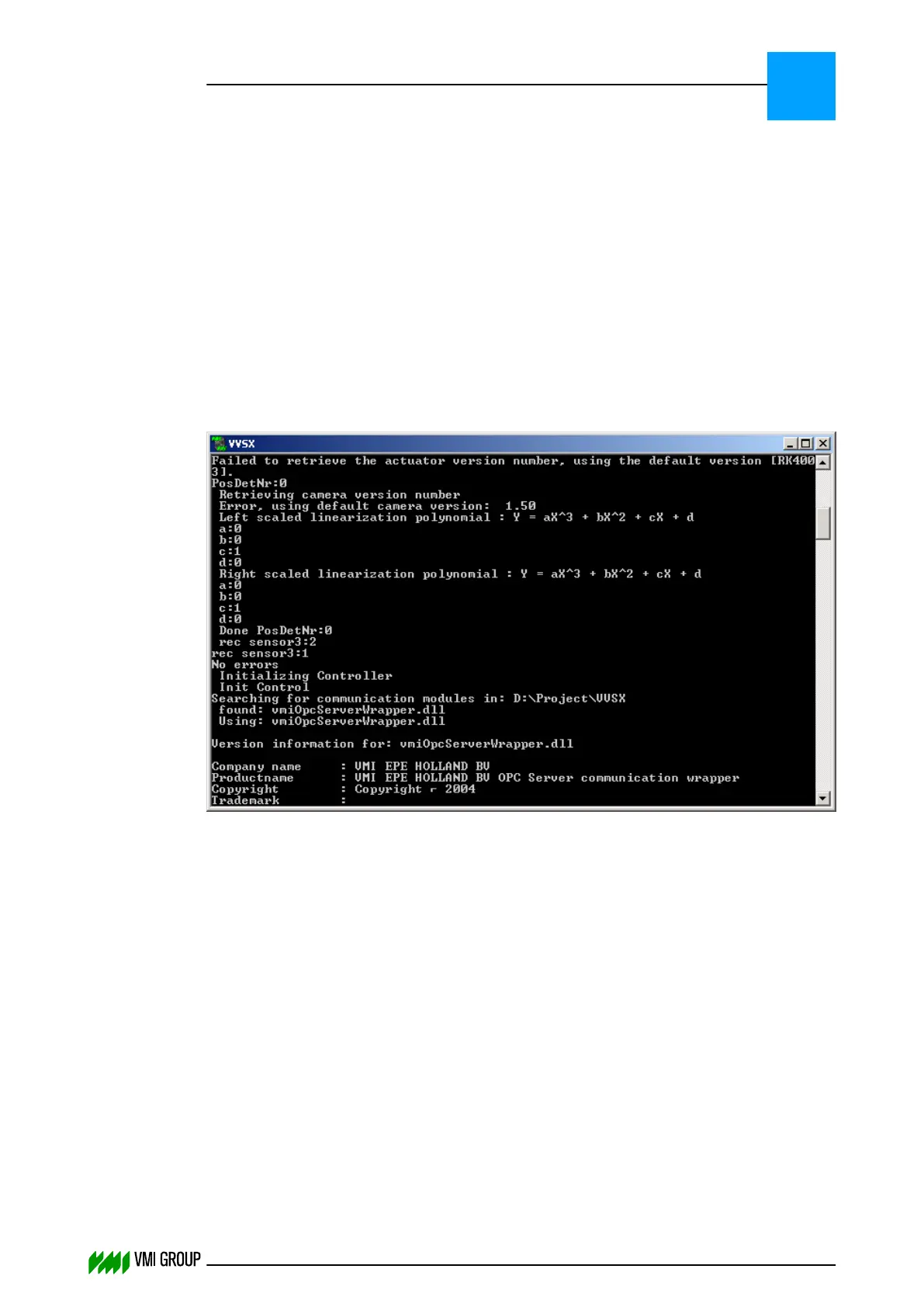
During VVS startup the Actuator version can not be retrieved.
Description:
During VVS startup the actuator controller version is retrieved from the address specified in
the VVSConfig.ini.
When the version number cannot be retrieved, VVS assumes the default type and an error
message is displayed:
Cause:
Actuator is not found at the specified address in the VVSConfig.ini, due to:
● Specified address connected to wrong Canbus channel.
● Actuator controller switched off.
● Actuator address setting not correct.
Solution:
1. Make sure that the breaker Canbus network is connected to channel 1 and/or the
Tread/Carcass Canbus network to channel 2 of the interface card.
2. Make sure the actuator is not switched off.
3. Check the actuator address (using Java Canmon) and make sure that the actuator
address specified in the VVSConfig.ini is the same as the one shown in Java
Canmon.
TROUBLESHOOTING
Device detection at startup
8
THINKING FORWARD
VMI Vision System VVS (OL82) VVSX 13.0.12.0, VVSU 3.0.6 / 4 / 2016-07-11 / pd#175592
8-11



 To Next Page