3.2.3 Configure the OPC wrapper file
The VMI_OPCSERVER_WRAPPER.INI file must be configured for communication
between the various types of PLCs and OPC servers.
NOTICE
If this file does not exist, it will automatically generated on the VVS Controller, but
the default settings in the file may not serve your purpose.
The standard file contains the default settings of all PLCs and all OPC servers. In the
project software, the PLC sections that are not used may have been deleted from
the standard file.
Also, refer to the OPC Server documentation for addressing information.
Configure the OPC wrapper file
1. Open the VMI_OPCSERVER_WRAPPER.INI file in a standard text editor
(for example, Notepad).
2. Check the OPC_SERVER_NAME and OPC_SERVER_CONFIG_FILE.
3. Check the ACTIVE statements of all components.
4. Check the correct selection of the PLC type for each component.
5. Check and compare the Channel, Device and Tag/Register names of the active PLC
of all components.
6. Optionally, configure measurement options.
7. Save the VMI_OPCSERVER_WRAPPER.INI file.
Refer to the following paragraphs for details for VMI_OPCSERVER_WRAPPER.INI file
definitions.
3.2.3.1 OPC wrapper file definitions
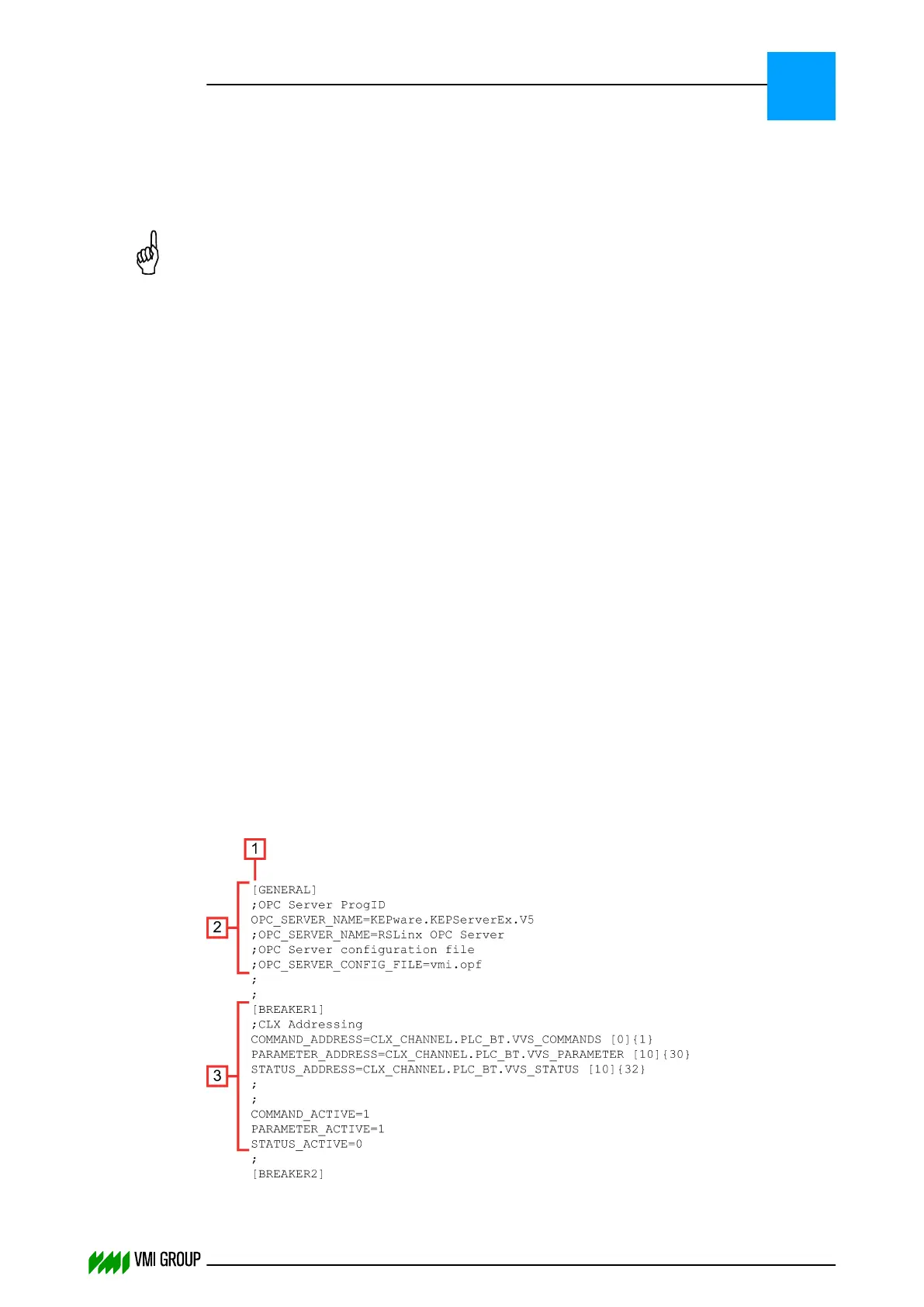
The VMI_OPCSERVER_WRAPPER.INI consists of a number of sections starting with a
title between square brackets ([]). The file always starts with a general section [GENERAL]
followed by a number of product sections.
INSTALLATION AND CONFIGURATION
Configuration
3
THINKING FORWARD
VMI Vision System VVS (OL82) VVSX 13.0.12.0, VVSU 3.0.6 / 4 / 2016-07-11 / pd#175592
3-6



 To Next Page