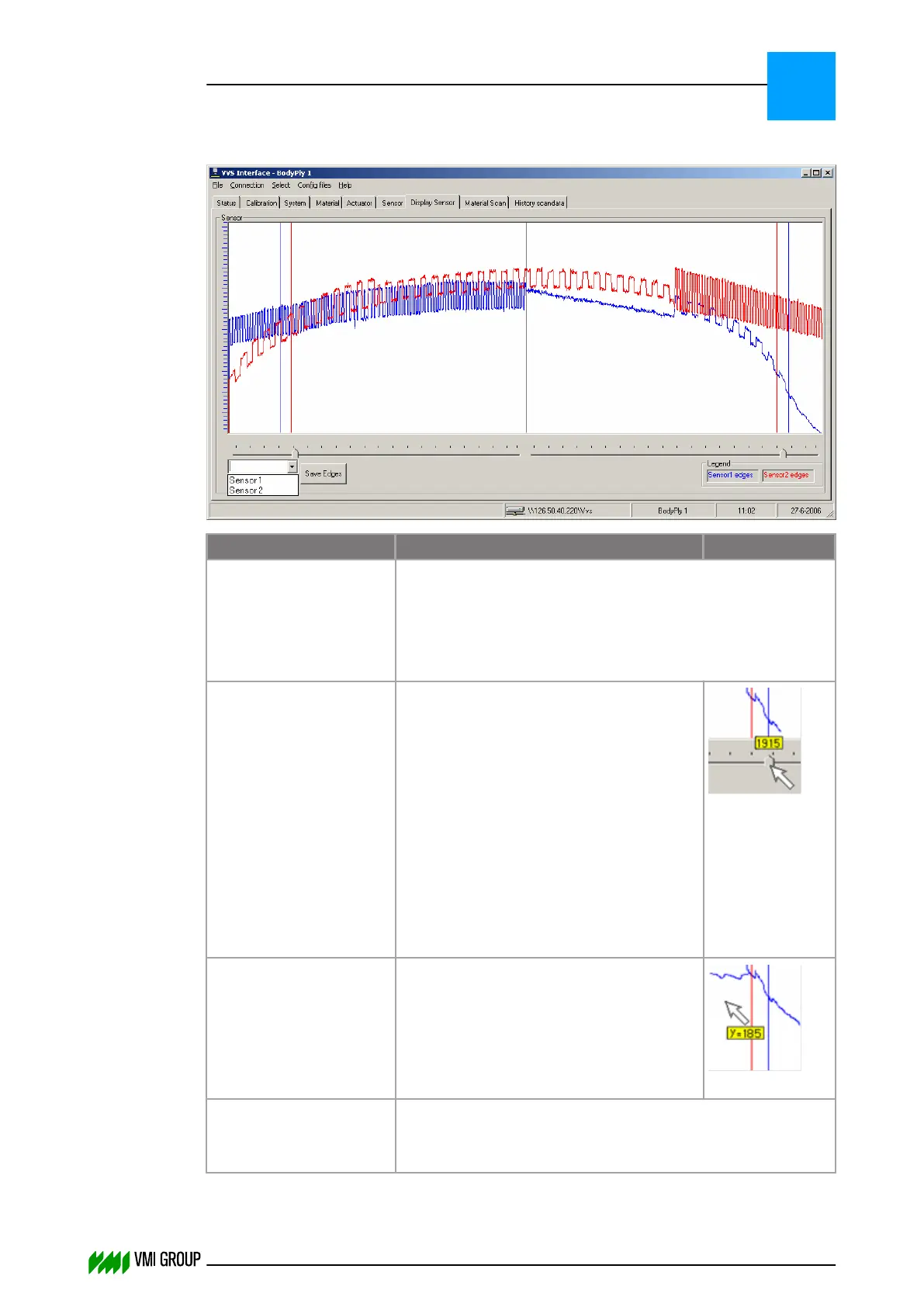
7.3.4.6 Display sensor screen
Legend Description Illustration
Sensor The VVS camera scan is shown as a continuously updated
line curve.
The X-axis shows the length of the camera scan field.
The Y-axis shows the camera light intensity.
Bottom of the Y‑axis is no measured light.
Cursors For the selected sensor the cursors can be
moved by dragging the slider (see
illustration).
There is one cursor in each half of the
screen. The area between the associated
cursors is the Region Of Interest (ROI) in
which the camera is looking for edges.
These edges are used to calculate the
centering values. Edges outside the ROI
are ignored.
Range:
Left-hand cursor 0 ‑ 1024
Right-hand cursor 1024 ‑ 2048
Mouse pointer When the mouse pointer is moved over the
camera scan, a measuring value appears.
The distance between mouse pointer tip
and zero line (light intensity) is then
displayed as Y=185.
Range: 0 ‑ 255
Attributes Right-click for an attribute select shortcut menu.
In the shortcut menu the background color and line width can
be selected.
VVSU OPERATION
Screen layout (generic)
7
THINKING FORWARD
VMI Vision System VVS (OL82) VVSX 13.0.12.0, VVSU 3.0.6 / 4 / 2016-07-11 / pd#175592
7-18



 To Next Page