Solution:
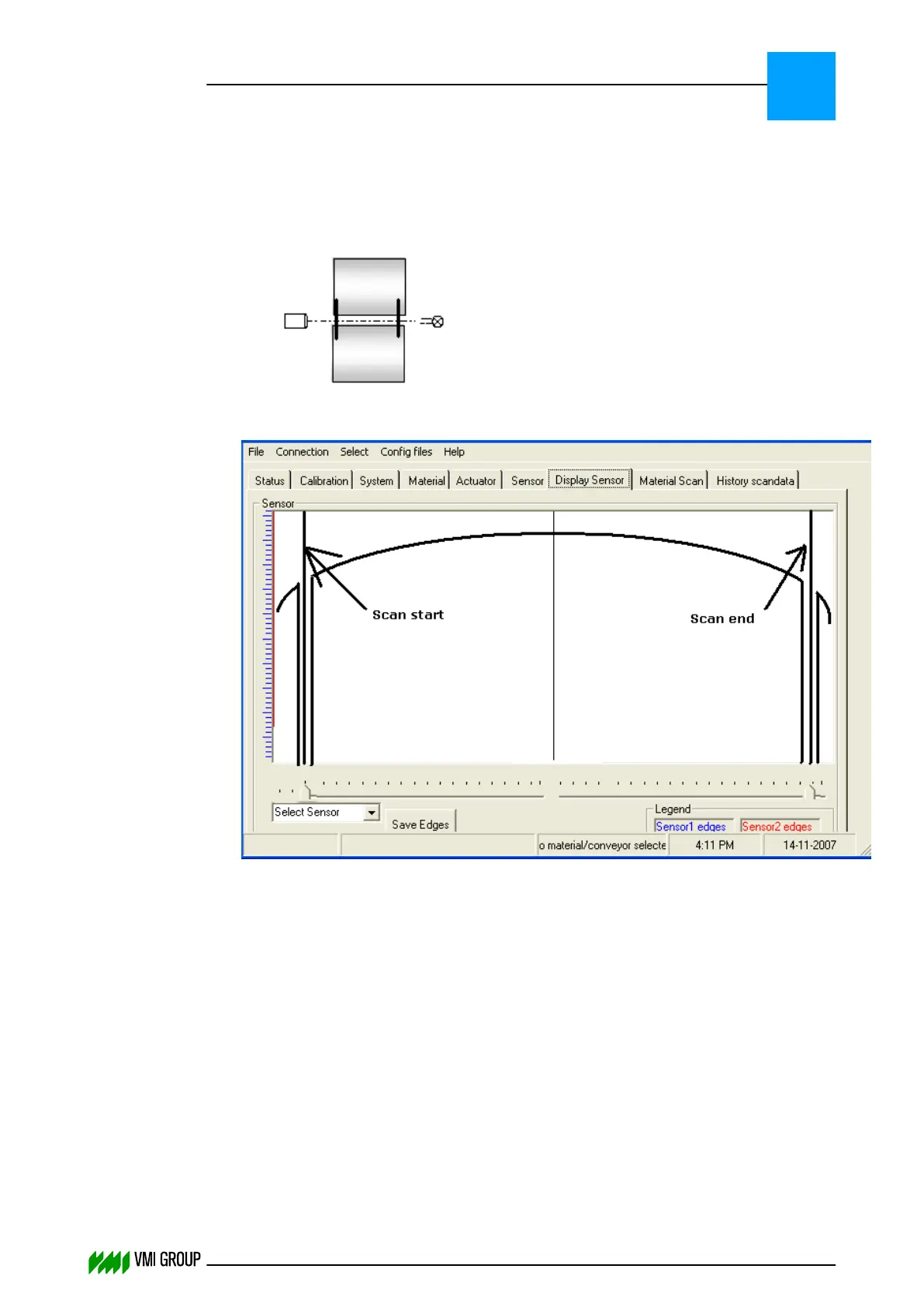
Make sure that the region of interest of the camera is within the conveyor. The region of
interest of the camera can be adjusted using the VVSU DISPLAY SENSOR tab. The region
of interest should be adjusted as follows:
1. Put a wire on both edges of the conveyor.
2. Make sure the region of interest of the camera is within those two wires.
3. Check if the camera does not see any wire or some other kind of disturbance as
follows:
● Remove any breaker material from the conveyors.
● Move the conveyor with slow speed, VVS should not detect material at any time.
Material detection can be seen in the VVS console and in the VVSU (^MatDetected
message will appear).
In addition, when VVS sees material the clamps should go down.
● If VVS sees material, check the conveyor belt for disturbances (wire, dirt on the
LED light, dirt on the lens).
● The VVS system can also be made less sensitive to disturbances by setting the
'No Material counter' to 3 (in VVSConfig.ini).
This setting takes effect after restarting VVS.
TROUBLESHOOTING
Guiding problems
8
THINKING FORWARD
VMI Vision System VVS (OL82) VVSX 13.0.12.0, VVSU 3.0.6 / 4 / 2016-07-11 / pd#175592
8-21



 To Next Page