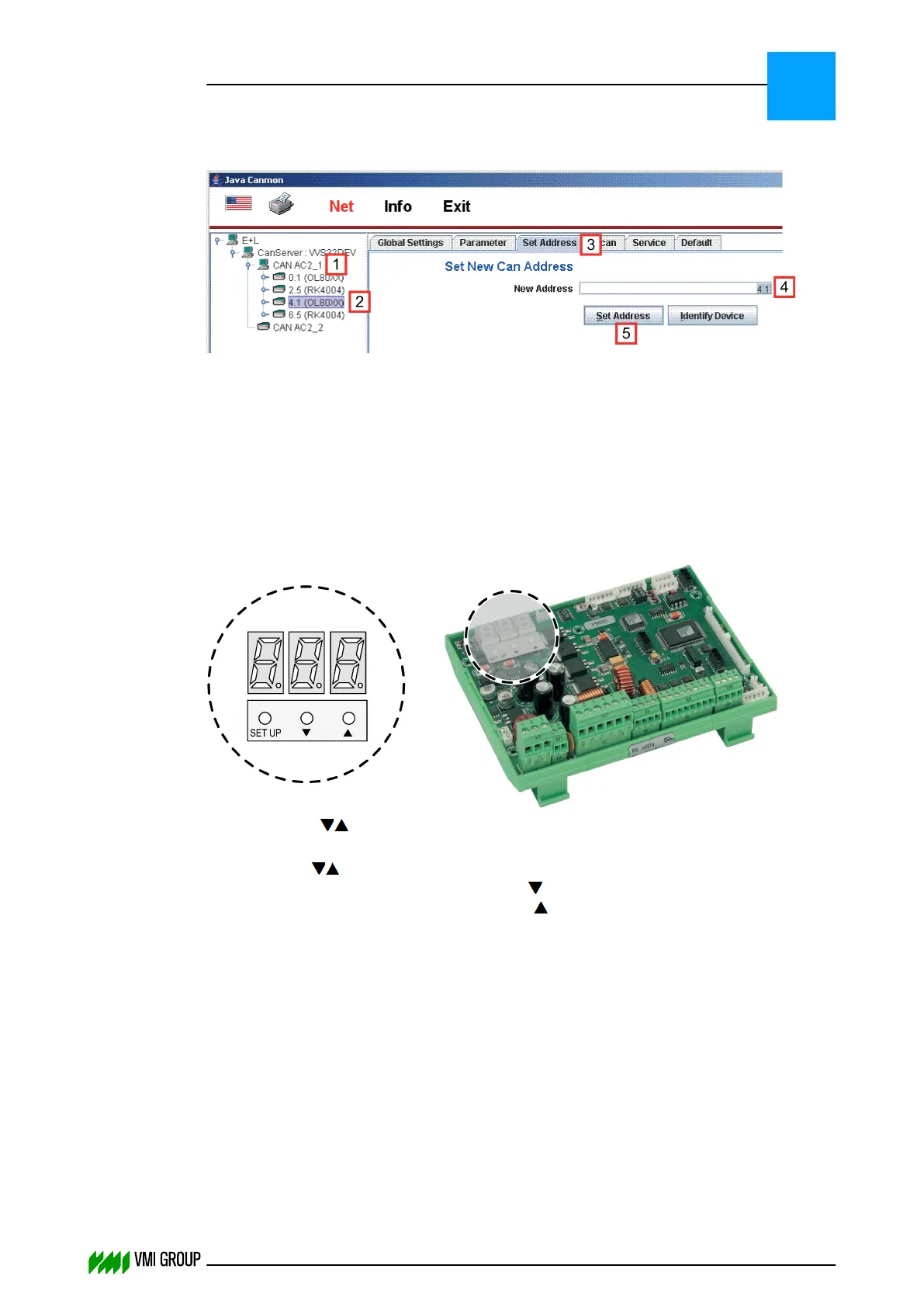
Using Java Canmon
1. Start Java Canmon.
2. Select the CAN channel [1].
3. Select the device for which you want to adjust the CAN address [2].
4. Go to the SET ADDRESS tab [3].
5. Enter the new device address [4].
6. Click the SET ADDRESS button [5].
Directly on the actuator controller
1. Press both ‑buttons simultaneously, until the device address starts to flash (after
approximately 4 seconds).
2. Press the ‑buttons (decrease/increase value) to set the desired address.
The group number is indicated above the ‑button.
The device number is indicated above the ‑button.
3. Wait approximately 20 seconds.
The new device address will be saved and a software reset is triggered.
INSTALLATION AND CONFIGURATION
Configuration
3
THINKING FORWARD
VMI Vision System VVS (OL82) VVSX 13.0.12.0, VVSU 3.0.6 / 4 / 2016-07-11 / pd#175592
3-17



 To Next Page