9.2.7 Changing the radio
channel
You can change the radio channel of all active network devices. This may
become necessary if, for example, other transmitters interfere with the com-
munication of the WMS products.
The channel can be set from 11 to 26 (factory setting is 17).
NOTE To be able to change the channel of a network, the devices must be active.
This means that all network devices must be woken up. You can wake up the
network devices one after the other and send the command as often as you
like.
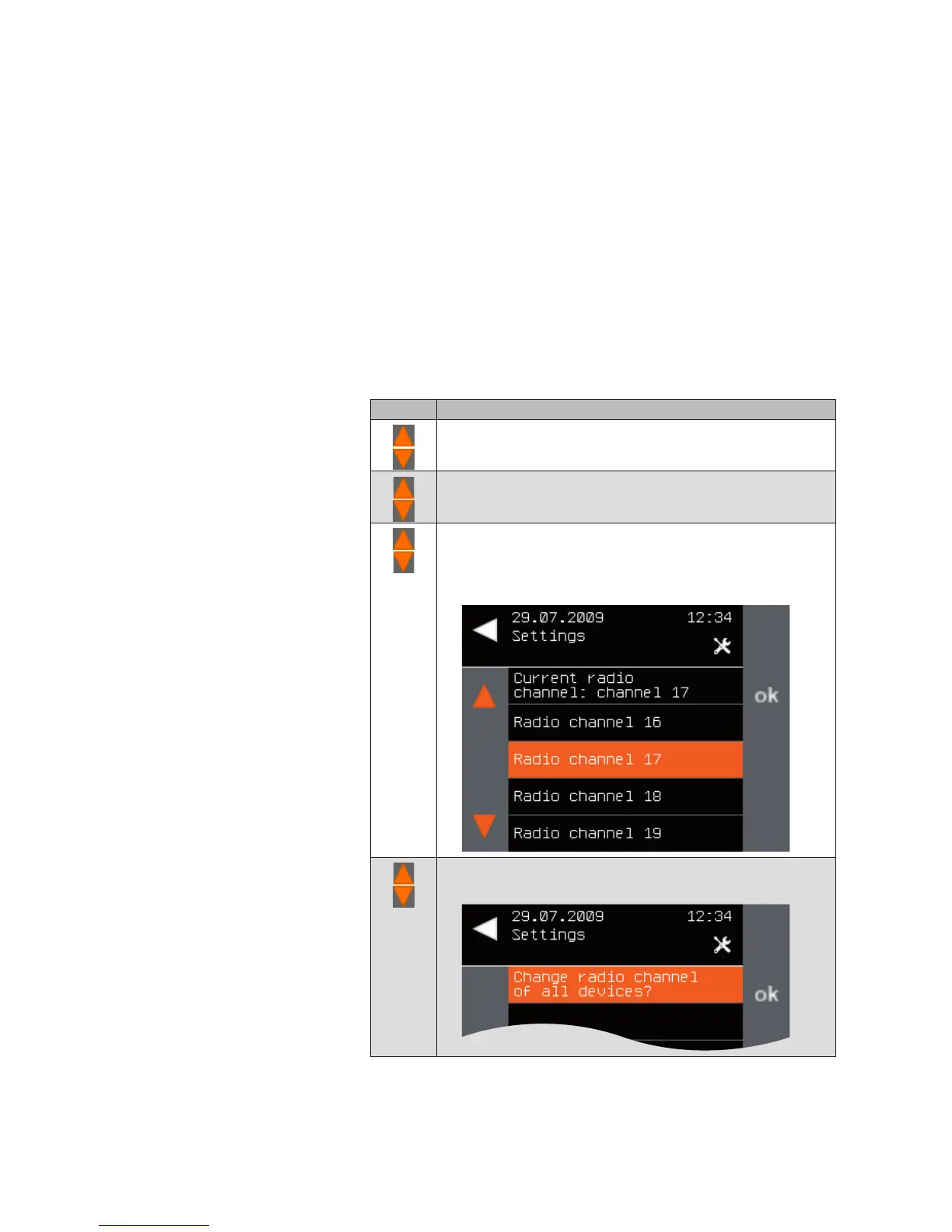
To change the radio channel, proceed as follows:
button Action/result
In the main menu, select the [System] menu and press ok.
The [System] menu opens.
Select the [Commissioning] menu here and press ok.
The [Commissioning] menu opens.
Using the selection cursor, select the
[Change radio channel] menu item.
Call up the function with ok.
The following menu is displayed.
Using the selection cursor, select the desired radio channel.
The following message appears.
Main menu
System
Commissioning
Change radio channel
System



 To Next Page