9.3 Settings
The [Settings] menu is used to change the basic settings of the central
transmitter:
Display language
Date and time
Background lighting of the display/standby
9.3.1 Setting the display
language
You can set the language used on the displays. German and English are
available as standard choices; additional languages are being prepared.
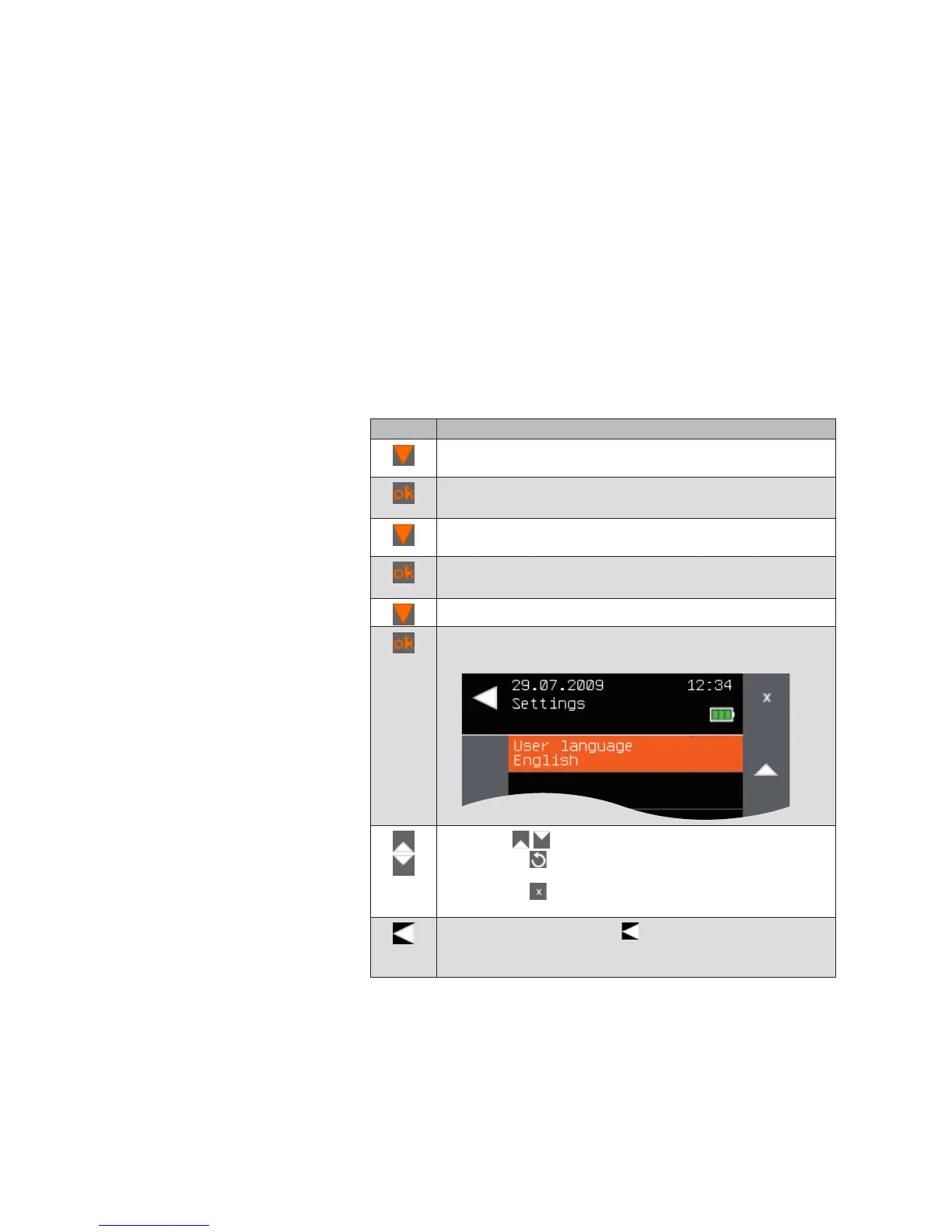
To change the display language, proceed as follows:
Button Action/result
In the main menu, press the function button repeatedly until
the selection cursor is on the [System] line.
Press the ok button.
The [System] menu opens.
Press the function button again until the selection cursor is
on the [Settings] line.
Press the ok button.
The [Date/time] menu opens:
Using the function button, select [Language].
Press the ok button.
The [Language] menu is displayed.
Use the function buttons to set the desired language.
NOTE The button can be used to reset the language to
the default language of German.
The button can be used to reverse the entry; the
value stored last is displayed again.
Leave the menu using the button.
The [Settings] menu opens again. Pressing this button
several times takes you back to the main menu.
Main menu
System
Settings
Language
System



 To Next Page