115
9.2.5 Loading the factory
settings
This function can be used to reset the central transmitter to the factory set-
tings when needed. After this, extensive commissioning work will be to set
up the central transmitter again.
CAUTION
This deletes the central transmitter from the network. If there are no further
transmitters in the network, the central transmitter cannot be added to the
network. In this case, the WMS network needs to be fully re-commissioned.
Proceed as follows to load the factory settings.
Button Action/result
In the main menu, select the [System] menu and press ok.
The [System] menu opens.
Select the [Commissioning] menu here and press ok.
The [Commissioning] menu opens.
Using the selection cursor, select the
[Load factory settings] menu item.
Call up the function with ok.
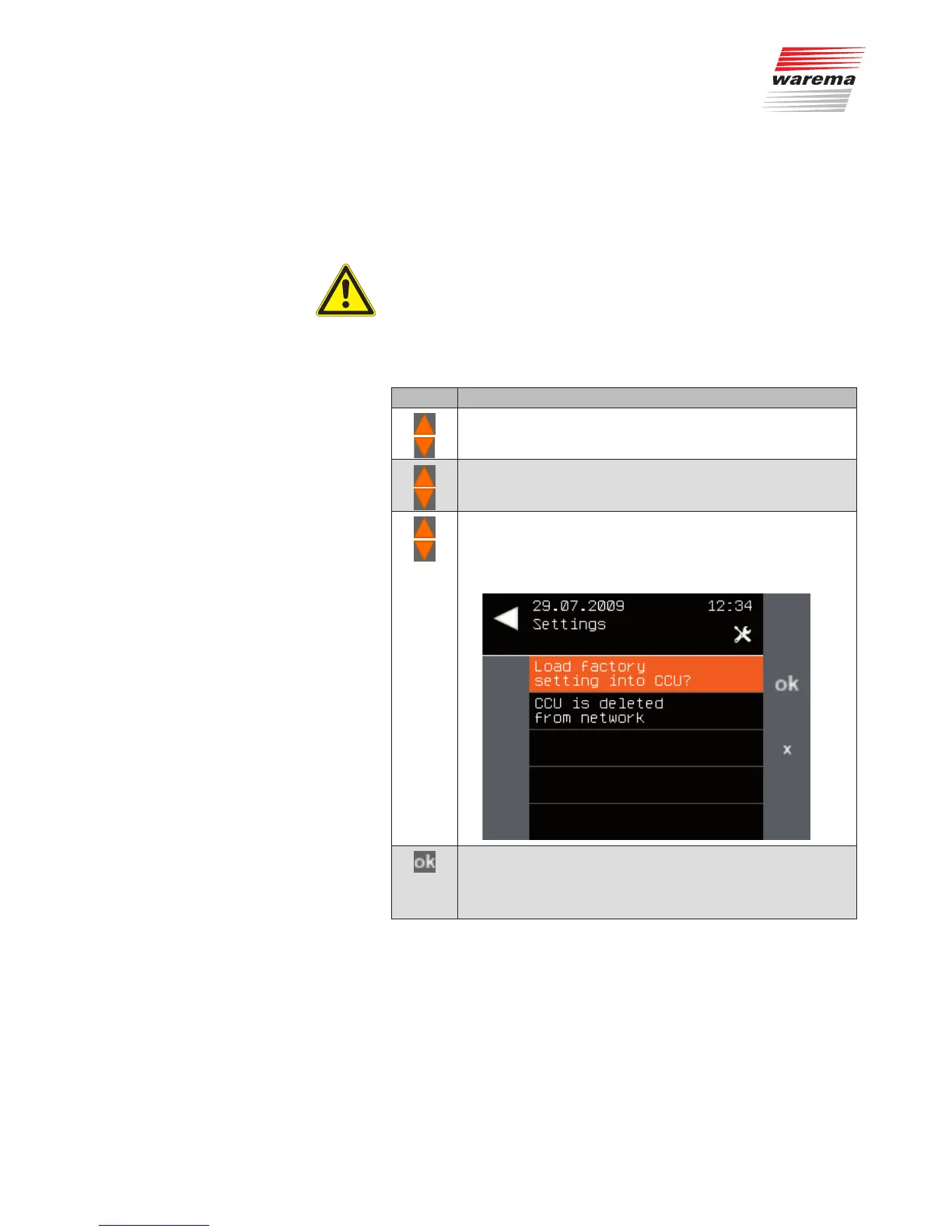
The following menu is displayed.
Press the ok button to reset the central transmitter.
The central transmitter restarts completely after a few
seconds. Wait for the start procedure to finish and the main
menu to be displayed again.
NOTE The example procedure described is for the "tubular motor" product. Depend-
ing on the product type, the menus and instructions provided by the WMS
Central transmitter may vary from the procedure described here. For the
"external venetian blind" product, a further menu item appears for tilting the
slats.
Follow the instructions of the WMS Central transmitter on the screen.
Main menu
System
Commissioning
Load factory setting
System



 To Next Page