System
button Action/result
Enter the dealer password.
(For information on entering texts, see also
Chapter 6.4 on page 35).
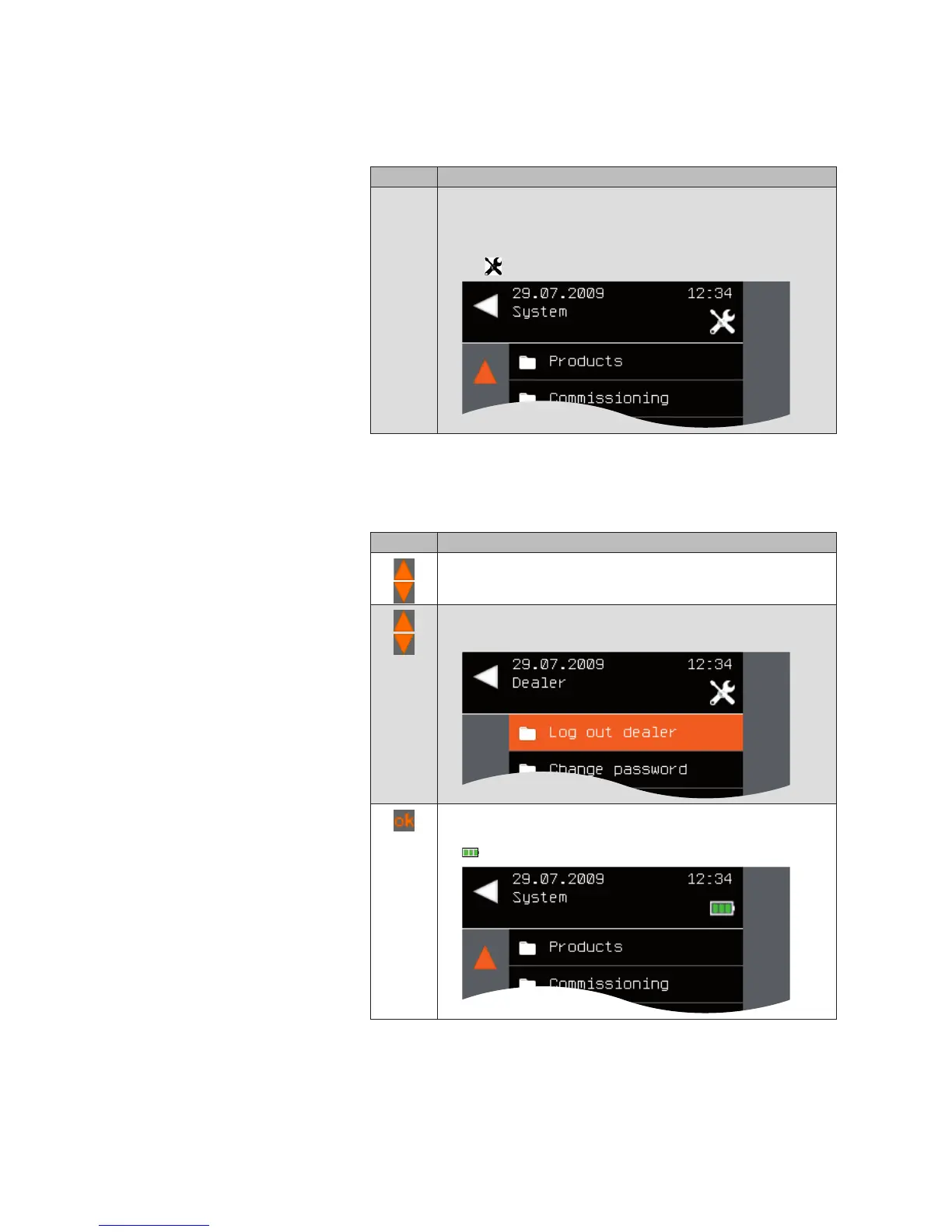
The [System] menu opens again. While you are logged in,
the symbol appears in the header.
9.4.2 Logging out as a specialist
dealer
To log out as a specialist dealer, proceed as follows.
Button Action/result
In the main menu, select the [System] menu and press ok.
The [System] menu opens.
Select the [Dealer] menu here and press ok.
The [Dealer] menu opens. [Log out dealer] is active.
Press the ok button.
You are logged out and the [System] menu opens again. The
symbol appears in the header again.
Main menu
System
Authorised dealer
Log out dealer



 To Next Page