127
9.4.3 Changing the specialist
dealer password
NOTE You must be logged in as a specialist dealer to be able to change the pass-
word.
To change the specialist dealer password, proceed as follows.
Button Action/result
In the main menu, select the [System] menu and press ok.
The [System] menu opens.
Select the [Dealer] menu here and press ok.
The [Dealer] menu opens.
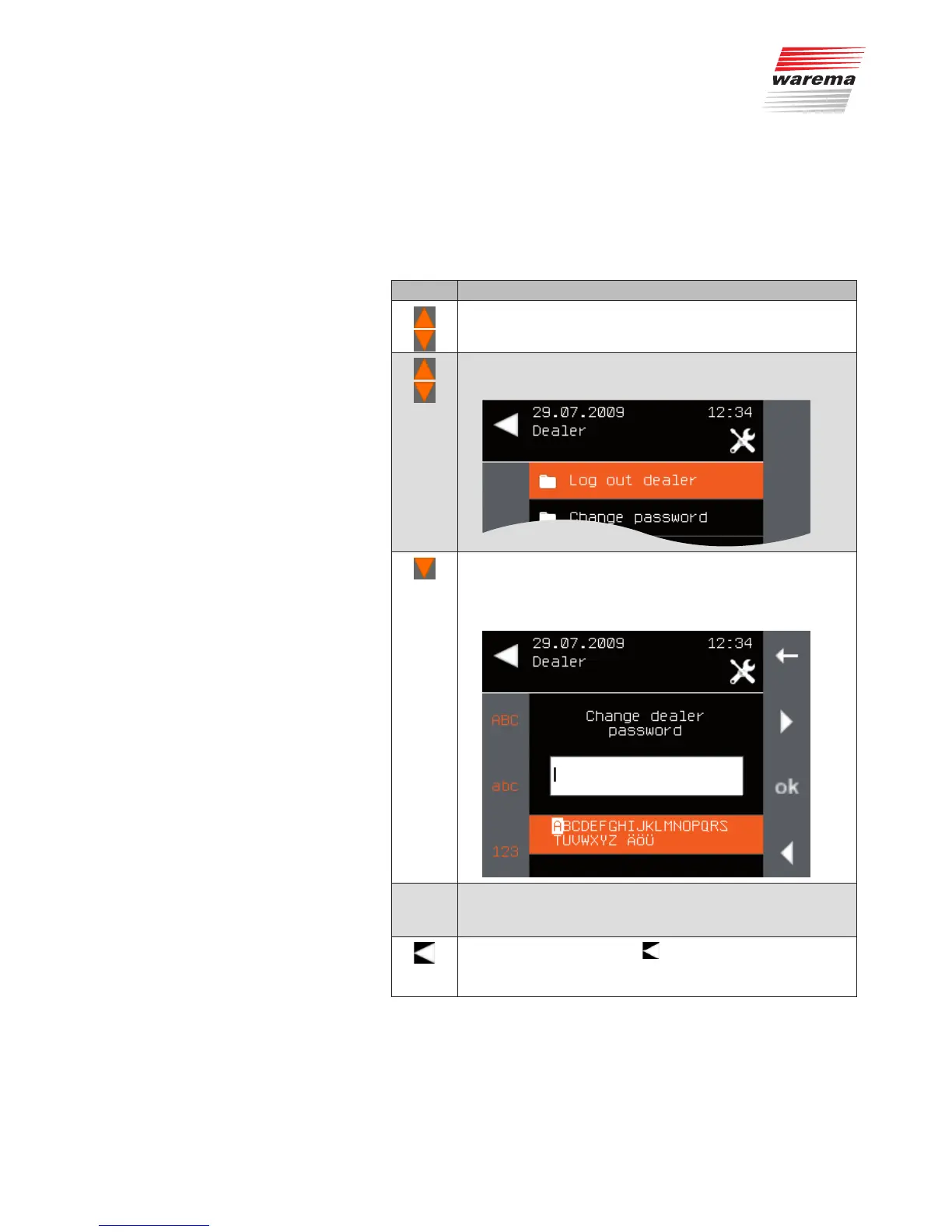
Using the function button, select [Change password] and
press ok.
The following menu appears. The current password is dis-
played in the entry field.
Change the dealer password to a password of your choice.
(For information on entering texts, see also
Chapter 6.4 on page 35).
Leave the menu using the button on the left.
The new password is adopted. The [System] menu opens
again.
Main menu
System
Authorised dealer
Change password
System



 To Next Page