121
9.3.2 Setting the date and time
To be able to use the functions that require the date and time (e.g. time
switch), these parameters must be set to the correct values.
Button Action/result
In the main menu, press the function button repeatedly until
the selection cursor is on the [System] line.
Press the ok button.
The [System] menu opens.
Press the function button again until the selection cursor is
on the [Settings] line.
Press the ok button.
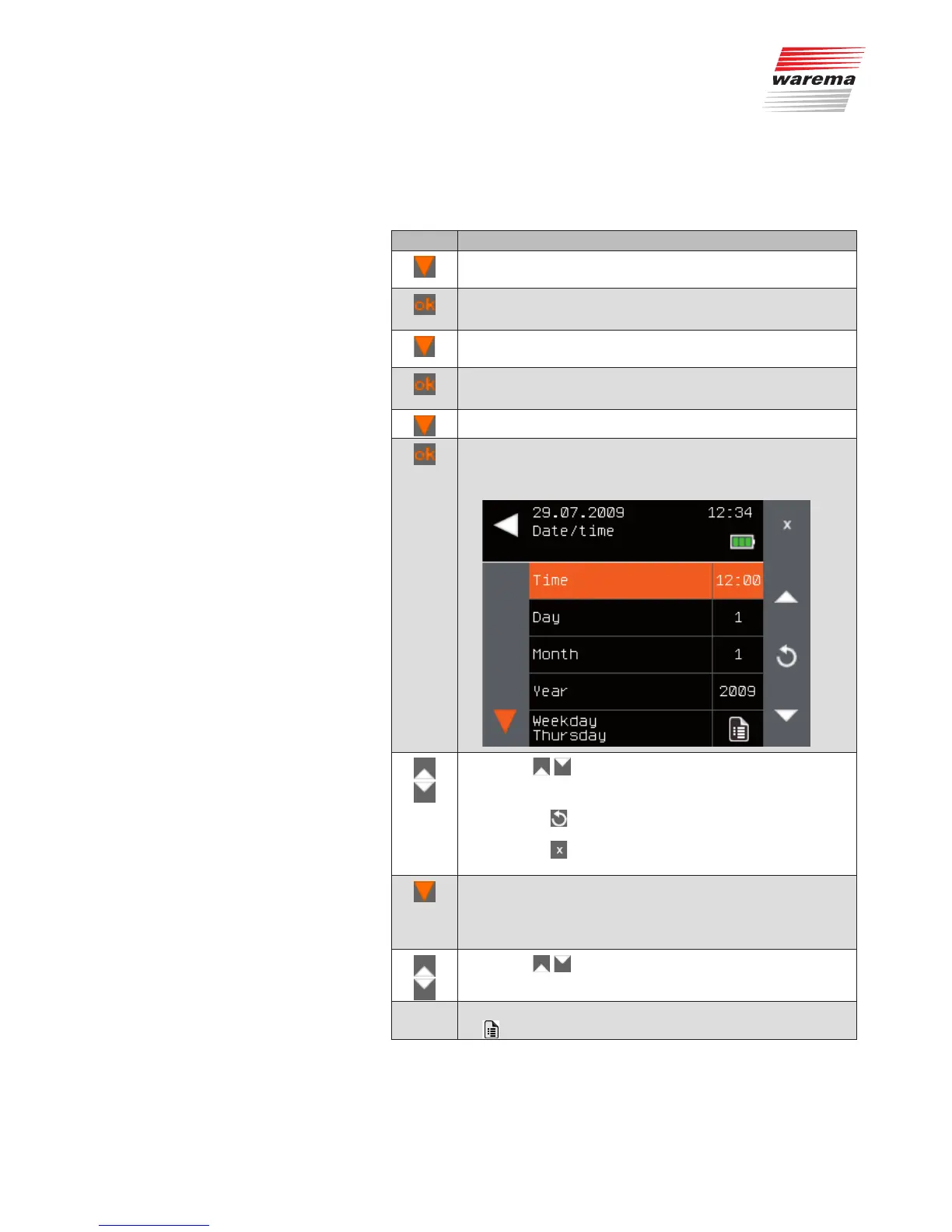
The [Date/time] menu opens:
Select the [Date/time] line using the function button.
Press the ok button.
The [Date/time] menu is displayed. The top menu line,
[Time], is selected.
Use the function buttons to set the desired time.
Press the button briefly: The value changes slowly.
Press and hold the button: The value changes rapidly.
NOTE The button can be used to load the default value
of a parameter.
The button can be used to reverse the entry; the
value stored last is displayed again.
After entering the time, change to the [Day] line with the func-
tion button.
NOTE When you leave a menu line, the value displayed there
is automatically adopted..
Use the function buttons to set the current day.
Repeat these steps for [Month] and [Year].
-
The [Weekday] is automatically calculated from the date. The
symbol indicates that the value cannot be set manually.
Main menu
System
Settings
Date/time
System



 To Next Page