3.3 WMS Central
transmitter
To commission the WMS Central transmitter, simply insert the supplied re-
chargeable batteries.
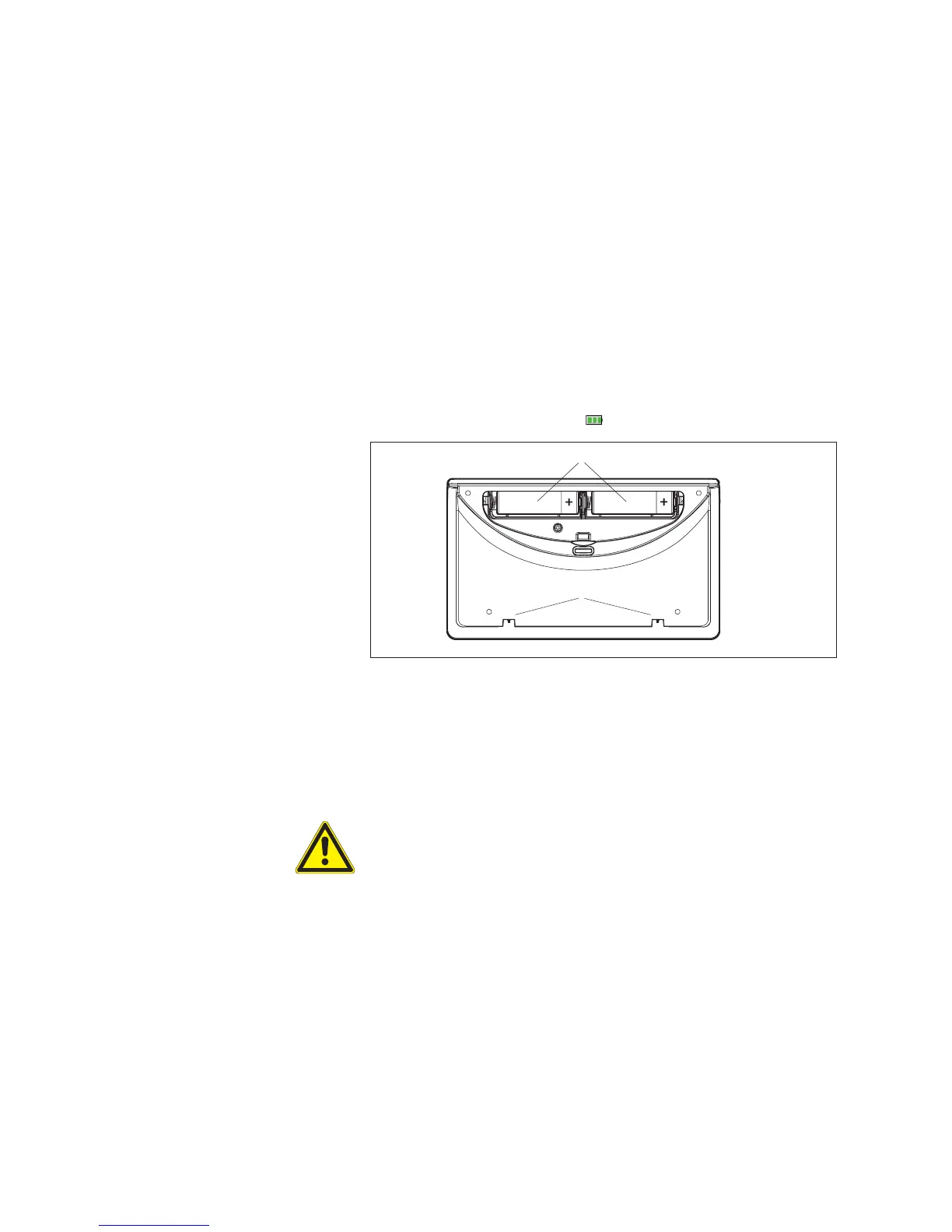
Open the battery compartment on the back of the WMS Central transmitter.
Insert the two supplied batteries. Note the correct polarity.
Reattach the battery compartment cover.
Remove the protective film from the surface on the front of the WMS Central
transmitter.
The batteries are precharged. Place the WMS Central transmitter into the
charging station to fully charge the batteries.
When the batteries are fully charged, the battery symbol in the header per-
manently displays three green bars .
Fig. 3 The back of the WMS Central transmitter
Battery compartment:
The two supplied batteries are inserted in the battery compartment. You can
also use two AA batteries (IEC LR 6, "Mignon"). The WMS Central transmit-
ter automatically detects whether batteries or rechargeable batteries are in
place.
CAUTION
Do not insert conventional batteries. Only use the included NiMH batteries.
The WMS Central transmitter will only have a long operating life if these
batteries are used, and the batteries recharge quickly.
Charging contacts:
When the WMS Central transmitter is placed in the charging station, the
connected power supply unit supplies the central transmitter with power via
these contacts. The automatic charging function of the WMS Central trans-
mitter monitors the charge status of the batteries and recharges them as
needed.
Commissioning



 To Next Page