107
Button Action/result
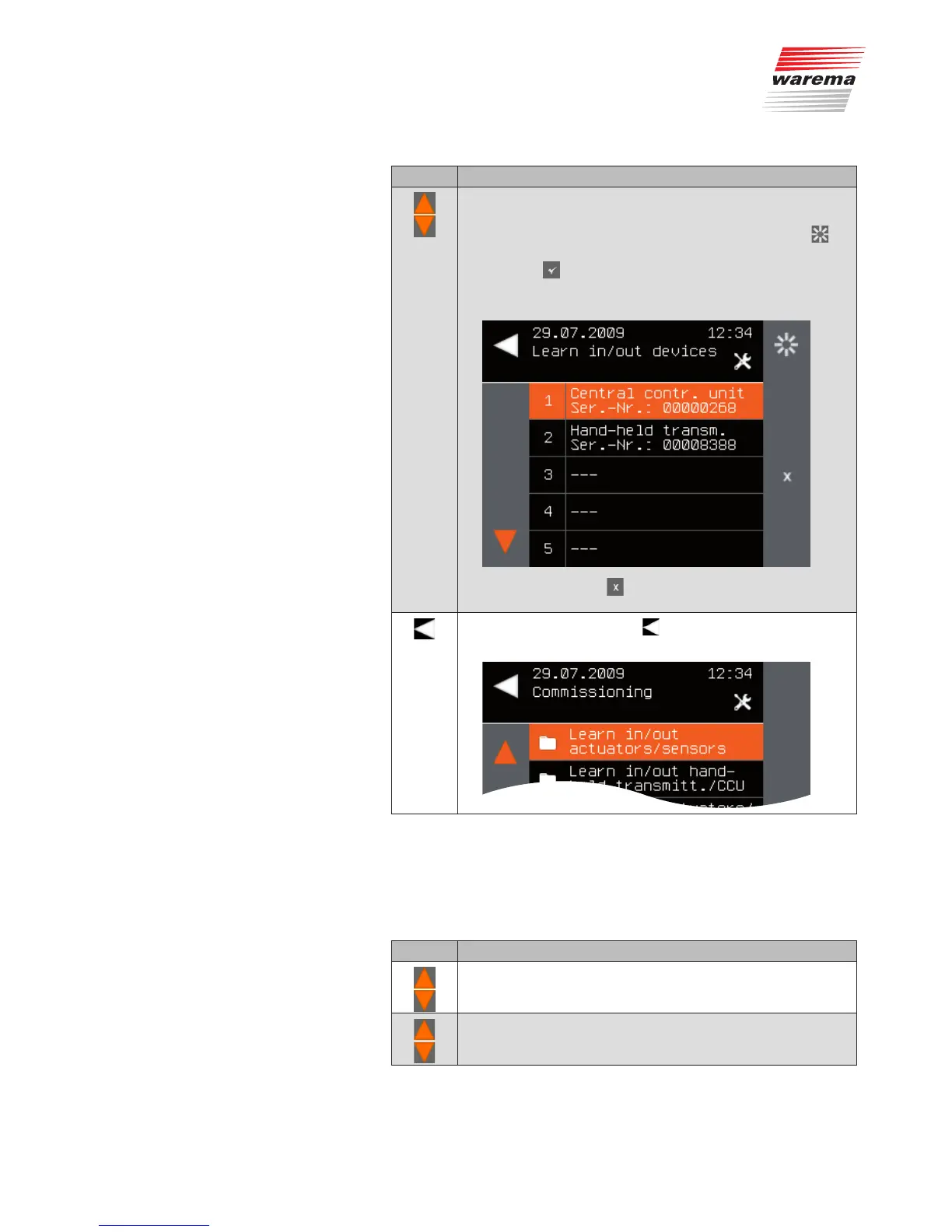
Using the selection cursor, select the device that you wish to
learn in.
To check which device is currently selected, press the
button. The selected device waves.
Press the
button.
The device is learned into the channel. The overview of
scanned devices reappears.
NOTE Now only the button for learning out is activated
for the learned device.
Leave the menu using the button.
The Commissioning menu opens again.
9.2.2.2 Learning out hand-held
transmitters/central
transmitters
Proceed as follows to learn out hand-held transmitters or central transmitters.
Button Action/result
In the main menu, select the [System] menu and press ok.
The [System] menu opens.
Select the [Commissioning] menu here and press ok.
The [Commissioning] menu opens.
Main menu
System
Commissioning
Learn in/out hand-held transmitters/
central transmitters
System



 To Next Page