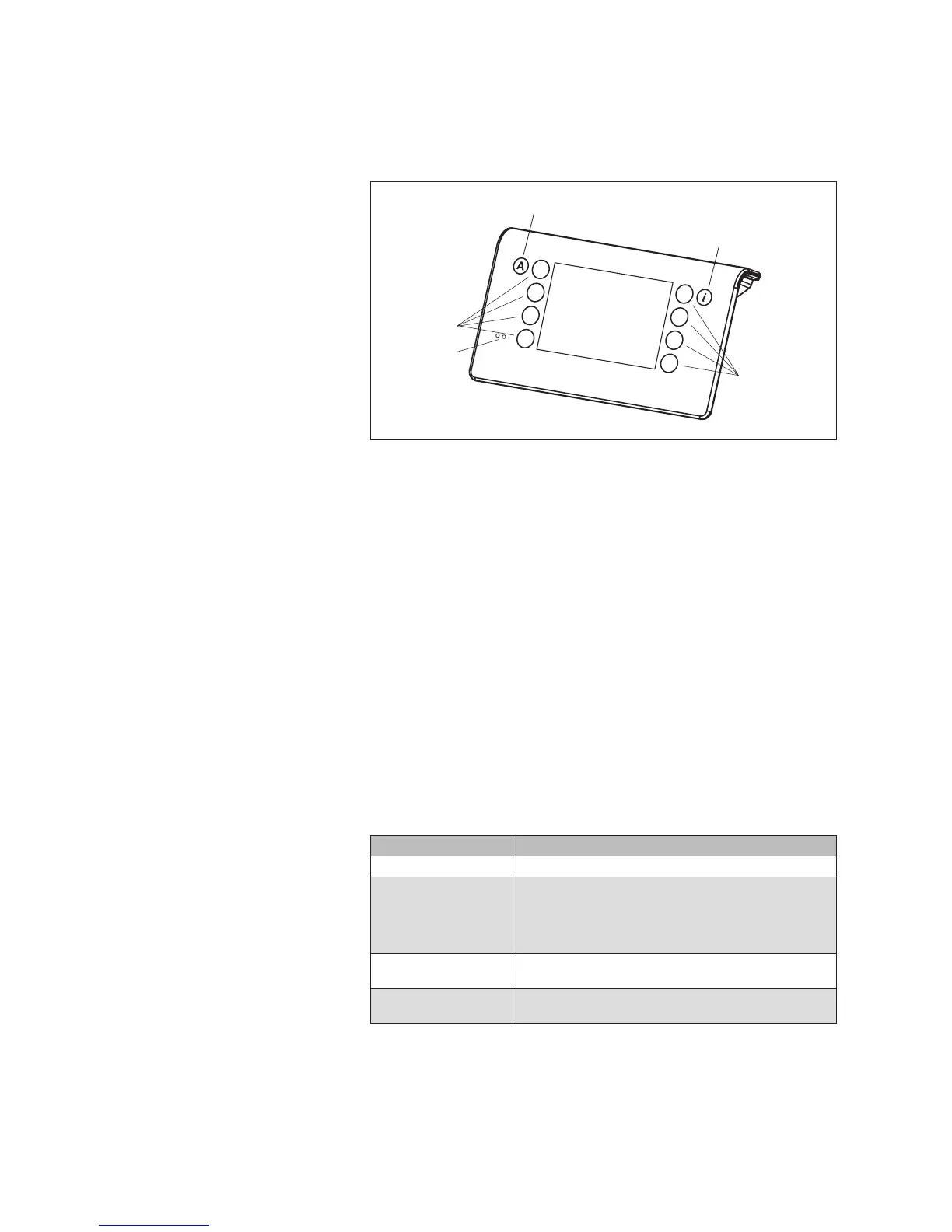
4.1 Operating elements
Fig. 5 The operating elements of the WMS Central transmitter
Display
The illuminated display provides information on everything you can read or
set on the WMS Central transmitter. For example, you can view the current
measured values of the outside brightness and outside temperature, the cur-
rent time and much more. The various elements of the display are explained
in Chapter 4.2 on page 17.
Function buttons
Depending on the information on the display, different processes can be
triggered with the function buttons. For example, you can switch between
menus, restore a preset value, cancel an input, and more.
Button A
This button jointly switches the comfort functions of all receivers learned into
the network on and off.
Button i
This button calls up specific information depending on the menu or it opens
special submenus.
Battery status indicator
A red and green LED indicate the battery status.
Display Status
Green LED lights up The central transmitter is charged via the charging station
Red LED lights up The central transmitter is in the charging station; there are
no batteries in the device or they are faulty. If conventional
batteries are contained in the device, the red LED lights
up after several minutes. This is to indicate that the batter-
ies are not charged by the device.
Green LED flashes The central transmitter is not in the charging station; the
batteries are still sufficiently charged
Red LED flashes The batteries are almost empty. Place the central transmit-
ter into the charging station for charging.
Introduction



 To Next Page