65
Button Action/result
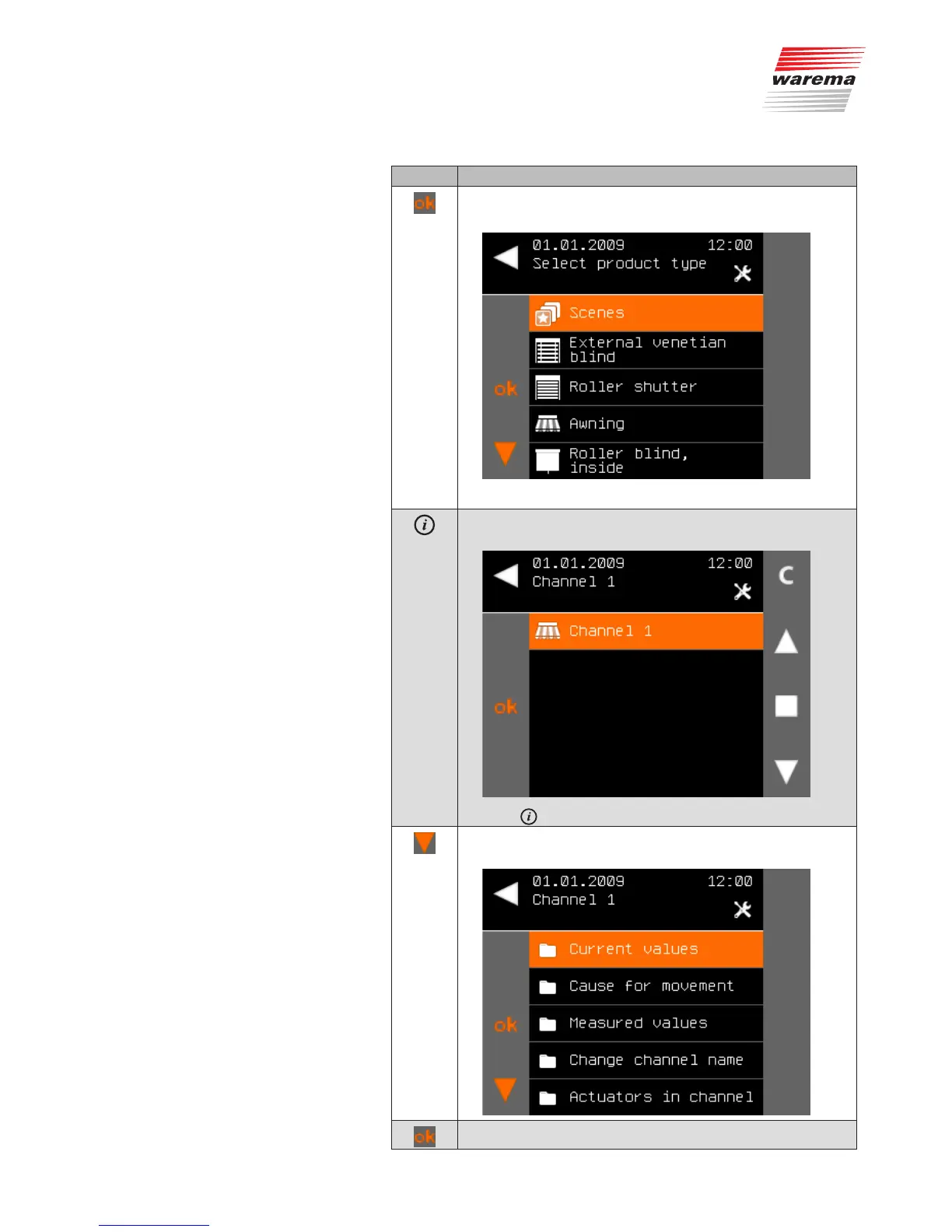
Press the ok button.
All products of this type are displayed.
Press the ok button.
The WMS Central transmitter shows the channel belonging to
the product (here, channel1).
Press .
Using the function buttons, select the function on which you
require information, e.g. actual values.
Confirm your selection with ok.
Products



 To Next Page