Precondition:
n Software update has been displayed and executed in
Google Play.
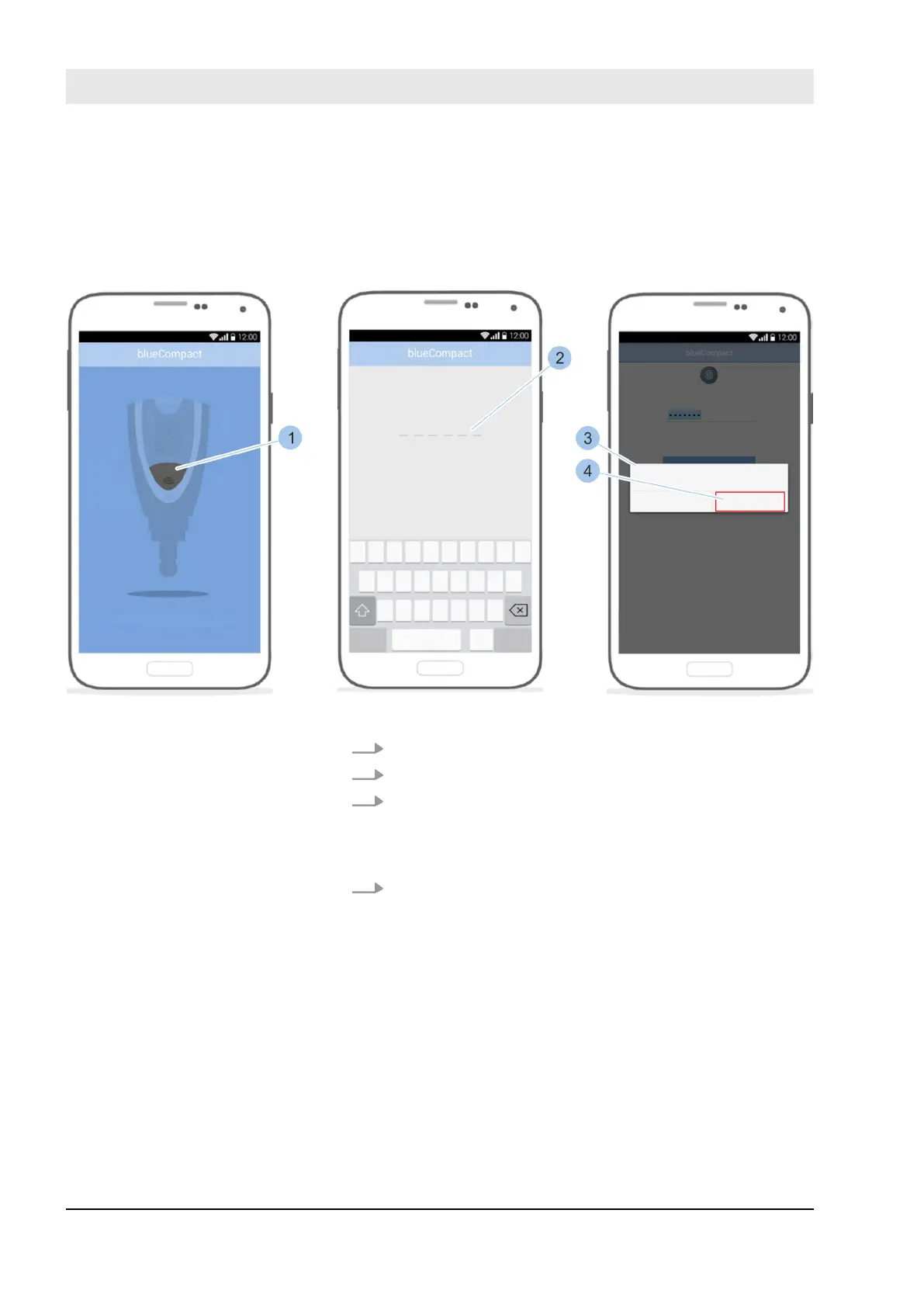
Fig. 113: Install software update on the Masterkey
1. Launch app.
2. Activate Masterkey by pressing on the button (1).
3. Enter password (2).
ð
The Masterkey is connected to the app. If the soft-
ware is out of date, a prompt appears (3) asking
whether the firmware should be updated.
4. Confirm prompt (3) by pressing Update (4).
Install software update on the
Masterkey
Install software updates
23.03.2020blueCompact electronic locking system140



 To Next Page