There are two dierent installation situations for installing
the two reader types:
n
Ä
Chapter 5.2.1 “Install reader with internal control unit”
on page 66
n
Ä
Chapter 5.2.2 “Install reader with external control unit”
on page 69
The access authorisation is issued by the reader or the
external control unit when an authorised key is held in the
centre in front of the reader.
The release by the reader is indicated visually by the illumi-
nated LED and acoustically with a beeping sound.
All authorisation and setting options
Ä
Chapter
7.5.5 “Manage reader settings” on page 111
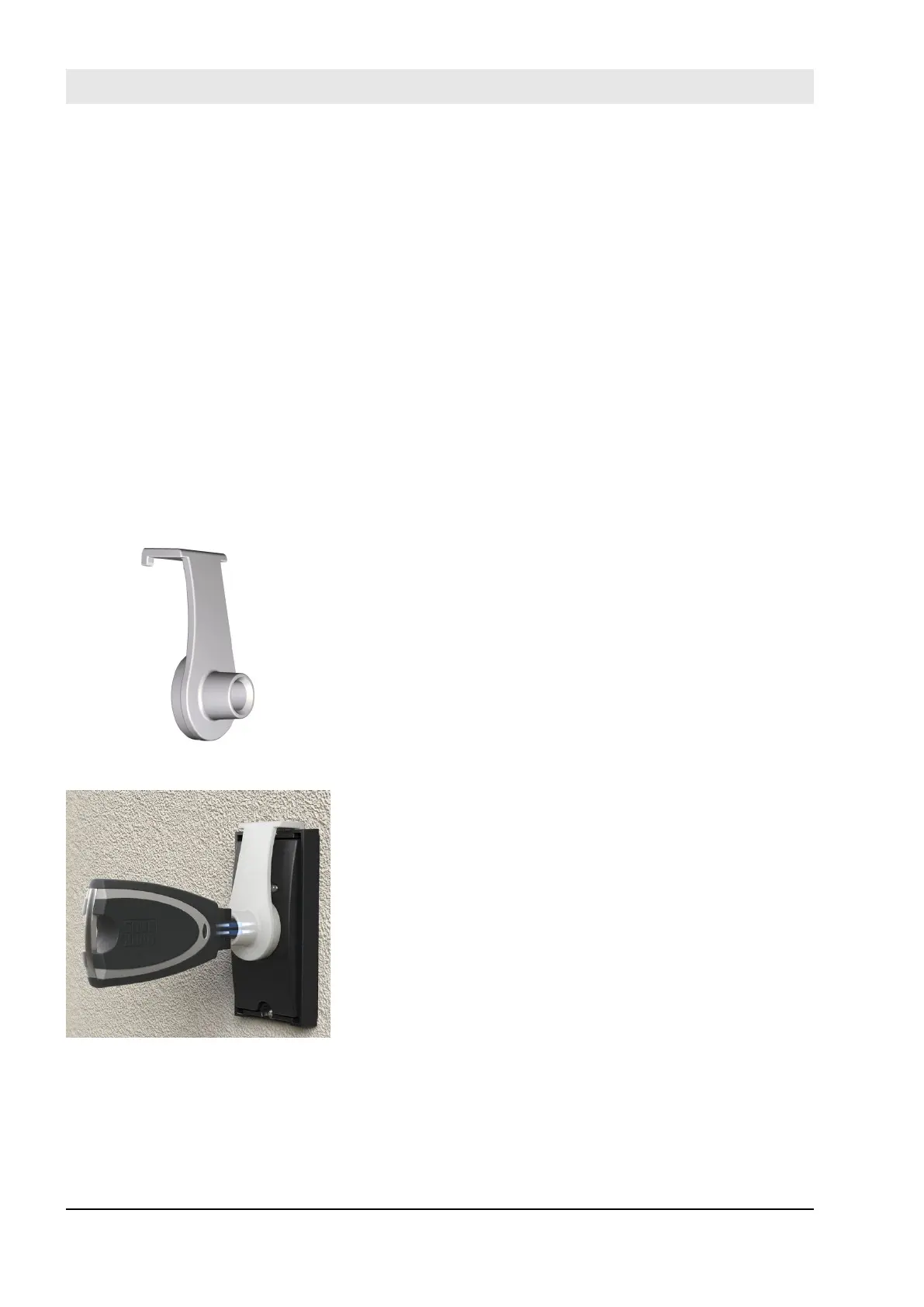
For longer programming processes or software updates for
the reader, for example, the programming adapter can be
used, which permanently holds the Masterkey in front of the
reader.
The adapter is hooked in to the reader. The Masterkey is
inserted in the adapter. The connection between the reader
and the app can be established in this way.
Using the programming adapter
Ä
Chapter 9.4 “Transfer
data to reader” on page 147
Installation of reader types
Controlling the reader
Function of the programming
adapter
Fig. 19: Programming adapter
Fig. 20: Using the programming
adapter
Product overview
23.03.2020blueCompact electronic locking system28



 To Next Page