Service Screen After Auto Clear........................................................................9-9
Assigning Screen/Button Settings....................................................................9-9
Reconfirm E-mail Recipient screen................................................................9-10
Customize Keyboard Button............................................................................9-10
Custom Paper and Custom Paper Color Settings....................................9-11
Paper Tray Settings...........................................................................................................9-11
Custom Paper and Custom Paper Color Settings....................................9-13
Paper Tray Attributes..........................................................................................9-13
Customize Paper Settings.................................................................................9-13
Change Paper Settings During Loading......................................................9-14
Paper Tray Priority................................................................................................9-14
Paper Type Priority...............................................................................................9-14
Tray 5 (Bypass) - Paper Size Defaults...........................................................9-14
Auto Tray Switching............................................................................................9-15
Image Quality Adjustment...........................................................................................9-16
Photo and Text Recognition............................................................................9-16
Background Suppression (Black copy).........................................................9-16
Background Suppression (Scan Jobs)..........................................................9-17
Image Enhancement..........................................................................................9-17
Reports...................................................................................................................................9-17
Print Reports Button............................................................................................9-17
Job History Report...............................................................................................9-17
Scan File Transfer Report..................................................................................9-17
2 Sided Report.......................................................................................................9-18
Job Flow Error Report..........................................................................................9-18
Maintenance.......................................................................................................................9-18
Initialize Hard Disk Drive...................................................................................9-19
Software Options.................................................................................................9-19
Delete Certificates/Initialize Settings..........................................................9-20
Alignment Adjustment......................................................................................9-20
Alignment Adjustment information................................................9-21
Things to consider when creating/using an alignment
procedures...........................................................................................9-21
Alignment Adjustment options.........................................................9-21
Auto Alignment Adjustment..............................................................9-24
Manual Alignment Adjustment procedure..................................9-28
Adjust Paper Curl..................................................................................................9-30
Adjust Paper Curl options....................................................................9-31
Adjust Paper Curl Types A, B, C.........................................................9-31
Adjust Paper Curl Types 1-10.............................................................9-32
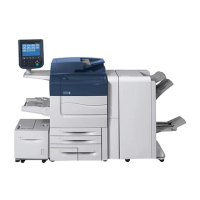
Xerox
®
Color C75 Pressvi
System Administration Guide
Table of Contents








 To Next Page