101
Genos2 Owner’s Manual
Storing and Calling up Custom Panel Setups—Registration Memory, Playlist
7
[Select from Playlist Record]
The display for selecting the Playlist Record is called up.
2-3 Touch the name “All Records” to call up the Playlist Selection display, select the Playlist le containing the
desired Record, and then close the display.
2-4 Select the desired Playlist Record.
2-5 Touch [Add to Playlist] to close the display, and the new Playlist Record is added.
3 If necessary, edit the Playlist Record.
The newly added Playlist Record simply recalls the selected registration Bank le. If you want to set more detailed settings
(such as directly recalling a specied Registration Memory and automatically switching the screen view), you can edit the
Playlist Record.
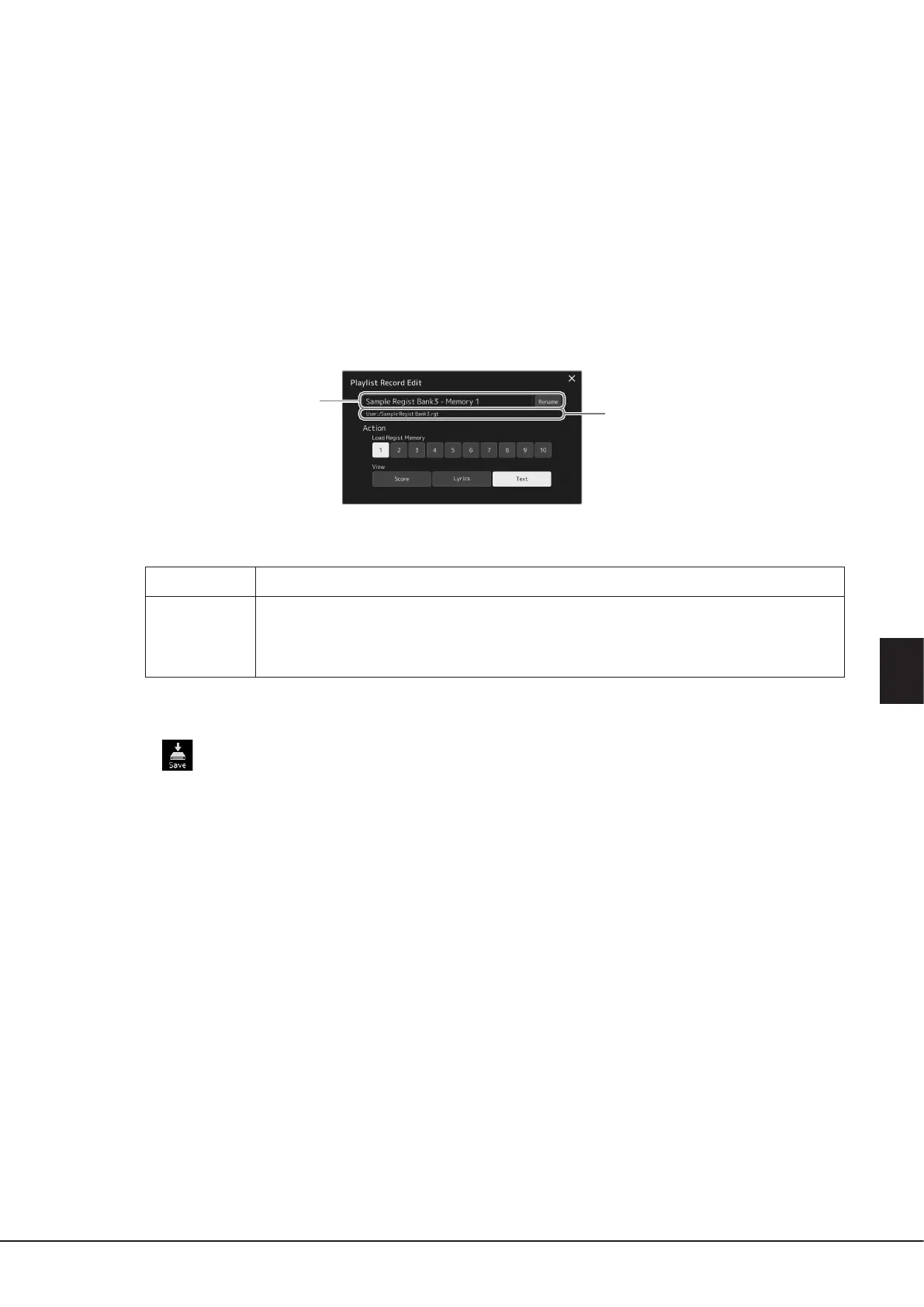
3-1 Touch [Edit] to call up the Record Edit display.
3-2 Touch to edit the Record.
Record Name
Determines the name of the Record. Touching [Rename] calls up the Character Entry window.
Action
Enables additional actions after selecting the Record and recalling the Bank.
• Load Regist Memory: Recalls the Registration Memory corresponding to the selected number. When no
item is selected, no Registration Memory is recalled.
• View: Displays the selected view. When no item is selected, no view is displayed.
3-3 Close the display.
4 Touch (Save) to save the added Record to the current Playlist le.
To recall the registered Record, touch the desired Record on the Playlist display.
Record Name
File path of the Registration Memory Bank
le linked to the Record. This le will be
recalled by selecting the Record. (This is
only displayed, and cannot be changed.)


 To Next Page