28
Genos2 Owner’s Manual
Main Display Structure—Using the Gateway Buttons
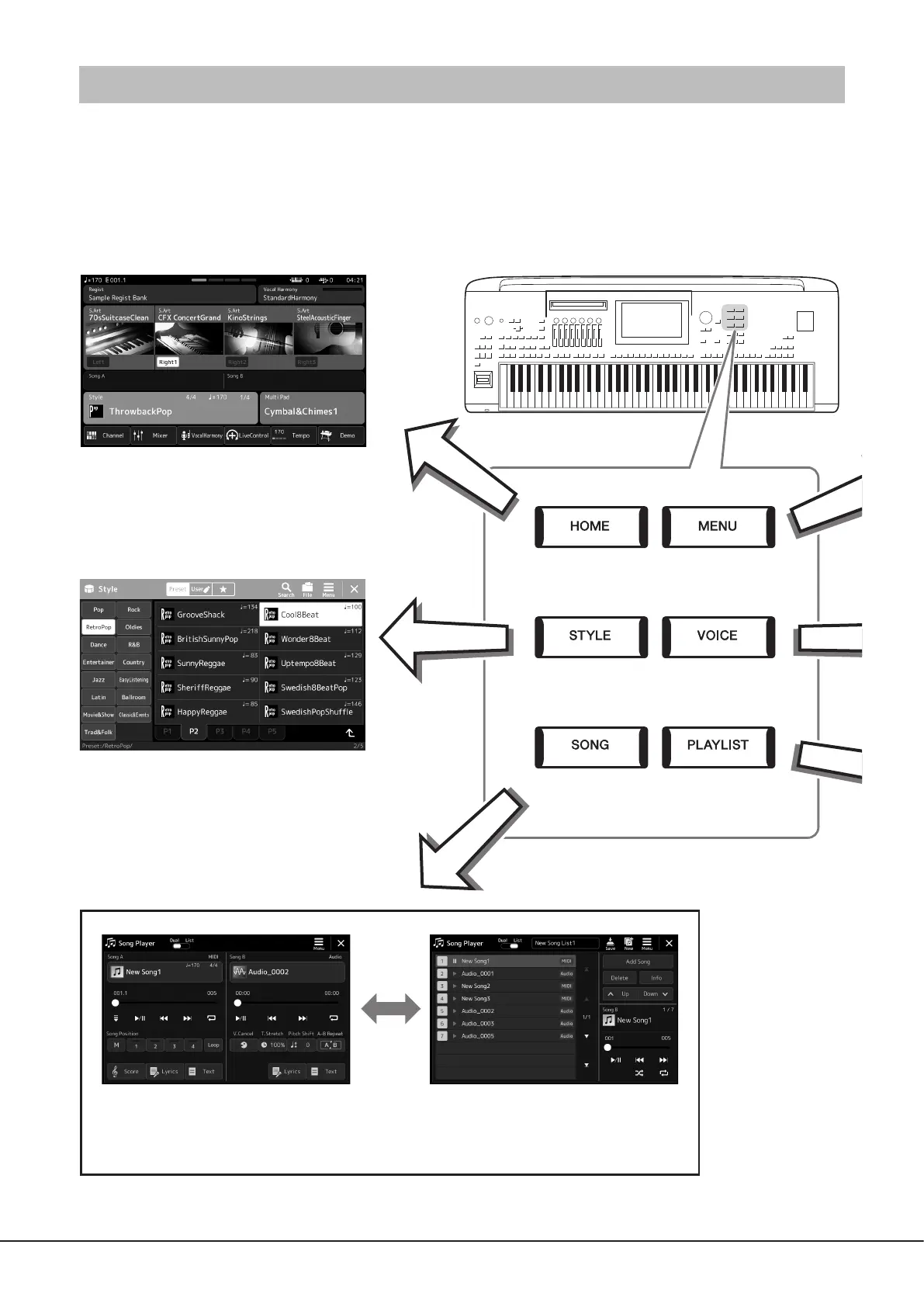
The Gateway buttons are just as their name suggests—a convenient, easy-to-understand “gateway” to Genos2. When the
instrument is turned on, the Home display is called up. However, as you operate the instrument, you can directly call up the Home
display and other desired displays directly by pressing the Gateway buttons on the front panel. Other functions and various
detailed settings for the instrument can be accessed from the Menu display. Also, depending on the particular function, you can
call up the File Selection display to select desired les.
Home display
This is portal of the instrument’s display structure,
which provides at-a-glance information on all
current settings.
Style Selection display
This is a type of “File Selection” display
(page32) for selecting Styles.
Song Playback display
This is for controlling Song playback (pages 76, 82).
Gateway buttons



 To Next Page