34
Genos2 Owner’s Manual
Display-based Controls
The display of this instrument is a special touch screen that allows you to select or change the desired parameter by simply
touching the corresponding setting on the display. You can also decrease/increase the value in small steps by rotating the Data
dial or pressing the [DEC]/[INC] button.
Using the display (touch screen)
NOTICE
Do not use any sharp or hard tools to operate the touch screen. Doing so may damage the display.
NOTE
Keep in mind that operation by simultaneously touching two or more points on the display is not possible.
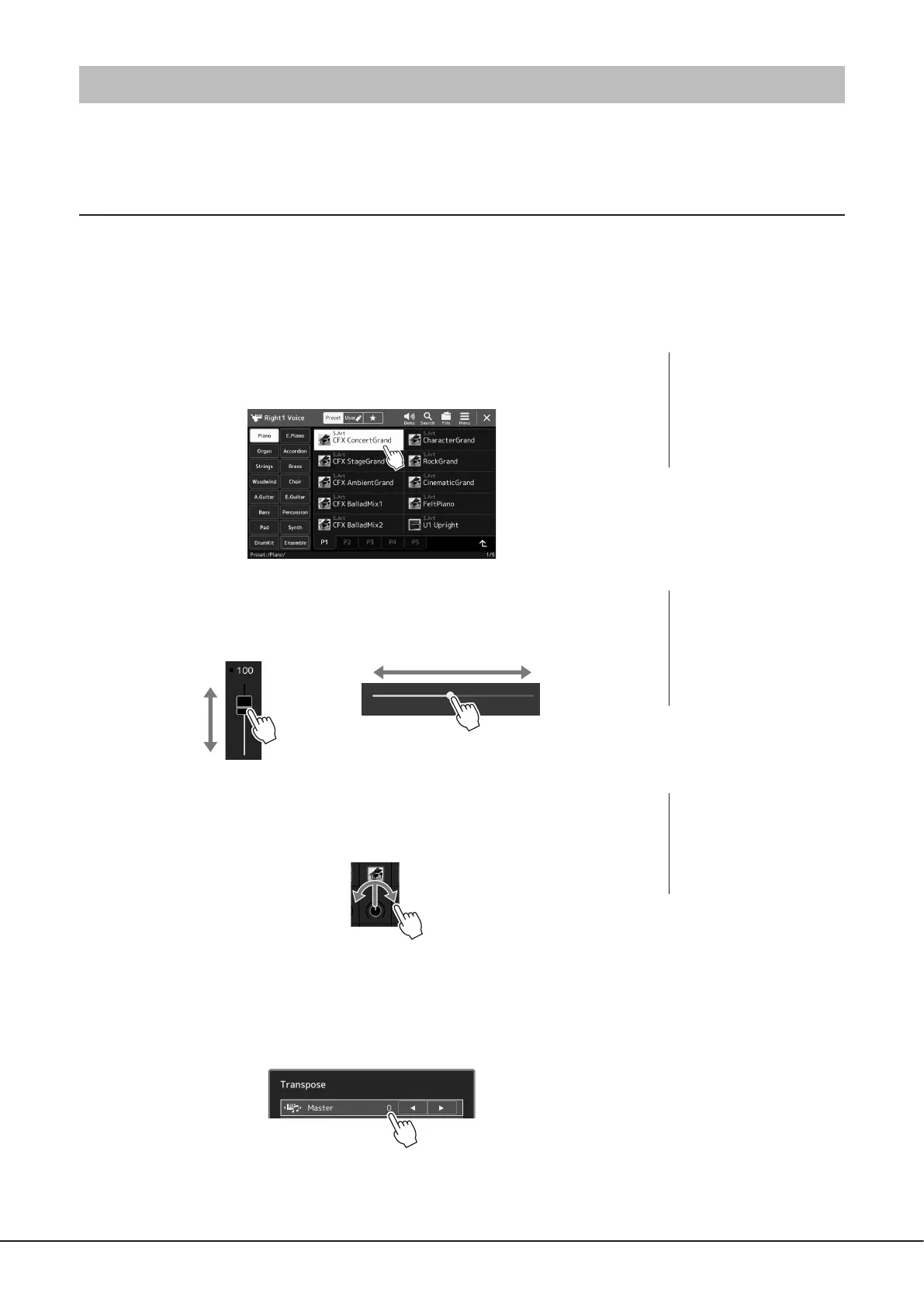
Touch
To select an item, lightly touch the corresponding indication on the display.
Slide
Hold down the display slider, then slide your nger vertically or horizontally to change the
parameter value.
Rotate
Touch and hold the display knob, and rotate your nger around the knob to change the
parameter value.
Touch and hold
This instruction means to touch the object in the display and hold it for a while.
When setting values by using the [L]/[R] buttons, a slider or a knob, you can restore the default
value by touching and holding the value on the display.
NOTE
If you nd the system sounds
(produced when touching the
display) distracting, you can turn
them on/o from
[MENU] à [Utility] à [Touch
Screen/Display] à Touch Screen
[Sound]
NOTE
In the case of a vertical slider,
the slide operation is only
eective for the slider when it
is selected. To select a slider,
touch it once. The selected state
is indicated by a surrounding
orange frame.
NOTE
The rotate operation is only
eective for the knob when it
is selected. To select a knob,
touch it once. The selected state
is indicated by a surrounding
orange frame.



 To Next Page