97
Genos2 Owner’s Manual
Storing and Calling up Custom Panel Setups—Registration Memory, Playlist
7
Saving and Recalling Custom Panel Setups with Registration Memory
Registering Your Panel Setups
1 Make the desired panel Settings, such as those for Voices, Styles and Eects.
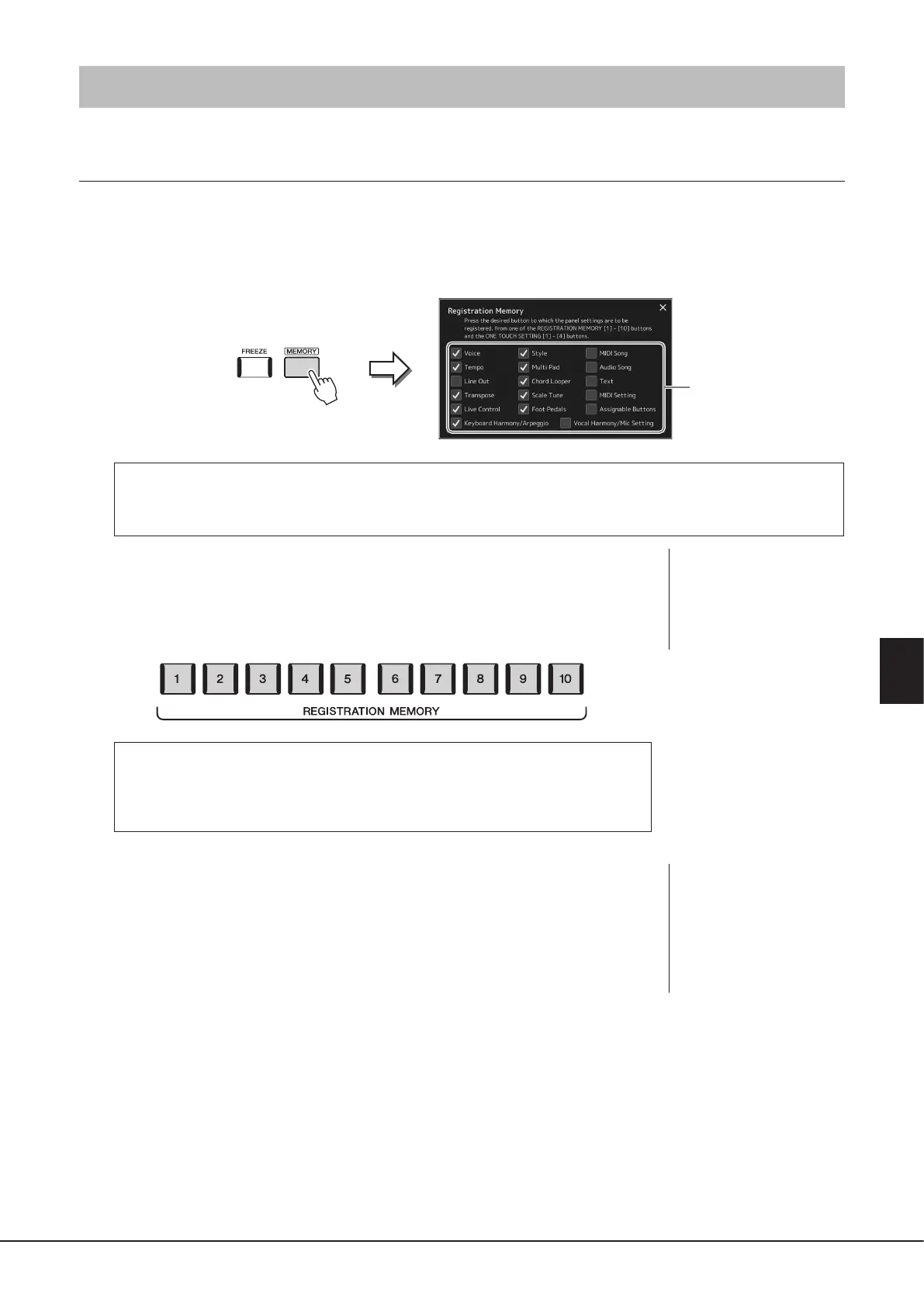
2 Press the [MEMORY] button in the REGISTRATION MEMORY section to call up the Registration
Memory window.
Selecting the items to be registered
The Registration Memory window contains the list for selecting the items to be registered. Before going on to step 3, enter
or remove checkmarks by touching the desired items. Items having checkmarks will be registered.
3 Press the desired REGISTRATION MEMORY [1]–[10] button to which you
wish to memorize the panel setup.
The memorized button lights in red, which indicates that the button contains data and its
number is selected.
About the lamp status
Red: Data registered and currently selected
Blue: Data registered but not currently selected
O: No data registered
4 Register various panel setups to other buttons by repeating steps 1–3.
The registered panel setup can be recalled by simply pressing the desired number button.
The list of items to be registered
to Registration Memory
NOTICE
If you selected a button whose
lamp is lit in red or blue here,
the panel setup previously
memorized to the button will
be erased and replaced by the
new settings.
NOTE
The panel setups registered
in the numbered buttons are
maintained even when you
turn o the power. If you want
to delete all ten current panel
setups, turn the power on while
holding the F#6 key (second
right-most key) on the keyboard.



 To Next Page