92
Genos2 Owner’s Manual
Turning Each Channel of the Style or MIDI Song On/O
You can add variations and change the feeling of a Style or a MIDI Song by selectively turning channels on/o.
Style Channels
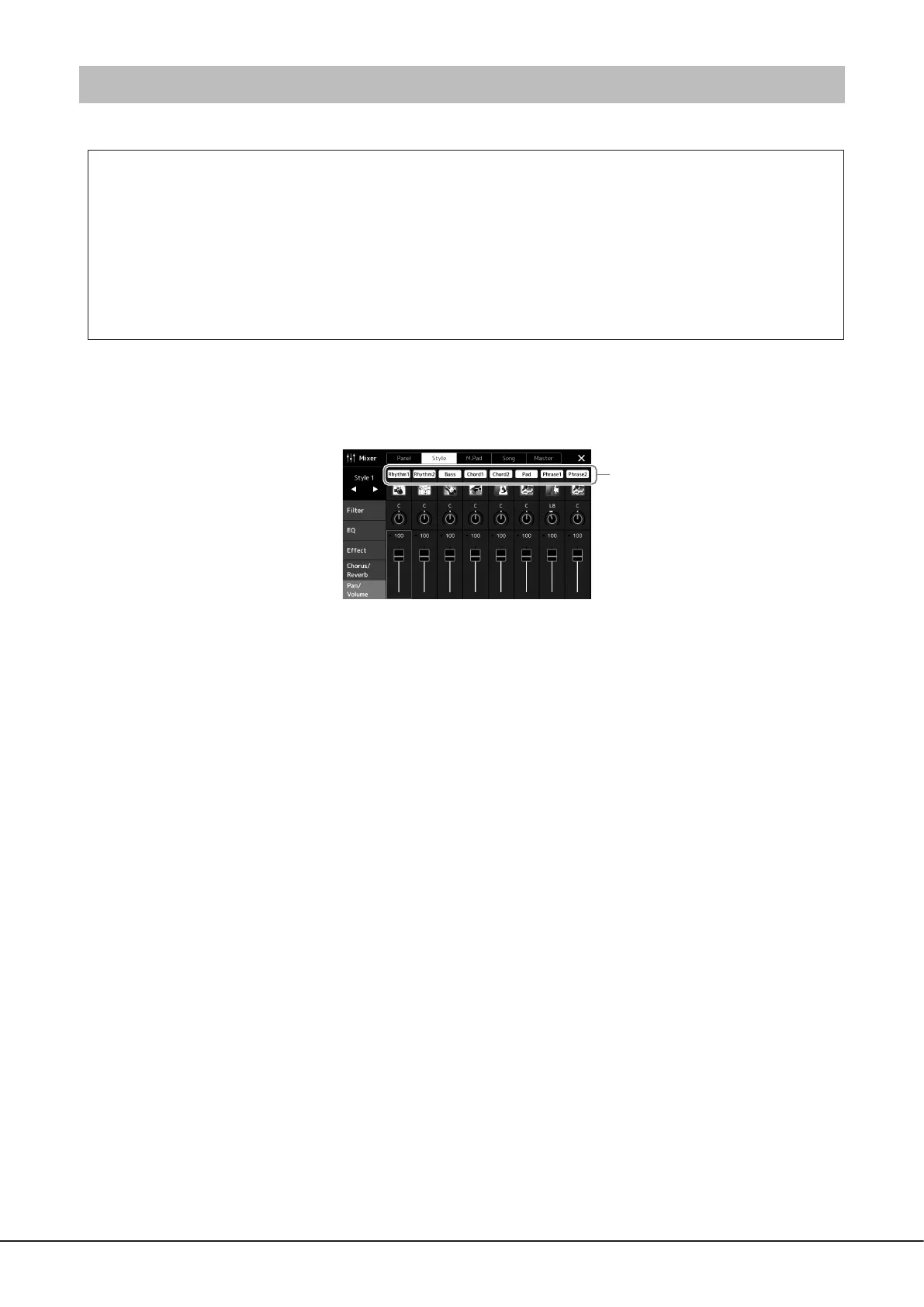
Each Style contains the channels listed below.
• Rhythm 1/2: These are the basic parts of the Style, containing the drum and percussion rhythm patterns.
• Bass: The bass part uses various appropriate instrument sounds to match the Style.
• Chord 1/2: These are the rhythmic chord backing, commonly consisting of piano or guitar Voices.
• Pad: This part is used for sustained instruments such as strings, organ, choir, etc.
• Phrase 1/2: These parts are used for punchy brass stabs, arpeggiated chords, and other extras that make the accompaniment
more interesting.
1 In the Mixer display, touch the [Style] tab or [Song] tab.
2 Touch the Channel which you want to turn on/o.
If you want to play back only one particular channel (solo playback), touch and hold the desired channel until the number is
highlighted in purple. To cancel solo, simply touch the (purple) channel number again.
3 As necessary, make other settings then save them as a Style le or Song le (step 5 on page91).
Channel



 To Next Page