41
Genos2 Owner’s Manual
Basic Operations
Locking the Panel Settings (Panel Lock)
When the panel settings are locked, nothing happens if you press any panel buttons. For example, when you take a break during
your performance and leave the instrument unattended, this feature protects the panel settings from being accessed by others.
1 Call up the Panel Lock display via [MENU] à [Panel Lock].
The numeric keypad for PIN code entry is called up.
2 Input a four-number PIN code by touching the numeric keypad, then touch [OK] to enter it.
The panel settings are locked. The main display is also in a lock mode during the panel lock.
3 To unlock the instrument, touch the display, then input the same PIN code
you entered in step 2.
Using the Metronome
The metronome provides a click sound, giving you an accurate tempo guide when you practice, or letting you hear and check
how a specic tempo sounds. When recording without Style playback, turning the metronome on makes your recording sessions
much more ecient.
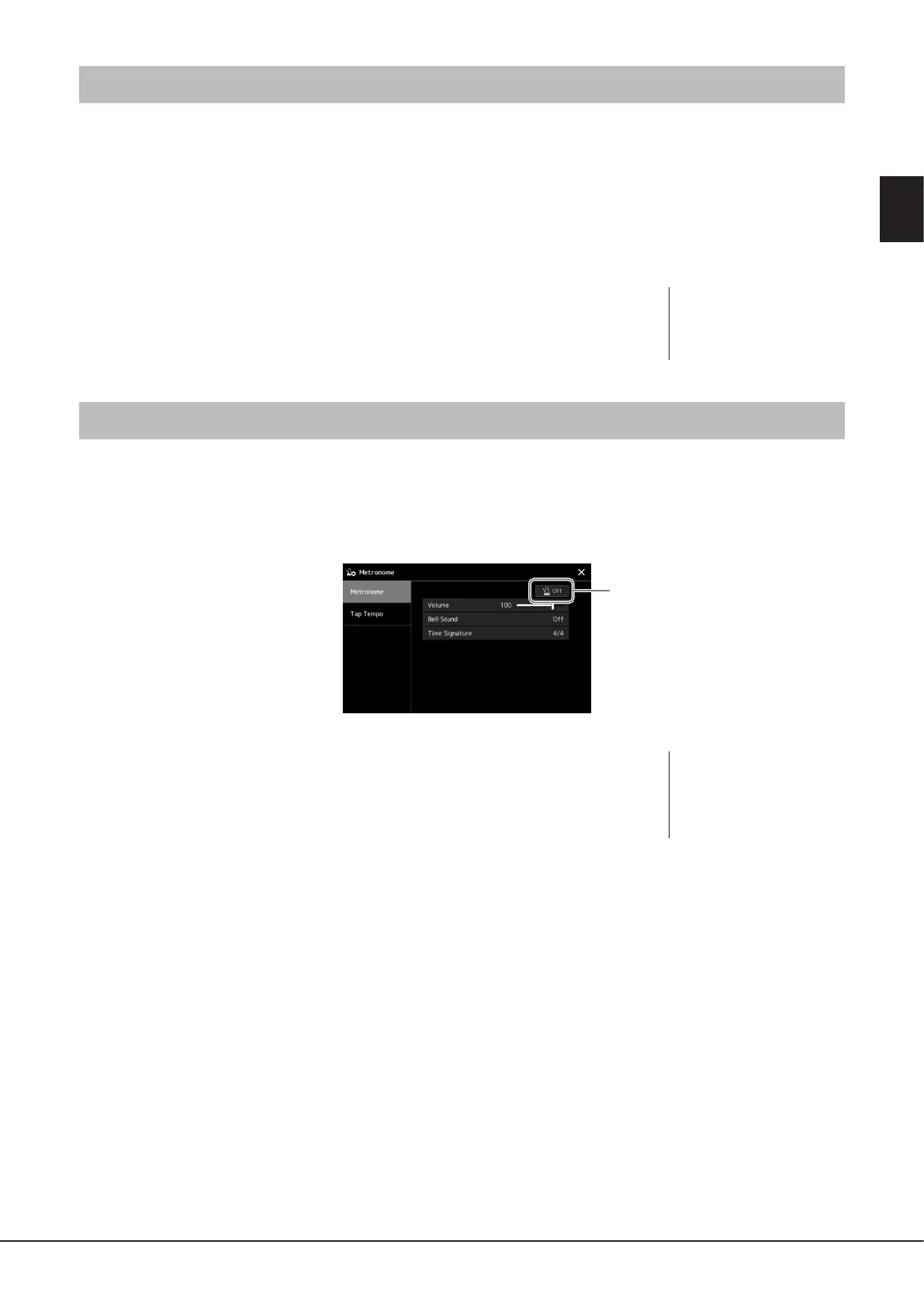
1 Call up the Metronome display via [MENU] à [Metronome].
2 Touch the icon to turn the metronome On/O.
For information on the other items on the display, refer to “Metronome Settings” of the
Reference Manual on the website.
NOTE
If you have forgotten the PIN
code, simply turn the power o
and back on again to unlock the
instrument.
NOTE
The Metronome can also be
turned on/o by touching the
Metronome On/O button
on each recording display
(page94).



 To Next Page