44
Genos2 Owner’s Manual
Playing with Styles—Setups
This section gives you basic steps on how to enhance your keyboard performance with Styles (Rhythm and Auto Accompaniment).
Go through the various instructions below to completely set up your performance of a single song: Style, Keyboard Part (Voice),
Multi Pad, and various types of controllers.
The settings made in this section can be collectively stored in the Registration Memory as one song setting (page96).
Setting up Styles
Selecting the desired Style and turning Auto Accompaniment (ACMP) on
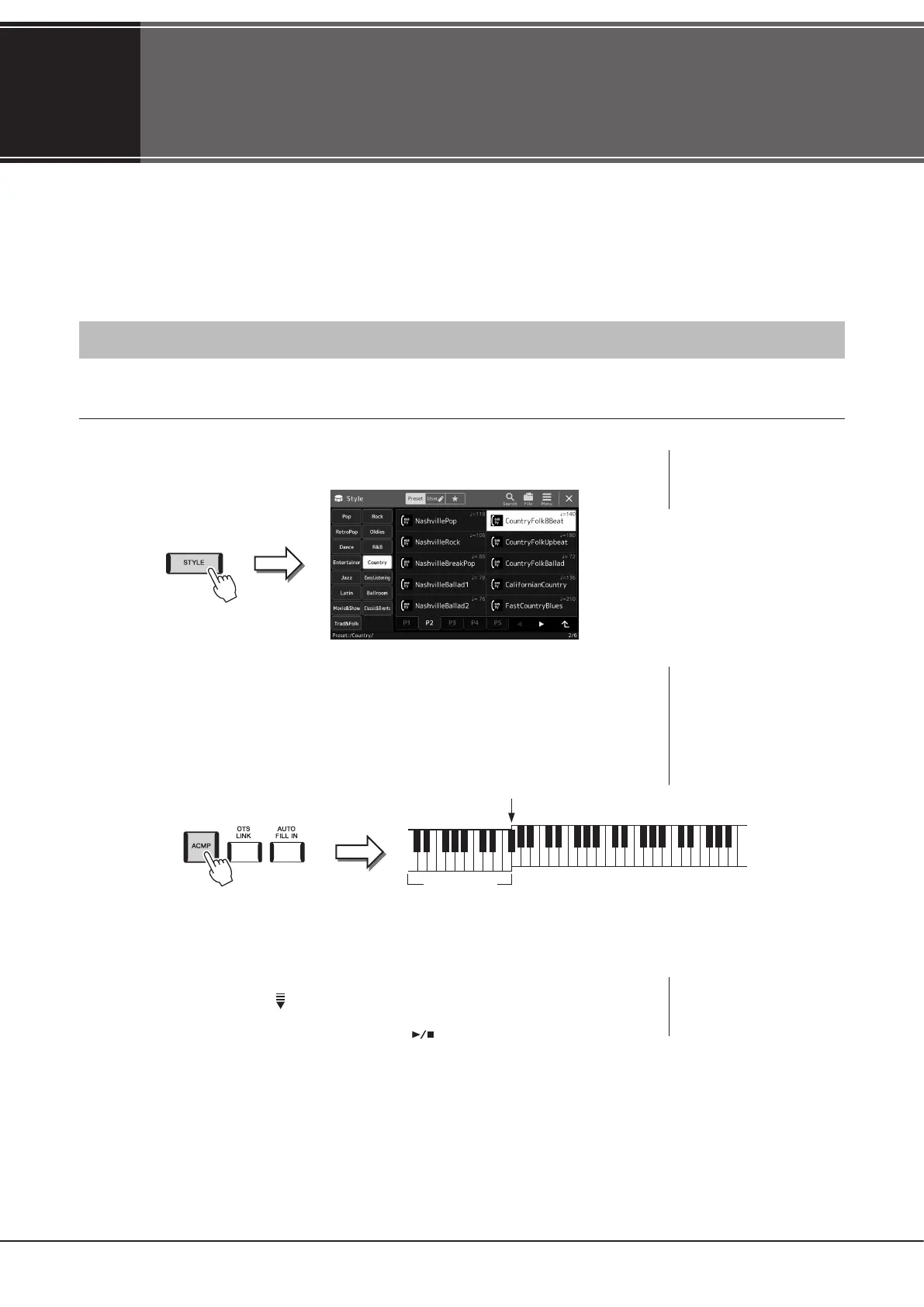
1 Press the [STYLE] button to call up the Style Selection display.
2 Touch the desired Style.
For example, touch the category [Country], and then [Country Folk 8beat].
3 Make sure that the STYLE CONTROL [ACMP] button is turned on.
When the button is turned on, both the rhythm part and auto accompaniment can be
played back during Style playback.
At the same time, the specic left-hand section of the keyboard can be used as the Chord section, and chords played in this
section are automatically detected and used as a basis for fully automatic accompaniment with the selected Style.
4 If necessary, try out the selected Style.
Press the STYLE CONTROL [ ] (SYNC START) button, and then play chords with your left
hand.
To stop Style Playback, press the STYLE CONTROL [
] (START/STOP) button.
Chord section
Split Point (F#2 as default)
Operation Guide
1
NOTE
You can also call up the Style
Selection display via the Home
display (page30).
NOTE
For more details on operating
Style playback, refer to
page66.
NOTE
For basic operations of the Style
Selection display, refer to “File
Selection Display” (page32).
NOTE
The Split Point can be changed
as desired (page49).



 To Next Page