96
Genos2 Owner’s Manual
Storing and Calling up Custom Panel
Setups—Registration Memory, Playlist
Operation Guide
7
The Registration Memory function and the Playlist function allow you to save (or “register”) virtually all panel settings, and
then instantly recall your custom panel settings for your performances by a simple, one-touch operation. The Playlist is
especially useful for managing your repertoire, letting you select only the desired panel settings from the huge repertoire in the
Registration Memory and create a new list.
Registration Memory
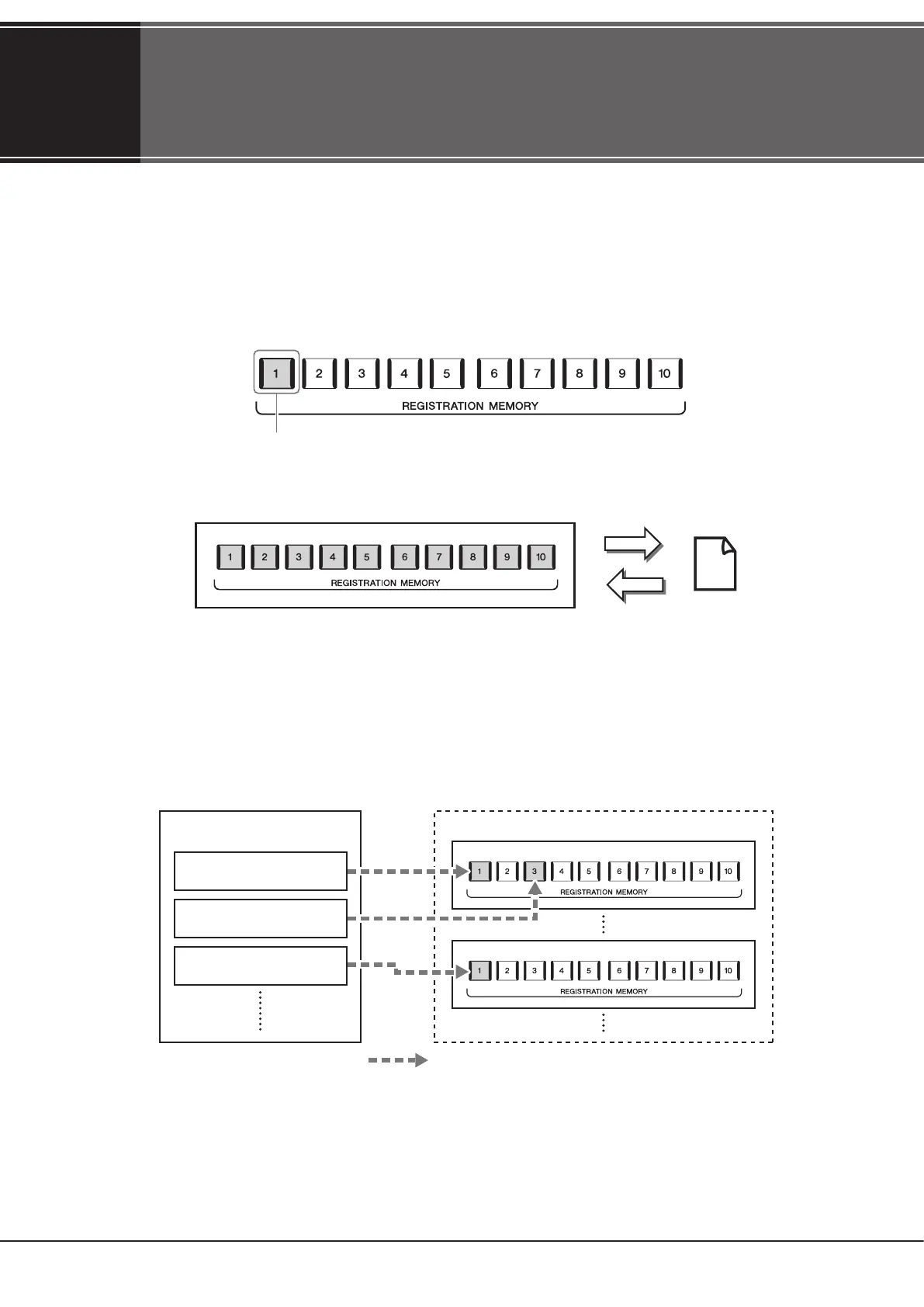
This function allows you to save (register) your custom panel settings to one of the Registration Memory buttons for easy recall.
There are ten Registration Memory buttons on the panel. You can save all ten registered panel setups as a Single Registration
Memory Bank le.
NOTE
For information on the parameters that can be registered with the Registration Memory function, refer to the Registration section of the “Parameter
Chart” in the Data List on the website.
Playlist
The Playlist function allows you to create your own live performance set list. You can select only the desired les from the huge
number of the Registration Memory Bank les without changing the bank le conguration.
Each Playlist Record can directly recall a specied Registration Memory in the selected Registration Memory Bank le. You can
collectively store the Playlist Records as a single Playlist le.
Virtually all panel settings can be saved to a single button.
Save
Recall Registration
Memory Bank le
Playlist le 01 Registration Memory Bank les
Playlist Record 01
Playlist Record 02
Playlist Record 03
: Link to call up
Bank 01
Bank 02



 To Next Page