25
Genos2 Owner’s Manual
Starting Up
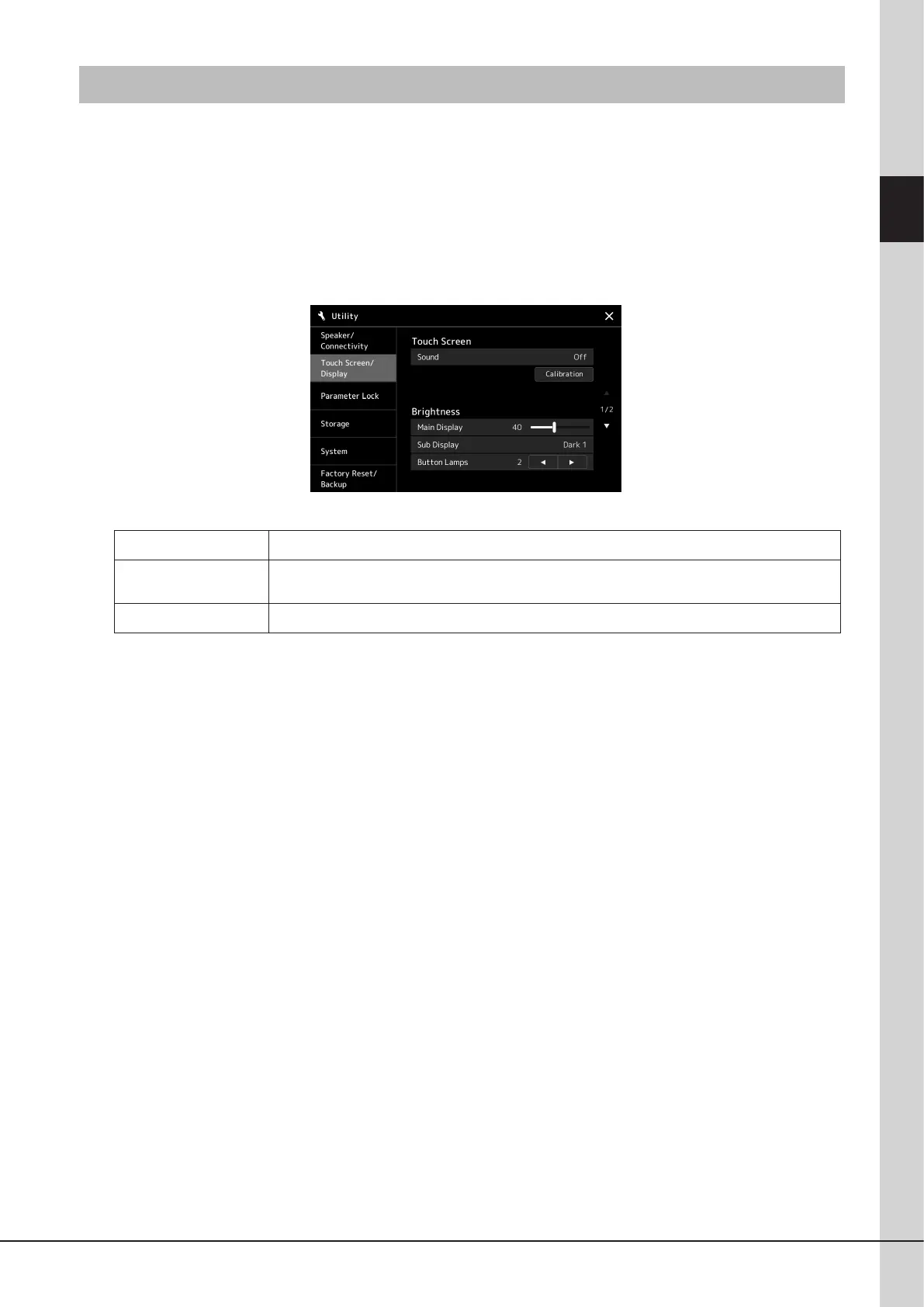
Changing the Brightness of Displays and Lighting Buttons
Here you can change the brightness of the lighting buttons.
1 Call up the operation display (Utility) (step 1 on page24).
2 Call up the “Touch Screen/Display” display.
Touch [Touch Screen/Display] on the display.
3 Change the settings by touching the display.
Main Display
Touch the slider to adjust the brightness of the Main display.
Sub Display
Touch this to change between combinations of brightness (two levels) and negative/positive settings of
the Sub display.
Button Lamps
Touch [L]/[R] to adjust the brightness of the lighting buttons.



 To Next Page