16
Genos2 Owner’s Manual
Major Functions
This section briey explains the main functions of Genos2, to help you better understand the overall capabilities of the
instrument.
Styles—Rhythm and Auto Accompaniment—
Genos2 features a variety of accompaniment and rhythmic backing patterns (called “Styles”) in a variety of dierent musical
genres including pop, jazz, and many others. Styles feature sophisticated Auto Accompaniment patterns, letting you produce
automatic accompaniment playback simply by playing chords with your left hand. This lets you automatically recreate the sound
of a full band or orchestra—even if you’re playing by yourself.
Voices—The individual sounds of Genos2—
Genos2 features a wide variety of exceptionally realistic instrumental Voices, including piano, guitar, strings, brass, wind
instruments and more. The Voices can be played manually on the keyboard, and they are also used by the Styles, MIDI Songs, and
Multi Pads.
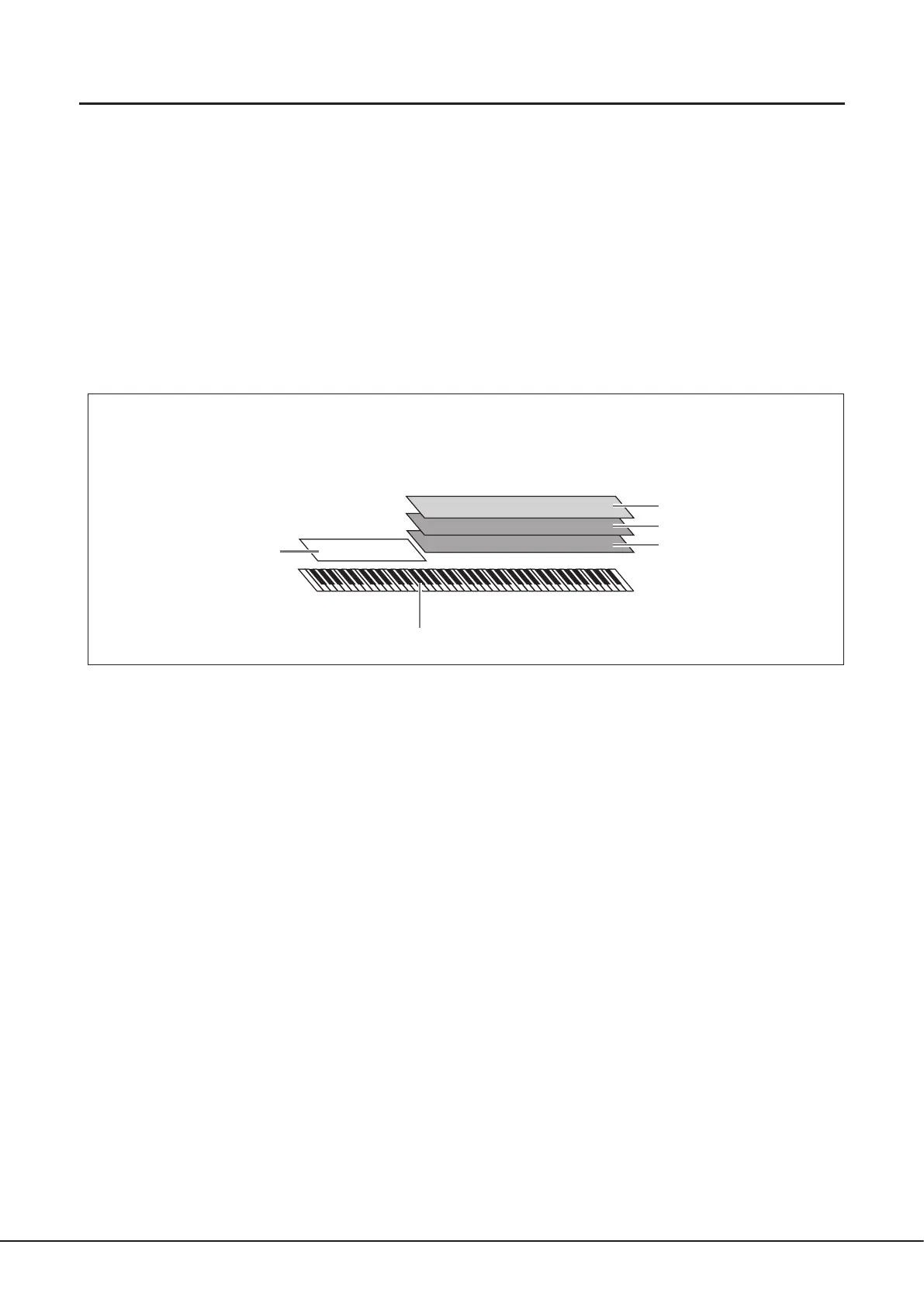
Keyboard Parts
There are four keyboard parts for your manual performance: LEFT, RIGHT 1, 2 and 3. Each part has one Voice. You can
combine these parts by using the PART ON/OFF buttons to create luscious instrument textures and convenient performance
combinations. You can change the keyboard range of the Parts by changing the Split Point.
Multi Pads—Adding musical phrases to your performance—
The Multi Pads can be used to play a number of short pre-recorded rhythmic and melodic sequences that can be used to add
impact and variety to your keyboard performances. Multi Pads are grouped in Banks of four phrases each. Genos2 features a
variety of Multi Pad Banks in a variety of dierent musical genres. Moreover, the Audio Link Multi Pad function allows you to
create unique, new pad content with your own audio (WAV) data for playing back during your performance.
Songs—Playing back MIDI/audio les—
For Genos2, the term “Song” refers to MIDI or audio data, such as preset songs, commercially available les, etc. Not only can you
play back a Song and listen to it, but you can also play the keyboard along with Song playback.
Song playback features two modes: Dual Player mode and Song List mode.
• Dual Player: Plays back two Audio Songs (or one Audio Song and one MIDI Song) simultaneously and makes a smooth
transition between the two.
• Song List: Plays back Songs continuously according to a previously created Song List.
Mic Eects—Adding harmony vocals and synth vocoder eects to your singing—
By connecting a microphone to the MIC [INPUT] jack (either XLR or standard 1/4" phone plug connectors), you can enjoy singing
along with your keyboard performance or with Song playback. The instrument outputs your vocals through the connected
speaker system.
Moreover, you can automatically apply various Vocal Harmony eects to your voice as you sing, or you can use the Synth Vocoder
feature to graft the unique characteristics of your voice onto synthesizer and other sounds.
LEFT part
Split Point (F#2 by default)
Left-hand (LOWER) section Right-hand (UPPER) section
RIGHT 3 part
RIGHT 2 part
RIGHT 1 part



 To Next Page