48
Genos2 Owner’s Manual
Setting up Keyboard Parts
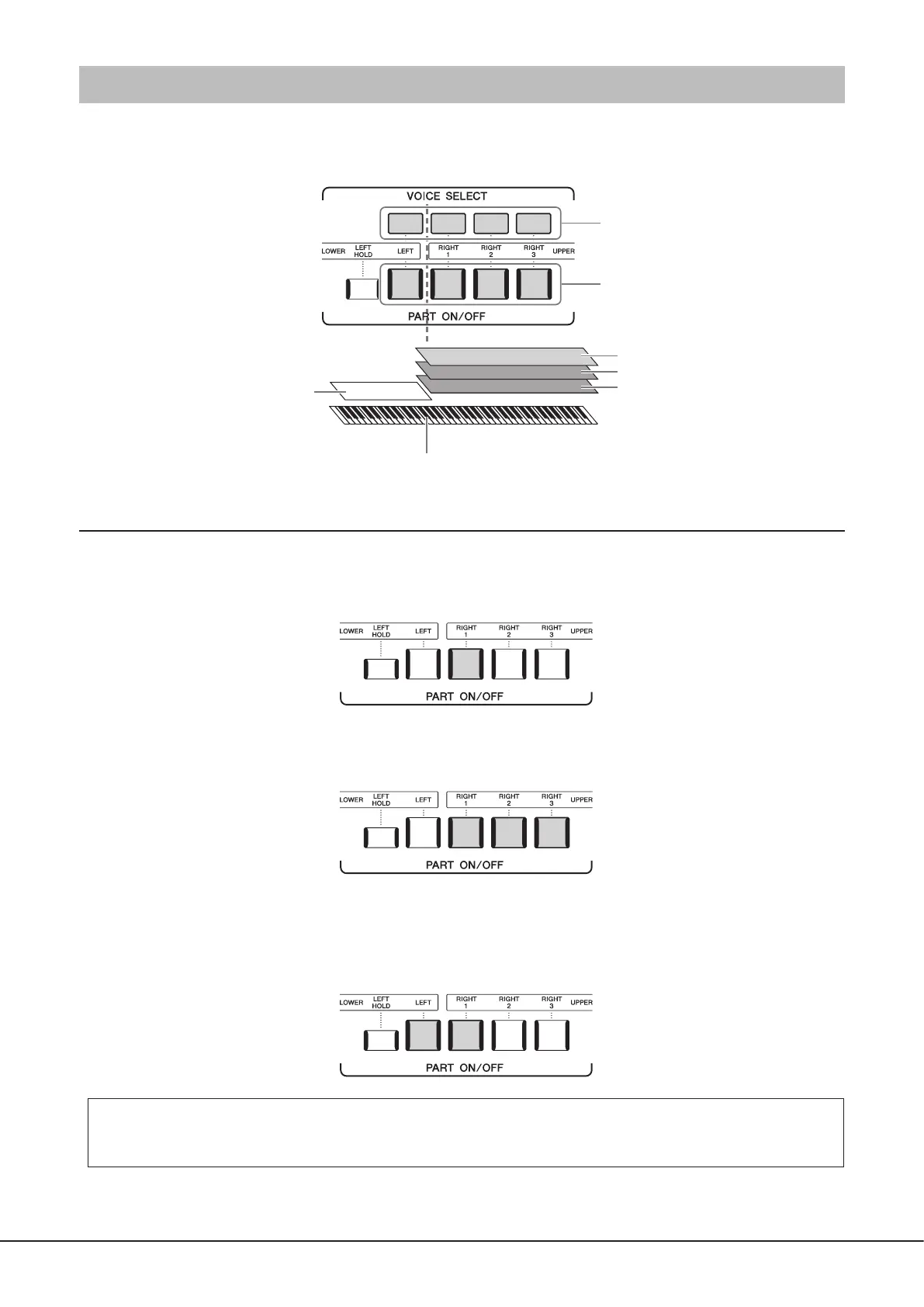
There are four keyboard parts for your manual performance: LEFT, RIGHT 1, RIGHT 2 and RIGHT 3, and each part has one
Voice. You can combine these parts by using the PART ON/OFF buttons to create luscious instrument textures and convenient
performance combinations.
Creating combinations of keyboard parts (Layer, Split)
To play one single Voice over the entire keyboard:
Turn on the RIGHT 1, 2 or 3 part. Make sure the LEFT part is turned o.
To play two or three dierent Voices simultaneously (Layer):
Turn on two or more parts from RIGHT 1, 2 and 3.
To play dierent Voices in the right- and left-hand sections of the keyboard (Split):
Turn on the LEFT part and at least one of the RIGHT 1–3 parts. The F sharp 2 and lower keys are used for the LEFT part while the
upper keys (excluding F#2) are used for the RIGHT 1, 2 and 3 parts. The key which divides the keyboard into the left-hand and
right-hand sections is referred to as the “Split Point.”
Turning each keyboard part on/o from the display
You can also turn parts on/o via the Home display, or the Voice Part Setup display. For details, see “Home Display”
(page30), or “Voice Part Setup Display” (Reference Manual on the web site).
For calling up the Voice Selection display
of each part
For turning on/o the keyboard parts
RIGHT 3 part
RIGHT 2 part
RIGHT 1 part
LEFT part
Left-hand (LOWER) section Right-hand (UPPER) section
Split Point (F#2 by default)



 To Next Page