49
Genos2 Owner’s Manual
Playing with Styles—Setups
1
Holding the LEFT part Voice (Left Hold)
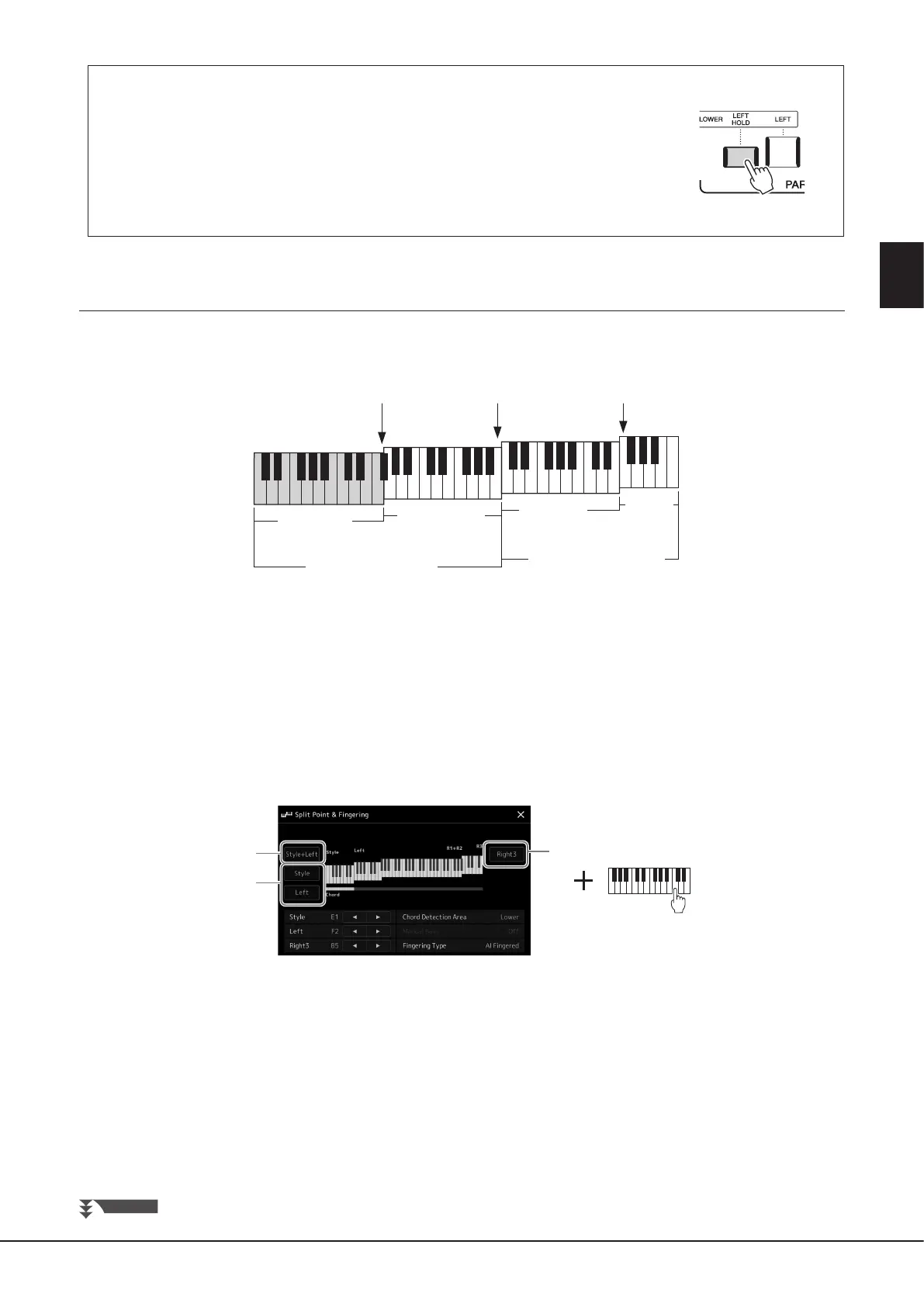
By turning on the PART ON/OFF [LEFT HOLD] button when the LEFT part is ON, the LEFT part
Voice is held even when the keys are released.
Non-decaying Voices such as strings are held continuously, while decay-type Voices such as
piano decay more slowly (as if the sustain pedal has been pressed). This function is convenient
when used along with Style playback since the sound of the chords matching Style playback are
maintained.
To stop the LEFT part Voice from sounding, stop Style or Song playback, or turn the [LEFT HOLD]
button o.
Setting the Split Point
The key which divides the keyboard into two areas is referred to as “Split Point.” There are three types of Split Point: Split Point
(Style), Split Point (Left), and Split Point (Right 3). You can set them individually (as shown).
• Split Point (Style): Divides the left-hand (LOWER) section into the Chord section and the LEFT part section.
• Split Point (Left): Divides the keyboard into the left-hand (LOWER) section and the right-hand (UPPER) section.
• Split Point (Right 3): Divides the right-hand (UPPER) section into the RIGHT 1, 2 parts section and the RIGHT 3 part section.
1 Call up the Split Point/Fingering window.
[MENU] à [Split & Fingering]
2 Set the Split Point.
2
2
1
Split Point
(Style)
Split Point
(Left)
Split Point
(Right 3)
RIGHT 3
part
section
Chord section
Left-hand (LOWER) section
Right-hand (UPPER) section
LEFT part section
RIGHT 1, 2
parts section
NEXT PAGE



 To Next Page