87
Genos2 Owner’s Manual
Singing with Song Playback—Operations While Performing
4
Displaying Score, Lyrics, and Text les during Playback
Displaying Music Notation (Score) of the MIDI Song
You can view the music notation (score) of the selected MIDI Song. We suggest that you read through the music notation before
starting to practice.
1 Select a MIDI Song (page78).
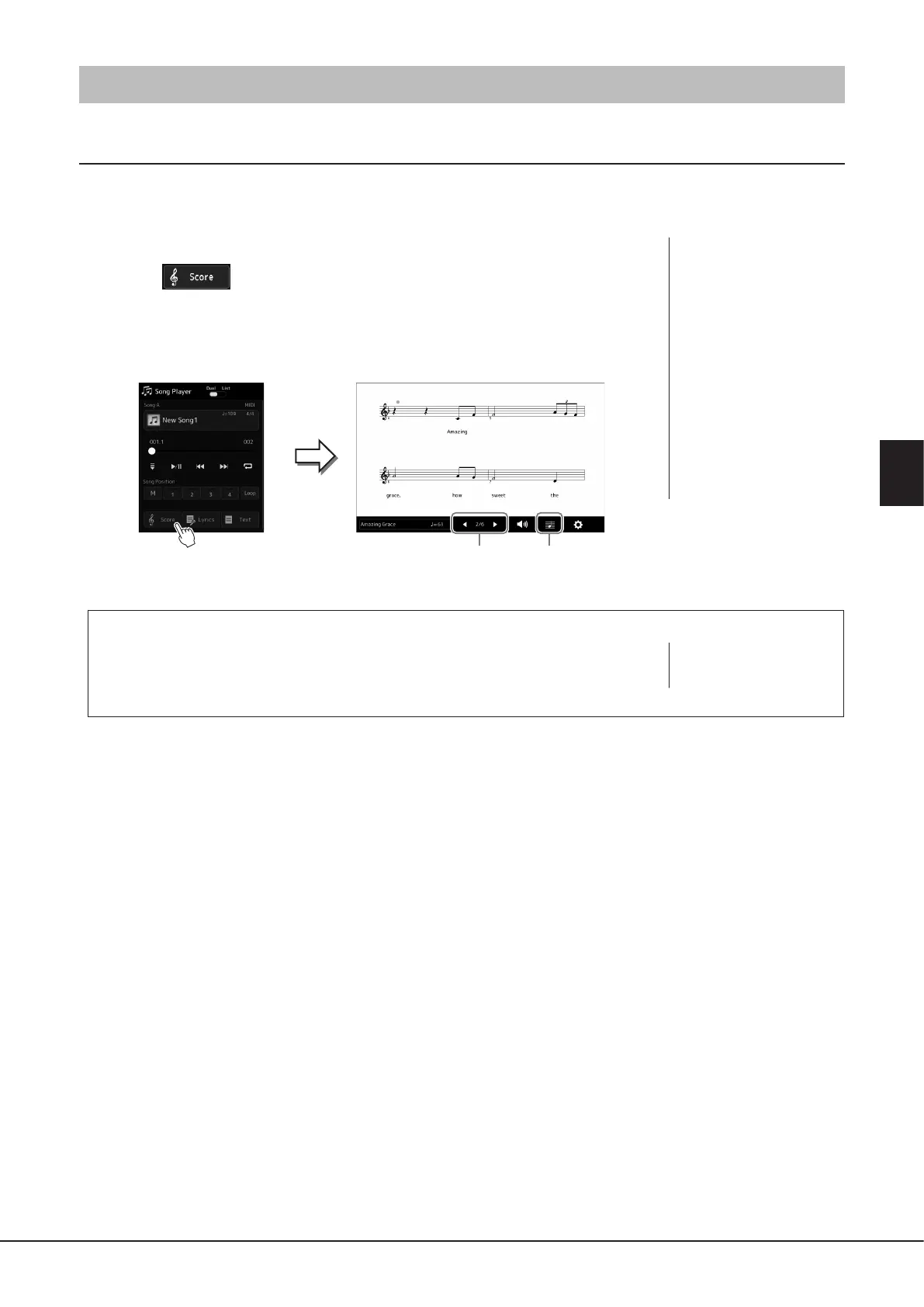
2 Touch (Score) on the Song Playback display to call up the Score
display.
You can look through the entire notation by touching [L] or [R] when Song playback
is stopped. While the Song is playing back, the “ball” bounces along through the score,
indicating the current position.
Changing the Size of the Score and Displaying Lyrics in a Score
By touching the note icon shown on the lower right of the display, you can change the settings
of the Score display, such as changing the size of the score, or displaying note names or lyrics
within the score, and so on. For details on the Score display, refer to the Reference Manual on
the website.
For changing
the page.
For changing the settings
of the Score display.
NOTE
Lyrics can be shown only when
the Song contains lyric data.
NOTE
• You can call up the Score
display as well, via [MENU] à
[Score].
• The instrument can display
the music notation of
commercially available music
data or your recorded Songs.
• The displayed notation is
generated by the instrument
based on the Song data. As a
result, it may not be exactly
the same as commercially
available sheet music of
the same song—especially
when displaying notation of
complicated passages or many
short notes.



 To Next Page