54
Genos2 Owner’s Manual
Using Ensemble Voices
These are special settings of the keyboard parts that feature multiple Voices, used in realistic ensemble combinations, such
as brass section and string quartet. Up to four special parts or instruments are provided within a single Voice. But rather than
just being a combination, the parts are dynamically assigned to the notes, and are distributed among the intervals you play in
exceptionally natural, musical ways—as if four dierent players were actually playing the parts live. Moreover, the discrepancy
between each instrument—the pitch, timing, etc—can be controlled and “humanized,” making the overall sound amazingly
authentic and expressive.
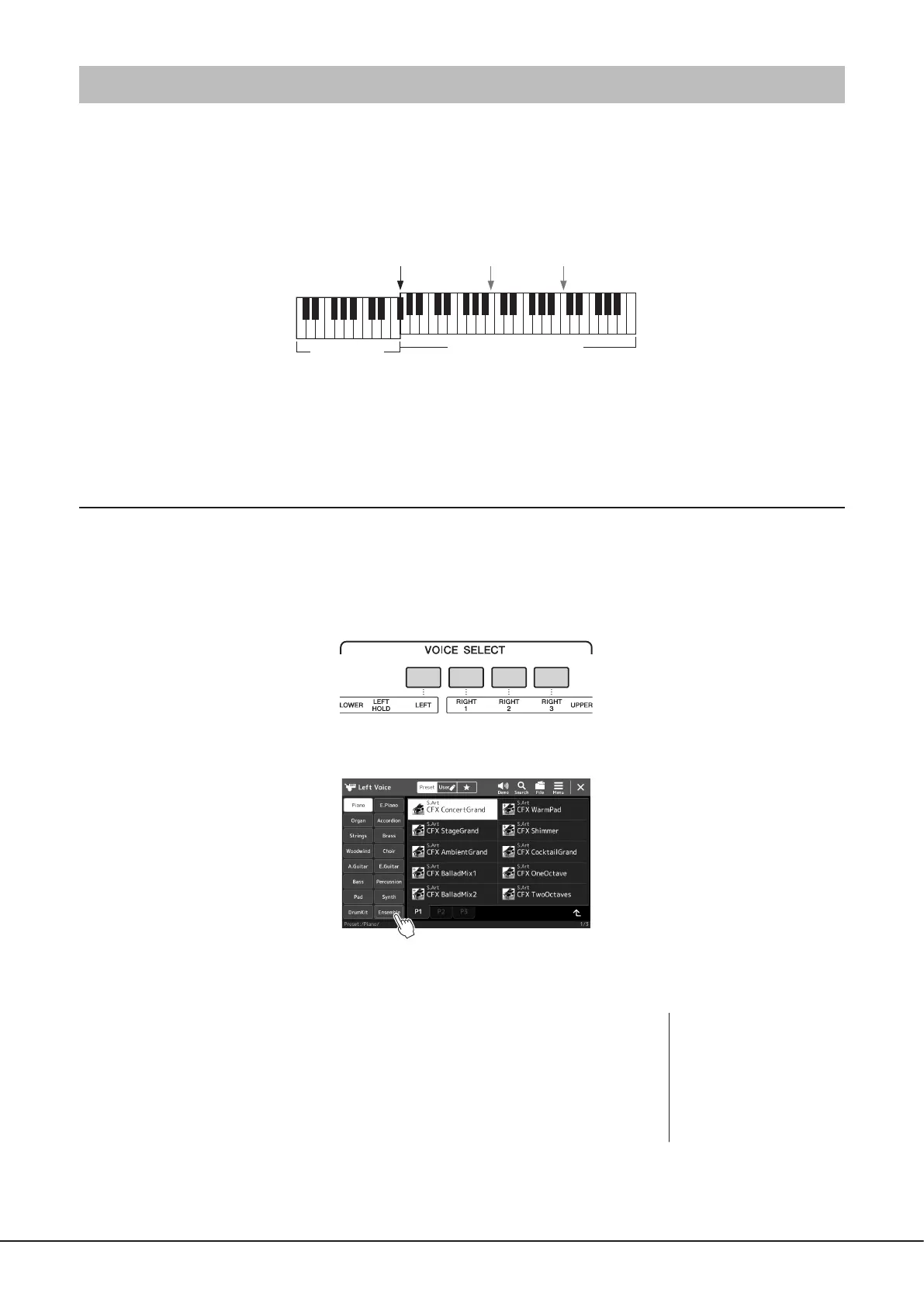
In this mode, the Keyboard parts (L, R1, R2 and R3) are changed into special Ensemble Parts 1–4 respectively. Since all the
Ensemble Parts are handled as Right parts, the Left hand part is not available in this mode, although the Auto Accompaniment
can be turned on and Styles can be played with the left hand.
Entering the Ensemble Voice mode
NOTICE
Entering the Ensemble Voice mode erases any Voice combination settings (L, R1, R2 and R3) you have made.
Important panel settings should be memorized to Registration Memory (page96).
1 Press any one of the VOICE SELECT buttons to call up the Voice Selection display.
2 Touch [Ensemble] to enter the Ensemble Voice mode.
3 Touch to select the desired Ensemble Voice preset.
4 Play the keyboard.
Split Point
(Style)
Split Point
(Left)
Split Point
(Right 3)
Chord section
Ensemble 1–4 parts section
(Right-hand section)
NOTE
You can edit settings, such as
changing each of the Voices that
make up the Ensemble Voice
and change how the Voices are
assigned the notes of the chords
you play. For details, refer to
the Reference Manual on the
website.



 To Next Page