18
Genos2 Owner’s Manual
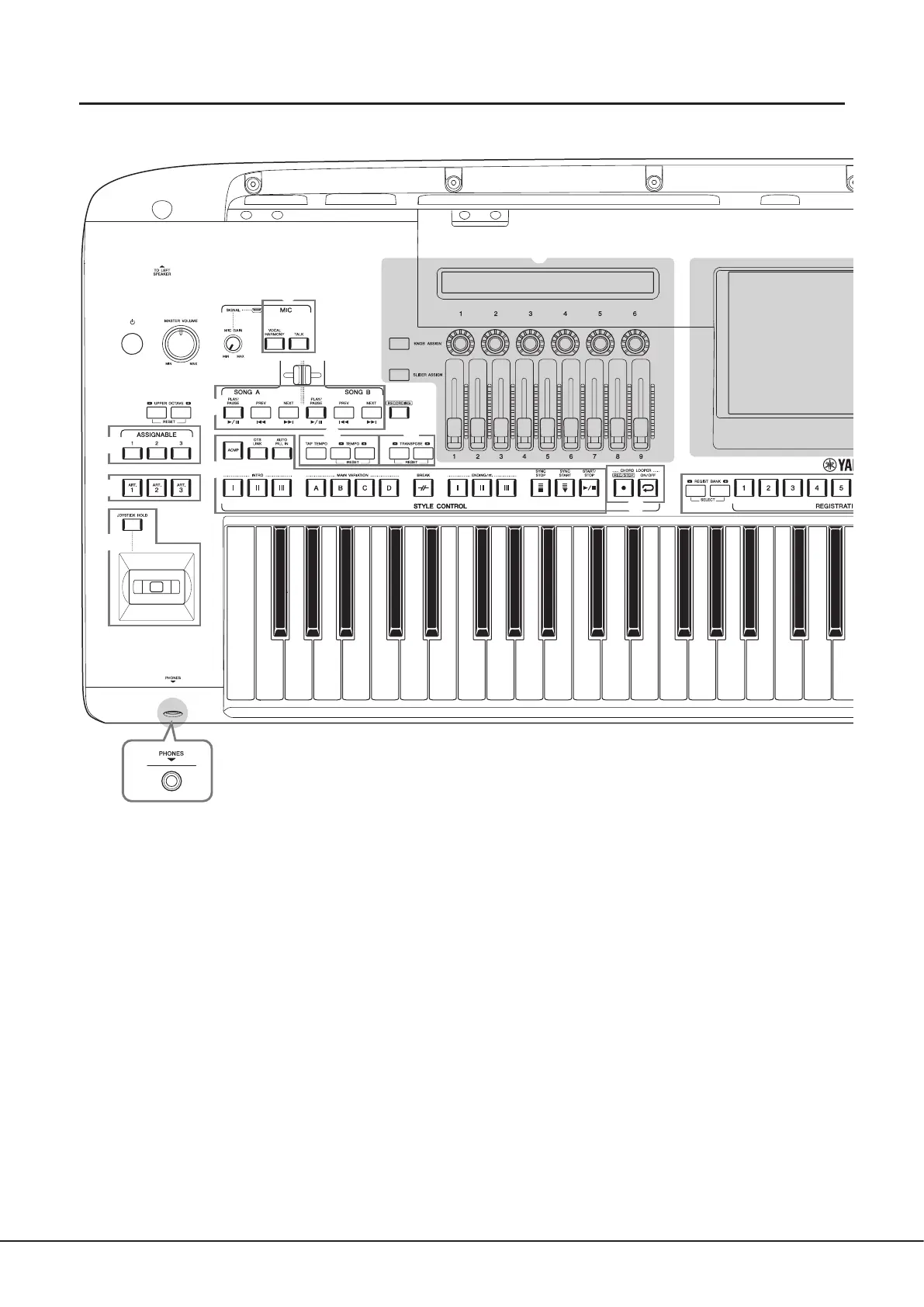
Panel Controls and Terminals
Top panel
1 [P] (Standby/On) switch ............................ page23
Turns on the instrument’s power or sets to standby.
2 [MASTER VOLUME] dial .............................. page23
Adjusts the overall volume.
3 [MIC GAIN] knob ......................................... page110
Adjusts the input sensitivity from the MIC INPUT jack.
4 MIC buttons ................................................. page89
For adding various eects to and controlling the
Microphone input.
5 UPPER OCTAVE buttons ..............................page61
Shifts the pitch of the keyboard in octave steps.
6 [ART. 1]/[ART. 2]/[ART. 3] buttons ............... page72
Controls Super Articulation Voices.
7
Joystick, [JOYSTICK HOLD] button ......... pages 64, 70
For using pitch bend or modulation functions.
8 [PHONES] jack ............................................. page22
For connecting a pair of headphones.
9 Cross Fader .................................................. page89
Adjusts the volume balance between the Songs of SONG A
and SONG B sides.
) SONG A/SONG B buttons ............................ page82
For selecting Songs and controlling Song playback.
! [RECORDING] button ...........................pages 29, 94
For calling up the Song Recording display.
@ STYLE CONTROL buttons ................... pages 44, 66
For controlling Style playback.
# CHORD LOOPER buttons
Controls recording and loop playback of the Chord Looper
function.
$ [TAP TEMPO]/TEMPO buttons ................... page46
For controlling the tempo for Style, MIDI Song and
metronome playback.
% TRANSPOSE buttons ....................................page61
For transposing the pitch in semitone steps.
w
r
!2
!6
!9
!5
!4
!3
e
!0
!1
t
y
o
u
i
q



 To Next Page