70
Genos2 Owner’s Manual
Using the LIVE CONTROL joystick
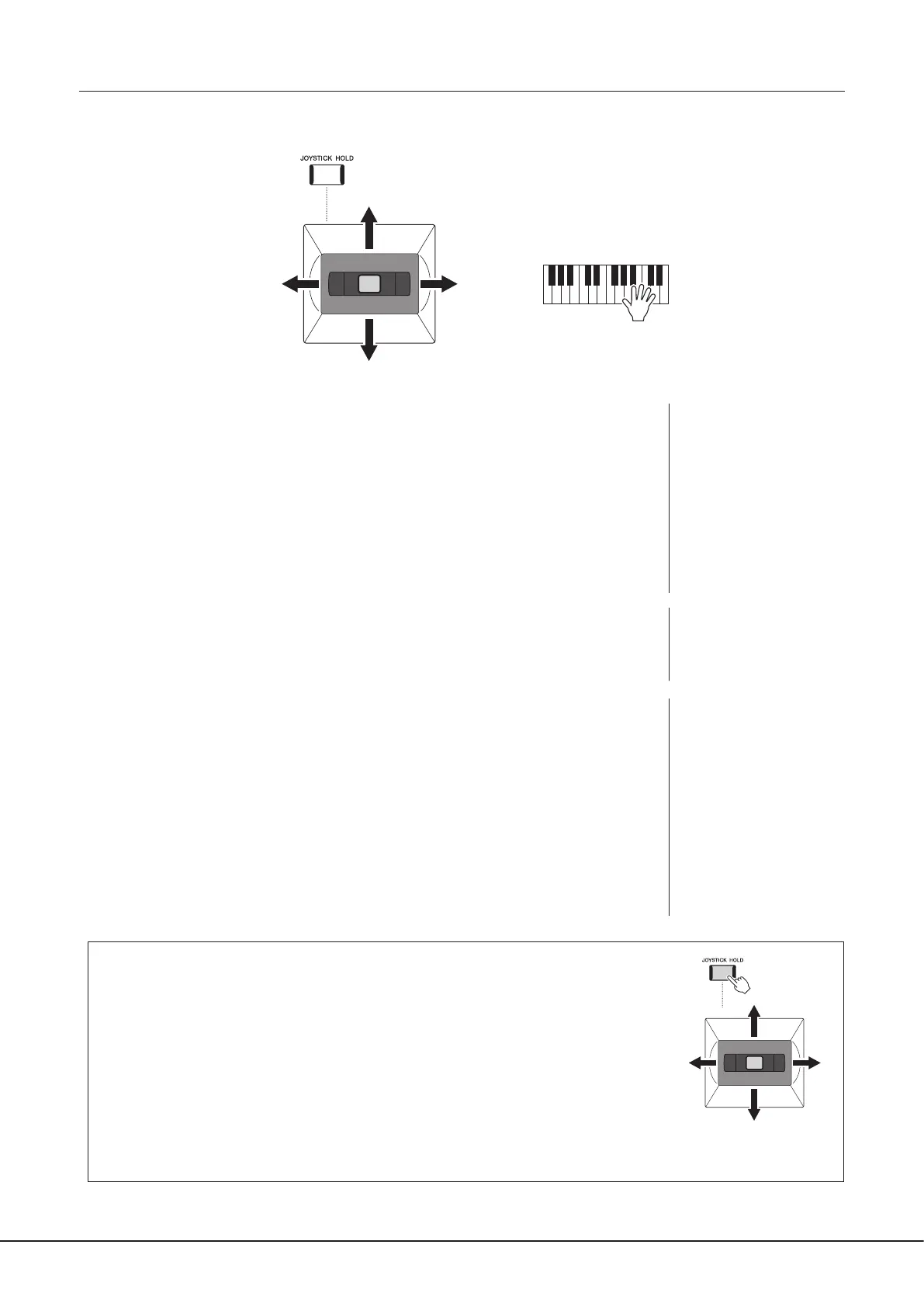
By default, by moving the joystick in a horizontal (X) or vertical (Y) direction, you can bend the notes up or down, or apply
modulation eects. Move the joystick to control the sound while playing the keyboard.
−X +X
−Y
+Y
X: Pitch Bend
Bends notes up (by moving the joystick to the right) or down (by moving the joystick to the left)
while playing the keyboard. This is applied to all keyboard parts (RIGHT 1–3 and LEFT).
Y: Modulation
The Modulation function applies a vibrato eect to notes played on the keyboard. By default, this
is applied to the keyboard parts RIGHT 1–3.
You can assign various parameters to control with the joystick. For details, refer to the Reference
Manual on the website.
Holding the values (JOYSTICK HOLD)
The Joystick is self-centering when released. However, you can hold the current values by
pressing the [JOYSTICK HOLD] button.
• If the [JOYSTICK HOLD] button is turned on while the Joystick is moved, the last selected value
stays in eect and is maintained even after the Joystick is released.
• Turning the [JOYSTICK HOLD] button o releases the held value.
By default, only the value of the Y-axis “Modulation” is held in this fashion, and the X-axis “Pitch
Bend” is not aected.
Which parameters are aected by the [JOYSTICK HOLD] button can be set on the display called
up via [MENU] à [Live Control] à [Joystick]. For details, refer to the Reference Manual on the
website.
NOTE
• The maximum pitch bend
range for each keyboard parts
can be changed on the display
called up via [MENU] à [Live
Control] à [Joystick] with the
“Pitch Bend” setting details, by
default.
• The Pitch Bend eect may
not be applied to the LEFT
part during Style playback,
depending on the Style
setting.
NOTE
The Modulation eects may
not be applied to the LEFT
part during Style playback,
depending on the Style setting.
NOTE
• To manually conrm the
current values of the Joystick,
press the ASSIGNABLE
[1] button (the default
assignment in “Live Control
Joystick Assign”).
• You can enable a pop-up
window of the current values
to automatically appear when
you operate the Joystick by
turning on “Joystick Pop-up”
on the display called up via
[MENU] à [Live Control] à
[Joystick] à [Menu].
−X
+X
−Y
+Y



 To Next Page